
A harness in under 80 lines of Python
Put one model in Claude Code, in Codex and in a script of your own, and you get three different agents. The weights are the same. What changes is the code around them. OpenAI's Codex team and Anthropic both call it the harness: the loop that calls the model, the tools it may use, what it sees on each turn and the checks around every action.
The sketch below is about as small as an agent harness gets while still holding all of those parts. It is the lesson's own code, wrapped around two tool definitions copied from Anthropic's customer service cookbook, and it was not run for this lesson. The comments name the part each line belongs to. The Claude API agent lesson builds the loop itself step by step, so here it is only labelled.
import anthropic

from orders import cancel_order, get_order_details  # the cookbook's stand-in functions

client = anthropic.Anthropic()
MODEL = "claude-opus-5-5"
MAX_TURNS = 10                     # check: end a run that never stops
NEEDS_APPROVAL = {"cancel_order"}  # permission: tools that change something

# tools: two of the cookbook's three definitions, as written there
TOOLS = [
    {
        "name": "get_order_details",
        "description": "Retrieves the details of a specific order based on the order ID. Returns the order ID, product name, quantity, price, and order status.",
        "input_schema": {
            "type": "object",
            "properties": {
                "order_id": {
                    "type": "string",
                    "description": "The unique identifier for the order.",
                }
            },
            "required": ["order_id"],
        },
    },
    {
        "name": "cancel_order",
        "description": "Cancels an order based on the provided order ID. Returns a confirmation message if the cancellation is successful.",
        "input_schema": {
            "type": "object",
            "properties": {
                "order_id": {
                    "type": "string",
                    "description": "The unique identifier for the order to be cancelled.",
                }
            },
            "required": ["order_id"],
        },
    },
]
FUNCTIONS = {"get_order_details": get_order_details, "cancel_order": cancel_order}


def allowed(name, args):
    if name not in NEEDS_APPROVAL:
        return True
    return input(f"Allow {name} {args}? (y/n) ").strip().lower() == "y"


def run_agent(task):
    messages = [{"role": "user", "content": task}]  # context: all the model sees next turn
    for _ in range(MAX_TURNS):  # the loop
        response = client.messages.create(
            model=MODEL, max_tokens=2048, tools=TOOLS, messages=messages
        )
        messages.append({"role": "assistant", "content": response.content})
        if response.stop_reason != "tool_use":
            return "".join(b.text for b in response.content if b.type == "text")
        results = []
        for block in response.content:
            if block.type != "tool_use":
                continue
            if allowed(block.name, block.input):
                fn = FUNCTIONS[block.name]
                output, failed = fn(**block.input), False
            else:
                output, failed = "The user declined this action.", True
            results.append({
                "type": "tool_result",
                "tool_use_id": block.id,
                "content": str(output),
                "is_error": failed,
            })
        messages.append({"role": "user", "content": results})
    return "Stopped: the turn limit was reached."


print(run_agent("Please cancel order O1 for me."))- Tools. The two definitions tell the model what it can ask for. The model never runs anything itself: your code looks the name up in
FUNCTIONSand calls it. - Context.
messagesholds everything the model sees on the next call. Each turn appends the reply and the tool results, so every request is larger than the one before. - Permissions.
allowed()holdscancel_orderuntil a person types y. A refusal goes back as a tool result withis_errorset, so the model can tell the user rather than retry blindly. - Checks.
MAX_TURNSends a run where the model keeps asking for tools. Anthropic's Building effective agents says it is common to add stopping conditions, such as a maximum number of iterations, to keep control, and the API leaves that count to you. - The loop. Call the model, run what it asked for, append the results and call again, until a reply arrives with no tool call in it.
What Codex puts in front of the model before your first word
Michael Bolin of OpenAI took the Codex CLI apart in Unrolling the Codex agent loop, published on 23 January 2026, and called the agent the harness that makes use of the model. Before your message reaches the model, Codex has already assembled six other parts of the request. The table lists them in order.
One line in that build is a permissions fact worth knowing before you add tools. The sandbox that the permissions message describes applies only to the shell tool Codex provides. Tools from MCP servers are not sandboxed by Codex and have to enforce their own guardrails.
The order matters for speed and cost. Each request resends the whole conversation, and the old prompt is an exact prefix of the new one, which is what lets prompt caching reuse earlier work. Change the tools, the model, the sandbox, the approval mode or the working directory mid-conversation and the cache misses. So Codex appends a new message to record a changed setting instead of editing an early one. An early version of its MCP support listed tools in an unstable order and caused misses until it was fixed. The prompt caching lesson shows the same prefix rule on Claude.
Context is the other budget. When a conversation passes auto_compact_limit, Codex calls the Responses API's /responses/compact endpoint and continues from the shorter list of items it returns.
| Part | Role | What it holds |
|---|---|---|
instructions | system or developer | The model_instructions_file from ~/.codex/config.toml when set, else the base instructions bundled for the model |
tools | Not a message | Codex's own tools such as shell and update_plan, the Responses API's web_search, and tools from your MCP servers |
| Permissions instructions | developer | The sandbox for the shell tool, when to ask before running a command and which folders Codex may write |
| Developer instructions | developer | The optional developer_instructions value from config.toml |
| User instructions | user | AGENTS.override.md and AGENTS.md from $CODEX_HOME and from each folder between the project root and the working directory, up to 32 KiB by default, plus skill metadata |
| Environment context | user | The working directory and the shell |
| Your message | user | The task you typed |
Harness engineering: OpenAI's product with no hand-written code
In Harness engineering, published on 11 February 2026, Ryan Lopopolo of OpenAI described five months of building an internal product in which no person typed a line of code. Codex CLI generated the first scaffold on GPT-5 in late August 2025, and even the first AGENTS.md was written by Codex. The figures are the team's own.
Progress was slow at first, and the post puts that down to an underspecified environment, not a weak model. So when something failed, the engineers asked "what capability is missing, and how do we make it both legible and enforceable for the agent?" One early answer was about instructions. A single big AGENTS.md crowded out the task, rotted and could not be checked by a machine, so it became a table of contents of roughly 100 lines pointing into a docs/ folder. Linters and CI jobs check that folder for freshness and cross-links, and a doc-gardening agent opens fix-ups for stale pages. The post shows the layout:
1M
lines of code in the repository after five months, none typed by a person
Source: OpenAI: Harness engineering (read November 6, 2026)
1,500
pull requests opened and merged, with three engineers driving Codex at first
Source: OpenAI: Harness engineering (read November 6, 2026)
3.5
pull requests per engineer per day on average
Source: OpenAI: Harness engineering (read November 6, 2026)
6+
hours a single Codex run worked on one task, often overnight
Source: OpenAI: Harness engineering (read November 6, 2026)
AGENTS.md
ARCHITECTURE.md
docs/
├── design-docs/
│   ├── index.md
│   ├── core-beliefs.md
│   └── ...
├── exec-plans/
│   ├── active/
│   ├── completed/
│   └── tech-debt-tracker.md
├── generated/
│   └── db-schema.md
├── product-specs/
│   ├── index.md
│   ├── new-user-onboarding.md
│   └── ...
├── references/
│   ├── design-system-reference-llms.txt
│   ├── nixpacks-llms.txt
│   ├── uv-llms.txt
│   └── ...
├── DESIGN.md
├── FRONTEND.md
├── PLANS.md
├── PRODUCT_SENSE.md
├── QUALITY_SCORE.md
├── RELIABILITY.md
└── SECURITY.md- Rules became code. Custom linters and structural tests hold each business domain to fixed layers (Types, Config, Repo, Service, Runtime, UI) and enforce structured logging, naming and file size limits. The lint messages are written to tell the agent how to fix what it broke.
- The agent got eyes on the app. Each git worktree boots its own copy of the app, wired to the Chrome DevTools Protocol, with logs and metrics the agent can query in LogQL and PromQL.
- Cleanup went on a schedule. The team used to spend every Friday cleaning up after the agents. Now "golden principles" live in the repository, and background Codex tasks open small refactoring pull requests against them.
The post says this way of working depends on that repository's structure and tooling and should not be assumed to generalize without similar investment.
What the Claude Agent SDK and OpenAI Agents SDK build for you
Nothing above needs a framework. Anthropic's Building effective agents, from December 2024, advises starting with the model API directly, since many patterns take a few lines. If you do use a framework, understand the code underneath, because wrong assumptions about it are a common source of customer error. A note at the top of the post now says much of the tooling it describes has changed since then.
Each of the two large SDKs is a harness you configure instead of writing. Anthropic renamed the Claude Code SDK to the Claude Agent SDK in September 2025 because the agent harness that powers Claude Code can power many other kinds of agents. Its Python package bundles the Claude Code CLI and gives Claude the full Claude Code toolset by default. OpenAI's Agents SDK is provider-agnostic and names agents, sandbox agents, tools, guardrails, human in the loop, sessions and tracing as its core parts. The matrix sorts both by part of the harness, from their READMEs.
The Claude Agent SDK lesson and the OpenAI Agents SDK lesson set each one up. A sensible split: your own loop for one narrow task with a tool or two, an SDK once you need file tools, approvals and hooks.
| Your own loop | Claude Agent SDK | OpenAI Agents SDK | |
|---|---|---|---|
| Runs the loop | No | Yes | Yes |
| File and shell tools built in | No | Yes | With a SandboxAgent |
| Approval before a tool runs | You write it | Yes | Yes |
| Checks around each step | You write them | Hooks | Guardrails |
| Models it drives | Whatever API you call | Claude | OpenAI models and 100+ others |
Sources: anthropics/claude-agent-sdk-python README (read November 6, 2026), openai/openai-agents-python README (read November 6, 2026)
Every part of a harness is a bet about the model
Prithvi Rajasekaran of Anthropic's Labs team put the rule plainly in Harness design for long-running application development, in March 2026. Every component in a harness encodes an assumption about what the model can't do on its own, and those assumptions go stale as models improve. His own harness shows it. Claude Sonnet 4.5 wrapped up work early as its context filled, a habit the post calls context anxiety, so the harness cleared the context and handed state over in files. Opus 4.5 largely stopped doing that, and the resets came out. With Opus 4.6, the sprint structure that split the work into chunks came out too.
The method is the part to copy. Cutting the harness back hard in one pass lost quality and left it unclear which pieces were load-bearing. Removing one component at a time and reviewing the result did work. The long-running agents lesson builds a harness of that kind, one that spans many sessions.
Ryan Lopopolo, who wrote OpenAI's post on harness engineering, on context and plumbing
Ryan Lopopolo wrote the harness engineering post and has since moved to Google Cloud as a principal engineer, by his X bio. On 7 March 2026, replying to a question on X, he split the work into two jobs. One is to get every nonfunctional requirement into a place the agent can pull into context. The other is to keep the demands on that context small. In this lesson's terms, the docs folder and the lints do the first job. The short AGENTS.md and quiet tool output do the second.
On 15 April he posted that the new Agents SDK was what he had wished for in September 2025, and singled out its bring-your-own-sandbox design. His advice was to let the SDK do the plumbing and spend the effort on your users. That fits the matrix: take the loop, tools and approvals ready-made, and keep your time for the context and checks only your product knows.
His keynote on the experiment, with a Q&A after it, is on the AI Engineer channel. His harness engineering repository collects his posts and notes for agents to read.
Harness engineering is two parts: put all the nonfunctional requirements into a space where they can be pulled into context + minimize the demands on context
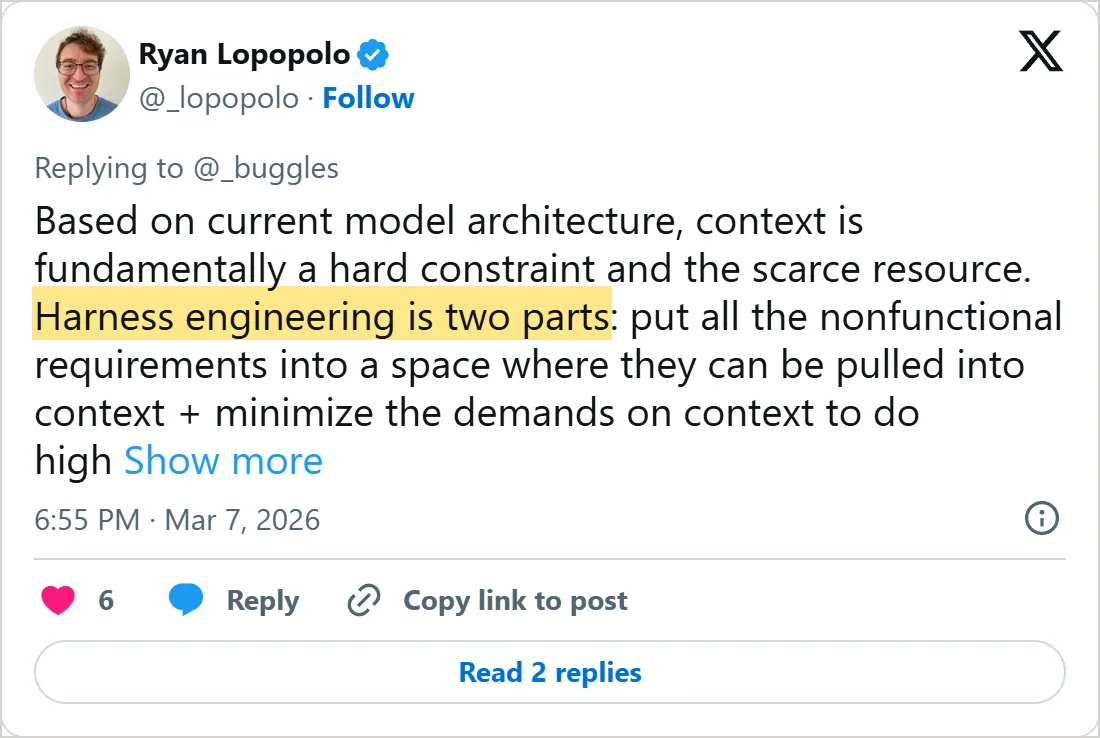
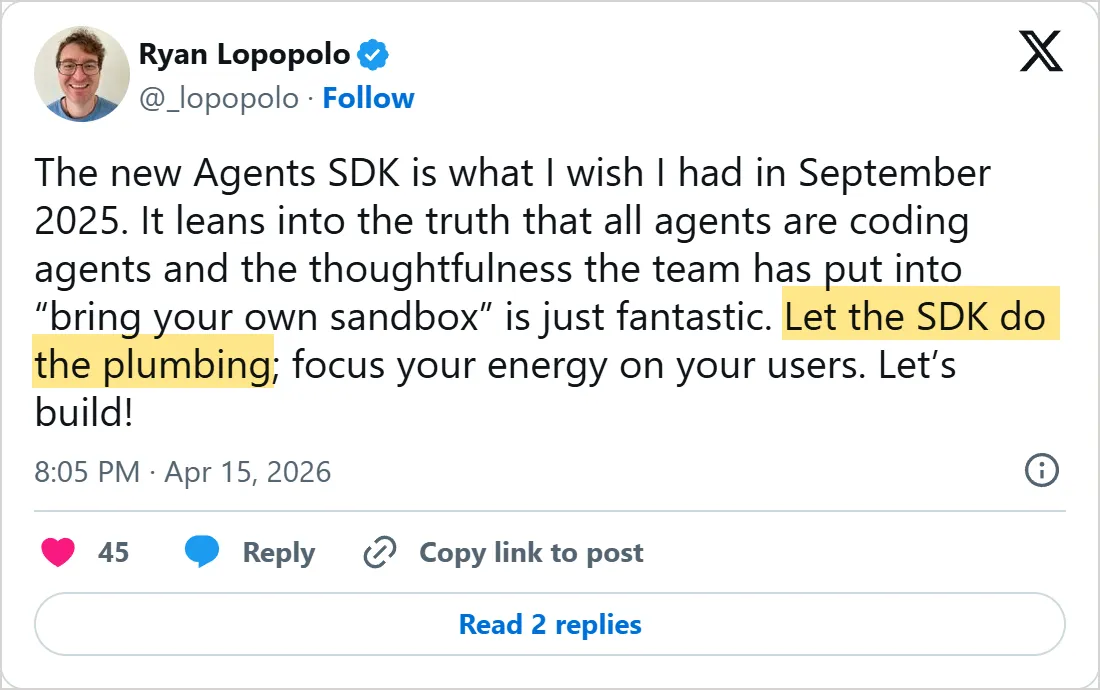

Screenshots of X's own embeds of the posts, taken on 6 November 2026, with the time in UTC. X cuts the first post short with Show more. Select one to open the post on X.
Common mistakes
- Comparing two models while the harness changes too. A model in Codex and the same model in your script see different instructions, tools and context.
- Growing one long instruction file until it crowds out the task and nobody can tell which rules still hold.
- Adding or reordering tools in the middle of a conversation, which breaks the cached prefix for every later call.
- Assuming one sandbox covers every tool. In Codex it covers the built-in shell tool, and MCP servers police themselves.
- Leaving a rule in prose when a lint or a test could enforce it on every change.
- Keeping a workaround long after the model that needed it has been replaced.
Try it yourself
The tools in the sketch were written for people reading a cookbook. Tools for AI agents, the next lesson, shows how to write them for a model.
- Run the sketch with its own task, answer n at the prompt and read what the model tells the user after the refused tool result.
- Set
MAX_TURNSto 1, ask for the status of order O2 and then its cancellation, and note which part of the harness ended the run. - Open your
~/.codex/config.tomlor your project'sAGENTS.mdand mark which rows of the Codex table you already control. - Pick one rule your team repeats in code reviews and write it as a lint whose error message tells the agent how to fix the code.
Check yourself
In Codex's agent harness, which tools does the sandbox in the permissions message cover?
Show answer
B. Only the shell tool that Codex provides The sandbox applies to the Codex-provided shell tool, and tools from MCP servers have to enforce their own guardrails.
What did OpenAI's team put in place of one big AGENTS.md?
Show answer
A. A short AGENTS.md of about 100 lines that points into a docs folder The big file crowded out the task and went stale, so it became a table of contents for a docs folder that lints keep current.
Which change in the middle of a Codex conversation causes a prompt cache miss?
Show answer
C. Changing the tools available to the model A cache hit needs an exact prefix, and the tool list sits near the start of every request.
A stronger model ships. What does Anthropic's harness design post suggest you do with your harness?
Show answer
D. Remove one component at a time and check the result Each component encodes an assumption about what the model cannot do, and removing them one at a time shows which still carry weight.
Frequently asked questions
What is harness engineering?
It is the work of shaping everything around a coding agent so the agent can do reliable work, a term Ryan Lopopolo of OpenAI used in his February 2026 post. The engineers on his team did not type the code. They built the docs, lint rules and feedback loops the agent worked inside.
Is Claude Code an agent harness?
Yes. Claude is the model inside, and everything else you meet in a session, from permission prompts to the CLAUDE.md file it reads at the start, belongs to the harness. That is why a Claude Code session and a plain API call to the same model behave so differently.
Is an agent harness the same as an agent framework?
Not quite. A framework or SDK is a harness someone else wrote and you configure. A loop of your own around a model API is a harness too, just a smaller one that you maintain.
Why does the same model act differently in two coding agents?
Each harness builds a different request around it. Codex, for one, adds its own instructions, a permissions message, AGENTS.md files and the working directory before your message, and each agent offers a different set of tools.
Where do guardrails fit in a harness?
They are the checks around each action: sandboxes, permission rules, approval prompts and hooks. The approval prompt before cancel_order in this lesson is the smallest kind, and the agent guardrails lesson covers the rest.
Sources
- OpenAI: Harness engineering, leveraging Codex in an agent-first world https://openai.com/index/harness-engineering/
- OpenAI: Unrolling the Codex agent loop https://openai.com/index/unrolling-the-codex-agent-loop/
- Anthropic Engineering: Building effective agents https://www.anthropic.com/engineering/building-effective-agents
- Anthropic Engineering: Building agents with the Claude Agent SDK https://www.anthropic.com/engineering/building-agents-with-the-claude-agent-sdk
- Anthropic Engineering: Harness design for long-running application development https://www.anthropic.com/engineering/harness-design-long-running-apps
- Claude Cookbooks: Creating a customer service agent with client-side tools https://github.com/anthropics/claude-cookbooks/blob/main/tool_use/customer_service_agent.ipynb
- anthropic-sdk-python: ToolResultBlockParam (is_error) https://github.com/anthropics/anthropic-sdk-python/blob/main/src/anthropic/types/tool_result_block_param.py
- anthropics/claude-agent-sdk-python README https://github.com/anthropics/claude-agent-sdk-python
- openai/openai-agents-python README https://github.com/openai/openai-agents-python
- lopopolo/harness-engineering on GitHub https://github.com/lopopolo/harness-engineering
- Ryan Lopopolo on X: harness engineering is two parts https://x.com/_lopopolo/status/2030356581792293212
- Ryan Lopopolo on X: let the SDK do the plumbing https://x.com/_lopopolo/status/2044507506949689726
- AI Engineer on YouTube: Harness Engineering, Ryan Lopopolo https://www.youtube.com/watch?v=am_oeAoUhew