
Before you start
You need a spreadsheet that holds one table: a header row, then one row per item, such as one per order or one per invoice. A tidy table helps every tool in this lesson. Microsoft's page on Analyze Data gives the shape. Format the data as an Excel table with a single row of unique column headers. Avoid double header rows and merged cells, and turn text dates like "2017-01-01" into real dates.
Save a copy of the file before you start. Some modes change the workbook directly, and Microsoft says Copilot in Excel opens in edit mode by default.
Ask questions in five steps
The prompt below works in any of the tools. It is our own sample, so swap in your own column names.
This sheet has one row per order. The columns are Date, Region, Product, Units and Revenue.

1. Which region had the highest total revenue in the last three months of the data?
2. Show monthly revenue as a line chart.
3. List any rows that look wrong, such as negative units or a missing region.

For each answer, tell me which columns and rows you used.- Tidy the table. One header row, no merged cells, real dates. In Excel, press Ctrl+T on Windows or Cmd+T on a Mac to format the data as a table.
- Open the AI where the data lives. In Excel, select the Copilot icon in the lower-right corner and start in Chat only mode, which analyzes data without changing the workbook. In Google Sheets, click Ask Gemini at the top right. In Claude, click +, add the file and, for an XLSX file, turn on code execution and file creation.
- Ask one question at a time, with your column names. Use the words from your header row, so the app does not have to guess which column "sales" means.
- Ask how it got the answer. Ask which rows and columns it used. Copilot shows its plan and its changes as it works, and Gemini can show its analysis steps and the code behind them.
- Ask for a chart. Gemini can insert a chart into a new linked tab. Copilot builds charts and PivotTables linked to your data. Claude can make a PNG chart image or a new Excel file for you to download.
Which tool fits your file
Pick the one that already sits in your workflow. What each needs, as the help pages say on 5 November 2026:
- Copilot in Excel opens from the icon at the lower right. It may not appear if your subscription does not include it or your organization restricts it.
- Analyze Data sits on the Home tab and is for Microsoft 365 subscribers. It suggests rank, trend, outlier and majority insights, and no recommendation is guaranteed.
- Gemini in Sheets needs an eligible Google Workspace or Google AI plan, and works best on native Google Sheets files. Convert an .xlsx with File, then Save as Google Sheets.
- Claude takes a CSV in a chat, and an XLSX once code execution and file creation are on. It works on the file you upload and hands back files for you to download. Paid plans can also use Claude's Excel add-in, which works inside the workbook.
| Copilot in Excel | Analyze Data | Gemini in Sheets | Claude | |
|---|---|---|---|---|
| Works inside the spreadsheet | Yes | Yes | Yes | Partly |
| Answers questions in plain words | Yes | Partly | Yes | Yes |
| Makes charts | Yes | Yes | Yes | Yes |
| Can change your workbook | Yes | Partly | Yes | Partly |
Sources: Microsoft: Get started with Copilot in Excel (read November 5, 2026), Microsoft: Analyze Data in Excel (read November 5, 2026), Google: Use Gemini in Google Sheets (read November 5, 2026), Anthropic: Create and edit files with Claude (read November 5, 2026), Anthropic: Collaborate with Claude across Excel, PowerPoint, Word and Outlook (read November 5, 2026)
Microsoft says plain-language questions in Analyze Data are rolling out gradually and may not be available in every country or region, which is why that row shows partly. Claude shows partly in the first row because only its Excel add-in, on paid plans, works inside Excel. A chat works on the copy you upload.
Check the numbers
An answer about a spreadsheet looks exact, and that is the reason to check it. Analyze Data looks for a specific set of insight types, and Gemini's outputs may be inaccurate, as their help pages say. The check takes five minutes and uses formulas Excel and Google Sheets both have.
Adjust the ranges and column letters to your own sheet.
=COUNTA(A2:A500)                 how many rows have a value in column A
=SUM(E2:E500)                    the total of column E
=SUMIF(B2:B500,"North",E2:E500)  the total of column E where column B is North
=AVERAGE(D2:D500) the average of column DCount the rows
Compare the row count the AI used with COUNTA on your sheet. A gap means it dropped or doubled rows.
Recompute one total
Take the number you will quote and rebuild it with SUM or SUMIF.
Spot-check three rows
Open three rows at random and follow each one into the answer.
Look at the extremes
Sort by the largest and smallest values. A typo such as an extra zero usually sits there.
Ask for the working
Ask which rows and columns it used, then compare them with your own count.
Sheets that hold private data
A sheet often holds customer names, salaries or margins. Microsoft says Analyze Data analyzes your data with AI services and points to its privacy statement. Google says that when a shared or outside file has users from another domain, Gemini's side panel warns that content added by Gemini may be visible to them.
Anthropic adds a warning about files from other people: malicious instructions hidden in external files or websites could trick Claude into running untrusted code or sending data from its context to third parties. Its page advises watching Claude while it works. Use files you trust, and delete the columns the question does not need before you upload.
What the Claude team posted when Excel came to Pro plans
On 23 January 2026, Claude's own account posted on X that Claude in Excel was available on Pro plans. The post named three changes: several files at once by drag and drop, care not to overwrite cells you already filled, and longer sessions through auto compaction.
In May, Anthropic made the add-in generally available to Mac and Windows users on paid plans, together with Claude in PowerPoint and Word. It works inside the workbook, which a chat with an uploaded file does not. A change also carries across the apps: adjust an assumption in Excel, and the chart in PowerPoint and the number in a Word memo update too.
Leaving your filled cells alone is not the same as a backup. Save a copy before the add-in starts editing, and recompute any total it writes into the sheet with a formula of your own.
Claude now accepts multiple files via drag and drop, avoids overwriting your existing cells, and handles longer sessions with auto compaction.
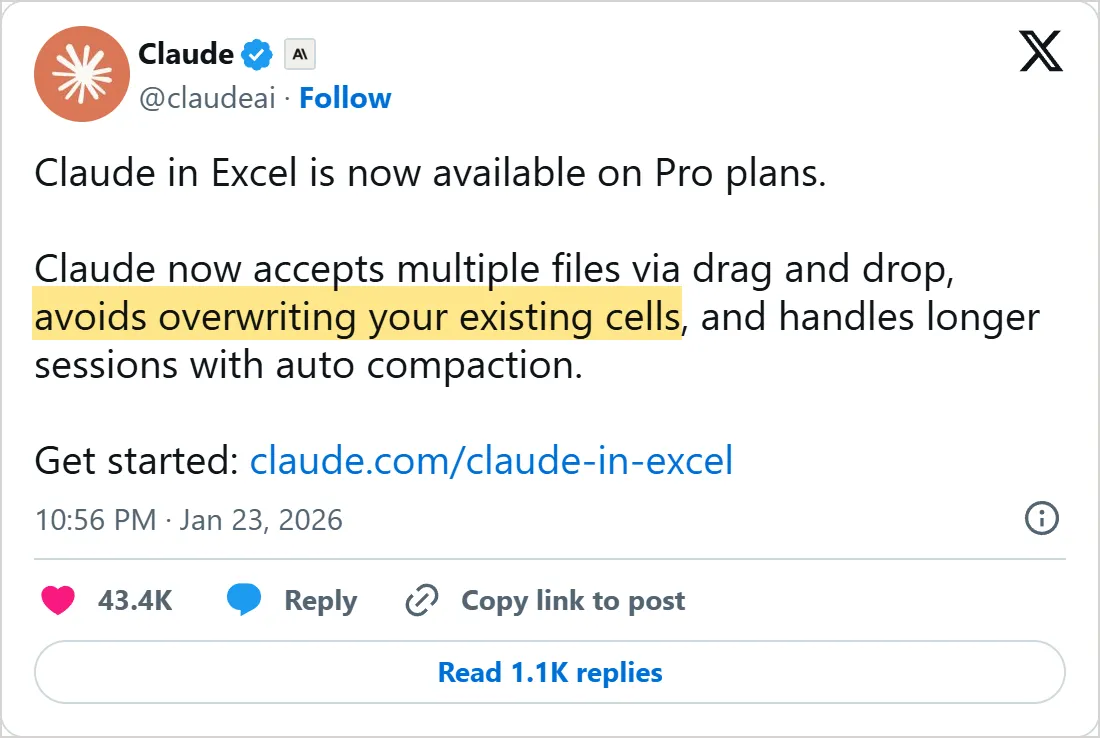
A screenshot of X's own embed of the post, taken on 5 November 2026, with the time in UTC. Select it to open the post on X.
Common mistakes
- Skipping the tidy-up. Microsoft's page lists the usual causes of an empty result: merged cells, double header rows, text dates and the old .xls format.
- Working on your only copy. Copilot opens in edit mode, so save a copy first or start in Chat only.
- Expecting a chart to follow your data. In Gemini, a chart made from generated data does not update when the source data changes, so rebuild it after an edit.
- Losing the conversation. Google says Gemini's history in Sheets is lost if you reload, close and reopen the spreadsheet or go offline, so insert useful output into the sheet.
- Asking five questions in one message and quoting the first number that comes back. Ask one at a time, then run the five-minute check.
Try it yourself
- Take a sheet you know well, such as last month's expenses, and tidy it into one table.
- Ask for a total you already know, and see whether the AI gets it right.
- Ask for a chart, then change one value in the data and see what the chart does.
- Run the five-minute number check on one answer and write down what you found.
Next: the AI assistants
You can now write an email, research a question, summarize a document and read a spreadsheet with AI, and check each result. The next course turns to the apps you did it in. How to use ChatGPT covers its Projects, memory and files, and the lessons after it cover Claude, NotebookLM and Gemini.
An agent goes further, because it takes actions on your behalf. What is an AI agent explains the idea before you meet one in the coding courses.
Check yourself
Which Copilot mode in Excel analyzes your data without changing the workbook?
Show answer
B. Chat only Microsoft says Chat only gives insights without changing the workbook, while the default edit mode changes it directly.
You edit the source data after Gemini made a chart from generated data. What happens to the chart?
Show answer
D. It stays as it was until you rebuild it Google says charts from generated data do not update when the source data changes.
Analyze Data finds nothing in your sheet. Which fix does Microsoft list?
Show answer
A. Format the data as a table with one row of unique headers Microsoft lists a table format, one row of unique headers, no merged cells, real dates and a modern file format.
What is the best first check on a number the AI gives you?
Show answer
C. Recompute it with SUM or SUMIF on your own sheet A formula you write yourself on the same data shows whether the AI's answer matches your sheet.
Frequently asked questions
Can I upload an Excel file to a chat app?
Claude reads CSV and TSV data files, and it accepts XLSX after you enable its file tools. Gemini accepts most file types, and its page says you can ask it for a chart from an uploaded spreadsheet.
Do I need a paid Microsoft plan for Copilot in Excel?
Copilot needs a license that includes it, and Analyze Data needs a Microsoft 365 subscription. The other tools in the table have requirements of their own, so check the one you plan to use.
How big a spreadsheet can AI analyze?
Analyze Data does not support data over 1.5 million cells, and Microsoft says there is no workaround for now. In the meantime it suggests filtering the data and copying it to another location to run Analyze Data there. For files you upload to Claude or Gemini, the file limits in lesson 3 apply.
Why does Analyze Data find nothing in my sheet?
Look at the layout first. Microsoft lists the fixes: format it as a table, use one row of unique headers, unmerge cells, turn text dates into real dates and save .xls files as .xlsx, .xlsm or .xlsb.
Will AI change my original data?
Only in some modes. Edit mode changes the workbook directly, Plan shows a plan first and Chat only leaves the workbook alone. Gemini shows a preview you must apply and offers Undo. Keep a copy either way.
Do charts update when my data changes?
Not always. Gemini's charts made from generated data are not refreshed when the data underneath them changes, while charts from BigQuery Connected Sheets do refresh. Rebuild a chart after you edit the sheet.
Sources
- Microsoft: Get started with Copilot in Excel https://support.microsoft.com/en-us/office/get-started-with-copilot-in-excel-d7110502-0334-4b4f-a175-a73abdfc118a
- Microsoft: Analyze Data in Excel https://support.microsoft.com/en-us/office/analyze-data-in-excel-3223aab8-f543-4fda-85ed-76bb0295ffc4
- Google: Use Gemini in Google Sheets https://support.google.com/docs/answer/14218565?hl=en
- Anthropic: Create and edit files with Claude https://support.claude.com/en/articles/12111783-create-and-edit-files-with-claude
- Anthropic: Collaborate with Claude across Excel, PowerPoint, Word and Outlook https://claude.com/blog/collaborate-with-claude-across-excel-powerpoint-word-and-outlook
- Anthropic: Uploading files to Claude https://support.claude.com/en/articles/8241126-uploading-files-to-claude
- Google: Upload and analyze files in Gemini Apps https://support.google.com/gemini/answer/14903178?hl=en
- Claude (@claudeai) on X: Claude in Excel on Pro plans https://x.com/claudeai/status/2014834616889475508