
Before you start
You need a Claude account and the account of the app you want to link, such as a Google account for Gmail and Drive. A connector is a link between Claude and one app, so Claude can read from it or act in it when you ask. A desktop extension is an app packaged as a single file that runs on your own computer inside Claude Desktop.
This lesson draws on Anthropic's posts on X, its engineering blog and its GitHub projects, read on 6 November 2026. Anthropic's help center could not be read for it, so check that page if a label here differs from your screen.
Connect Gmail or Drive in five steps
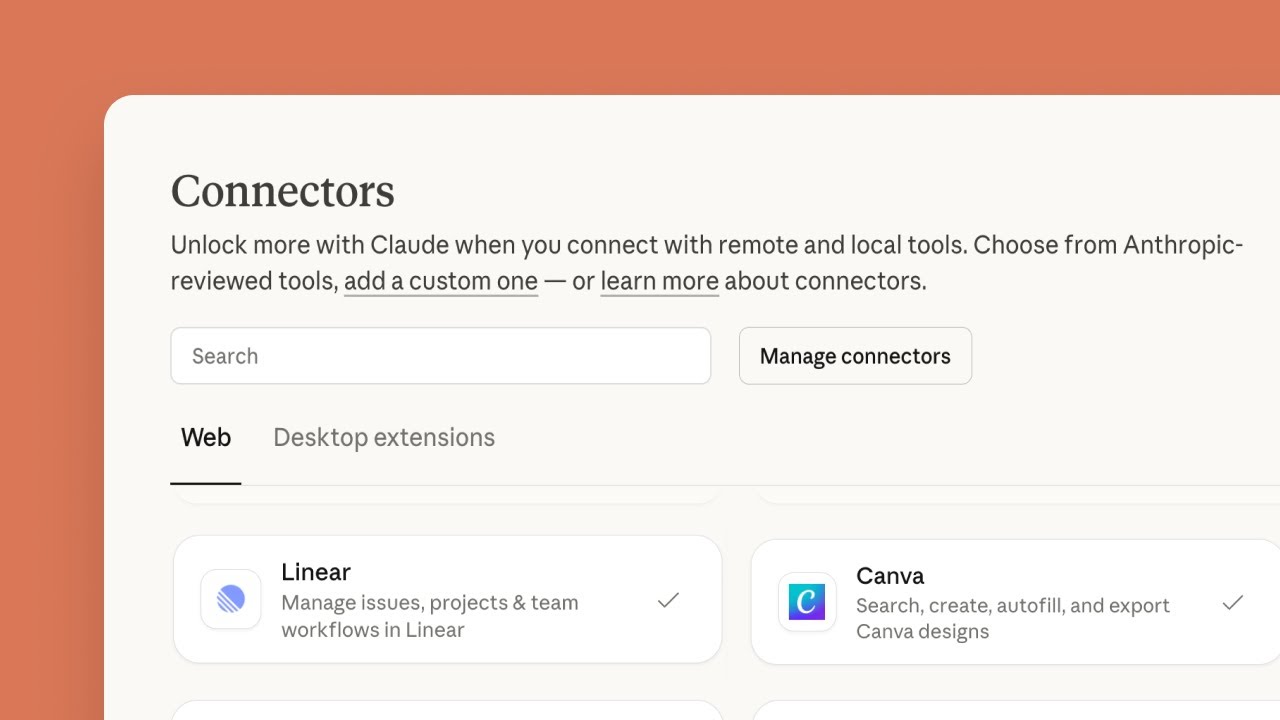
Anthropic's own video on connectors in Claude.ai sits below the steps. It was uploaded on 11 December 2025, before the August 2026 update, so it cannot cover sending email or the approval choice. The steps follow what Anthropic's August 2026 post says.
- Open the connectors menu in Claude. Anthropic's post says to connect Gmail or Google Drive from there.
- Pick the app. Choose Gmail or Google Drive from the menu. If an account or permission screen follows, read it before you accept. Anthropic's post does not describe that screen.
- Ask for a read first. A request such as "find the three newest emails from my accountant and list what each one asks me to do" reads and changes nothing.
- Decide when Claude needs your approval. Anthropic says you control that. It does not name the switch or say where it sits, so check Claude's settings and start with asking every time.
- Ask for a draft, then approve. Use the prompt below. Claude can now send email, so the wording that makes it wait matters.
A prompt that drafts and waits
Anthropic's post describes the new power in one line: ask Claude to reply to a thread, and it drafts and sends the response. The prompt below is Mindket's own wording, built on that example. Fill in the three brackets before you send it.
The last sentence does the work. It asks Claude to wait for your approval before it sends, whichever approval choice you made. Read the draft for any fact you did not give it, because Claude can only confirm what the thread and your prompt contain.
Find the latest thread with [name] about [topic] in Gmail.
Draft a reply that confirms [one fact you know is true].
Show me the draft and wait for my approval before you send anything.Desktop extensions: apps that run on your computer
A desktop extension is a file ending in .mcpb, short for MCP Bundle. It packs a local MCP server and everything it needs into one installable package. The format was called DXT at first, and the MCPB project on GitHub says it is being renamed from DXT to MCPB. Same format, new name. Anthropic's engineering post says existing .dxt extensions will continue to work.
To install one, download the file and open it with Claude Desktop by double-clicking it, or drag it into the Settings window, then click Install. The post says to look for the Extensions section in Settings. Anthropic built a curated directory into Claude Desktop, and developers submit extensions to it for review: "Our team reviews for quality and security."
Sensitive values such as API keys are stored in the operating system's keychain, and Claude will not enable an extension until its required values are filled in. Extensions also update automatically when a new version is available. The extension you approved today may change next month.
Three ways to give Claude an app, and who reviewed each
Anthropic's engineering posts describe a review for what goes into its directories and call anything outside the connector directory untrusted. The table puts the three ways side by side. Lesson 3 covers the last row.
| Way | How you add it | What Anthropic says about review |
|---|---|---|
| A connector from the directory | Pick it in the connectors menu | The directory involves "ongoing review" |
| A desktop extension | Install the .mcpb file, or choose one from the built-in directory | Directory submissions are reviewed for quality and security |
| A connector from outside the directory | Enter the address of a server you or someone else runs | "anything outside it should be treated as untrusted" |
How Claude reached your mailbox
Claude's Google connectors arrived in stages, and each stage added to what Claude may do. The newest, in August 2026, is the one that sends email and changes files, so it is the one where your approval decides whether a mistake leaves your mailbox.
Research and a Google Workspace integration
Anthropic launched Research alongside the Google Workspace integration, so Claude could combine your work and the web.
Source: Anthropic (@AnthropicAI) on X: Research and Google Workspace (read November 6, 2026)
Desktop Extensions
Anthropic announced one-click installs of local MCP servers in Claude Desktop, with a curated directory.
Source: Anthropic: Desktop Extensions (read November 6, 2026)
Connectors for Cowork and Code
New connectors link Claude Cowork and Claude Code to Google Calendar, Drive and Gmail.
Source: Felix Rieseberg (@felixrieseberg) on X: Google Workspace connectors (read November 6, 2026)
Send email and manage files
Claude can send email in Gmail and manage files in Google Drive, with approval you control.
Source: Claude (@claudeai) on X: Gmail and Drive update (read November 6, 2026)
What two posts on X said about Gmail, Drive and approval
On 18 August 2026 the official Claude account announced on X that Claude can send emails in Gmail and manage files in Google Drive. The post says to start from the connectors menu and adds that all paid plans have the update.
Almost six months earlier, Felix Rieseberg wrote on X that "we're launching" new connectors for Claude Cowork and Code. They link Claude directly to Google Calendar, Drive and Gmail. He added that Claude already runs his calendar.
The approval line is the one to act on. It leaves the choice with you, so make it on purpose the first time you connect.
You control when it needs your approval.
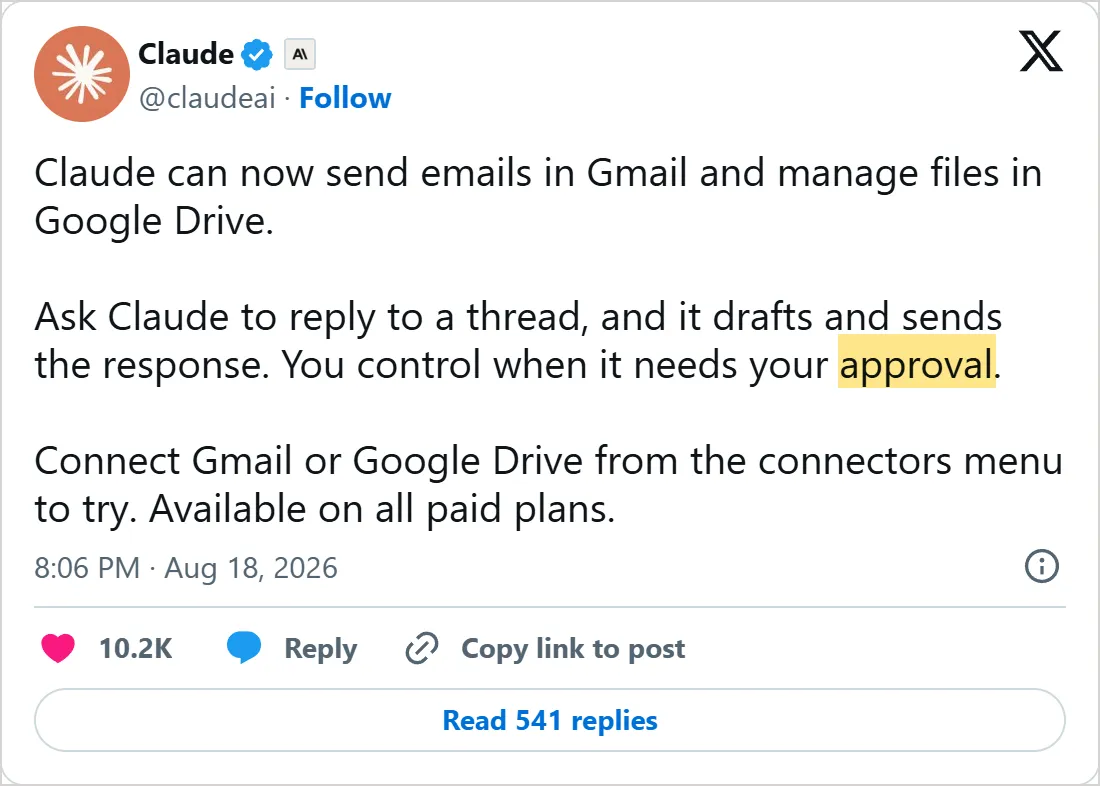
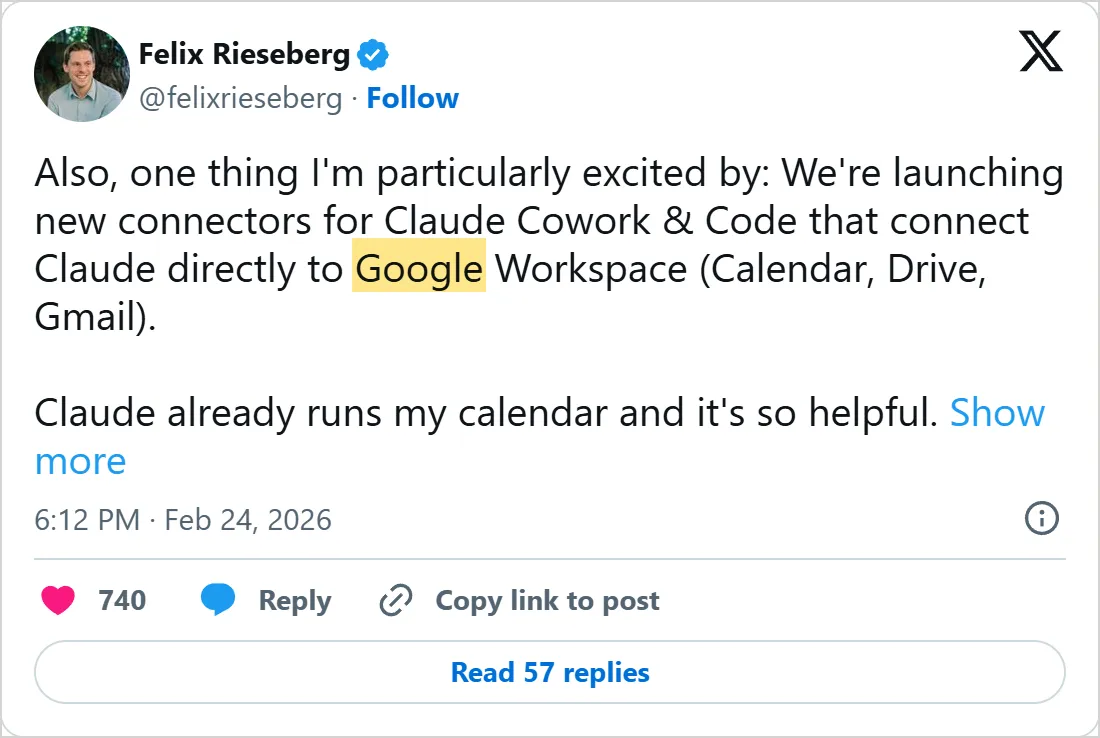
Screenshots of X's own embeds of the two posts, taken on 6 November 2026, with the time in UTC. Select one to open the post on X. X cuts Felix Rieseberg's post short with Show more.
Common mistakes
- Letting Claude send on its own from the first day. Start with approval on every send and loosen it only after you have read a few drafts.
- Installing a
.mcpbfile from a random download. Anthropic ties its review to submissions to the directory and says nothing about files from elsewhere, so treat them as unreviewed. - Trusting a listed connector with any data. Anthropic's engineering blog says "An audited connector isn't the same as audited data", so a clean connector can still load a poisoned document.
- Forgetting that extensions update themselves. Look at the list of what you installed now and then, and remove what you no longer use.
Try it yourself
- Connect Google Drive, ask Claude to find one document by name and summarize it, then open the document and check two details.
- Connect Gmail, run the draft prompt with a real thread, and send nothing until you have read every line.
- Open Settings in Claude Desktop and find the Extensions section, even if you install nothing.
- Write down which of your apps are in the directory and which you would have to add yourself.
Next: custom connectors
Some apps you want are not in either directory. Lesson 3, custom connectors, shows how to add a server by its address in ChatGPT and Claude, and what to check before you press the button. For the ChatGPT side of this topic, lesson 1 comes first.
Check yourself
What does Anthropic's August 2026 post say about approval when Claude sends email?
Show answer
B. You control when it needs your approval The post says "You control when it needs your approval."
What kind of file is a Claude Desktop extension?
Show answer
A. A .mcpb file Anthropic's engineering post and the MCPB project describe extensions as .mcpb bundles, renamed from .dxt.
How does Anthropic say to treat connectors outside its directory?
Show answer
C. As untrusted Anthropic's post says anything outside the directory should be treated as untrusted, and advises trying it on fake data first.
Where does an extension keep sensitive values such as API keys, according to Anthropic?
Show answer
D. In the operating system's keychain The engineering post says sensitive configuration is stored in the OS keychain.
Frequently asked questions
What are Claude connectors?
They let Claude read from apps such as Gmail, Google Drive and Google Calendar and, with approval, act in them. Adding one starts in the connectors menu, and Anthropic keeps the ones it reviews in a directory.
Will Claude show me a draft before it sends an email?
Only if you set it up that way. Nothing in the announcement promises a preview, so say so in the request: ask for the draft and tell Claude to wait for your word before anything is sent.
Do Claude connectors work on the free plan?
The post on the Gmail and Drive update says all paid plans get it and says nothing about the free plan. Anthropic's help center is the page to check for your plan.
What is a Claude desktop extension?
A .mcpb bundle that packs a local MCP server with its dependencies, so Claude Desktop installs it in one click. Anthropic reviews the extensions submitted to a curated directory inside the app.
Is it safe to add a connector that is not in the directory?
Treat it as untrusted. Anthropic's advice is to run it against fake data in a contained setup first, so a bad server meets nothing real.
Sources
- Claude (@claudeai) on X: Gmail and Drive update https://x.com/claudeai/status/2089806039088517356
- Felix Rieseberg (@felixrieseberg) on X: Google Workspace connectors https://x.com/felixrieseberg/status/2026359503000838389
- Anthropic (@AnthropicAI) on X: Research and Google Workspace https://x.com/AnthropicAI/status/1912192384588271771
- Anthropic: Desktop Extensions https://www.anthropic.com/engineering/desktop-extensions
- Anthropic: How we contain Claude https://www.anthropic.com/engineering/how-we-contain-claude
- GitHub: modelcontextprotocol/mcpb https://github.com/modelcontextprotocol/mcpb
- GitHub: anthropics/claude-ai-mcp https://github.com/anthropics/claude-ai-mcp
- Anthropic on YouTube: Getting started with connectors in Claude.ai https://www.youtube.com/watch?v=_jjSS0qGFbI