
Before you start
Every AI song tool takes the same two inputs. The first is a caption, a short description of the style: genre, instruments, mood and tempo. The second is the lyrics, where tags like [Verse 1] and [Chorus] show the model where each part starts. Some tools write both for you from one sentence.
There are two ways to run one. A hosted tool such as Suno or Udio works in a browser. An open model such as ACE-Step 1.5 runs on your own computer, and its license is a text file you can read. The AI music generator lesson compares hosted plans and covers the ACE-Step install, so this lesson picks up at the interface.
Your first song in ACE-Step's Simple mode
ACE-Step has a web interface. Start it with uv run acestep from the project folder, then open http://localhost:7860. The first run downloads the models.
The Gradio guide describes Simple mode as the quick route. You write one sentence, and the model's language model drafts the caption, the lyrics and the settings for you to review.
- Choose Simple in the Generation Mode selector.
- Type a song description. The guide gives "a soft Bengali love song for a quiet evening" and "jazz trio playing in a smoky bar" as examples.
- Tick Instrumental if you want no vocals, and pick a vocal language if you want one.
- Press Create Sample. The model writes a caption, lyrics and metadata, and you can read them before going on.
- Press Generate Music to make the audio.
- Play what comes back. Batch Size sets how many variations you get, two by default.
Take control: caption, lyrics and settings
Custom mode shows every field. For the caption, the guide asks you to be specific about genre and style, instruments, mood and atmosphere, and the tempo feel when you leave BPM empty. Its sample caption is "upbeat pop rock with electric guitars, driving drums, and catchy synth hooks."
In the Lyrics field, the tags carry the structure. The guide marks a verse and a chorus like this.
[Verse 1]
Walking down the street today
Thinking of the words you used to say

[Chorus]
I'm moving on, I'm staying strong
This is where I belong- Leave BPM, key and duration empty to let the language model detect them, and keep the Think box ticked.
- To get the same song again, untick Random Seed and enter a seed, or press Apply These Settings to UI on a batch you liked.
- Press Format to have the language model improve the caption and lyrics before you generate.
- The guide suggests making two to four variations and picking the best.
| Field | What it sets | Range or default |
|---|---|---|
| BPM | Tempo in beats per minute | 30 to 300, automatic by default |
| Key Scale | The musical key, such as C Major or Am | Automatic by default |
| Time Signature | 2 for 2/4, 3 for 3/4, 4 for 4/4 or 6 for 6/8 | Automatic by default |
| Audio Duration | Length in seconds | 10 to 600, and -1 lets the model decide |
| Batch Size | How many variations come back | 1 to 8, two by default |
| Seed | Which random start the song uses | -1 picks a new one each time |
Fix a song instead of starting again
The same interface edits finished audio. Upload the song as Source Audio, pick a mode and write a caption for what you want. Turbo and SFT models offer four modes, and the Base model adds three more.
Repaint is the one to remember. It regenerates only the seconds you choose and keeps the rest, so a good song with one weak chorus does not need a new run.
| Mode | What it does | What you set |
|---|---|---|
| Remix | Changes the style and keeps the melodic structure | Remix Strength from 0.0 to 1.0, where higher stays closer to the original |
| Repaint | Regenerates one time segment and keeps the rest | Repainting Start and End in seconds, with -1 for the end of the file |
| Extract | Isolates one instrument track, Base model only | A track name such as vocals, drums, bass or strings |
| Lego | Adds a new instrument track, Base model only | A track name and a caption for it |
| Complete | Finishes a partial track with chosen instruments, Base model only | Several track names and a caption |
Watch the XL model play many genres
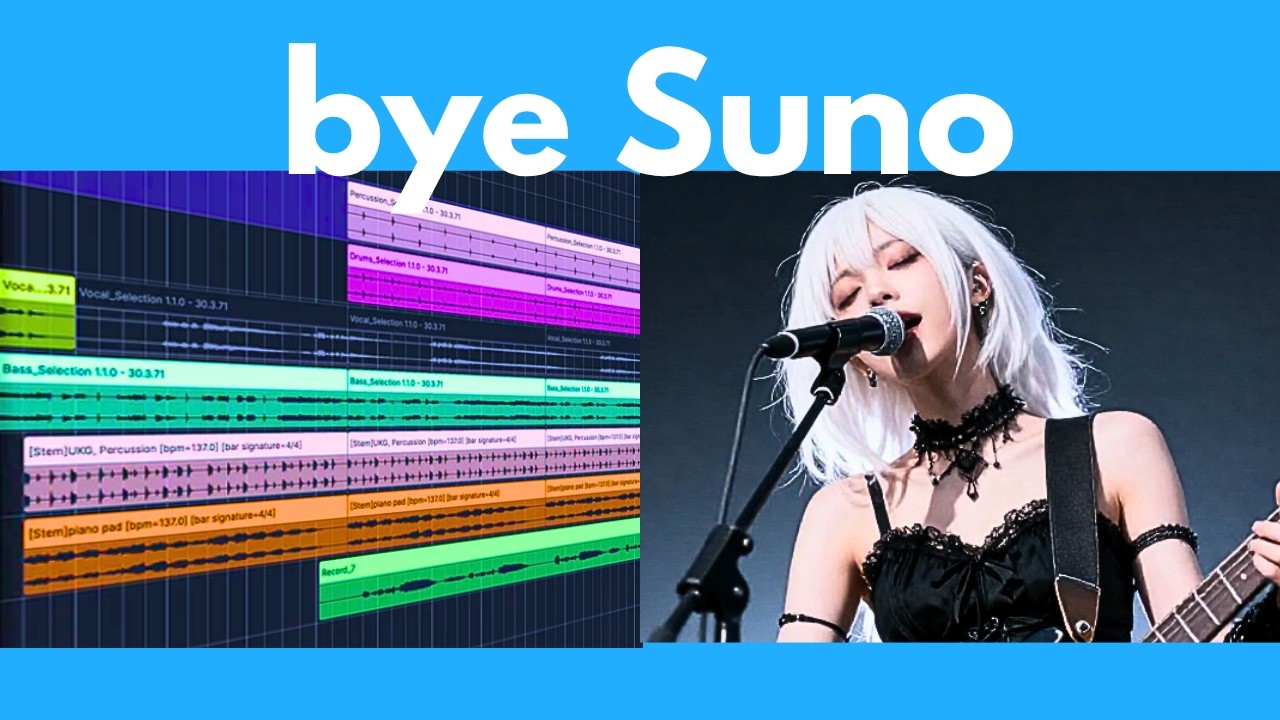
On 9 April 2026, the AI Search channel published a review and tutorial of ACE-Step's XL models, a week after they came out. Its chapter list opens with demos that run from a soulful R&B ballad through Italian opera, Latin trap and tango. Then come benchmarks, video memory and quantization, a sponsor chapter and the install, from Git to the XL download and the interface, and a last chapter on additional features. The install steps date from April, so follow the README for current ones.
Open models and what their licenses allow
ACE-Step's latest release is MIT-licensed, and its model card says the music may be used commercially. The earlier first release is Apache 2.0. The card lists the training data as licensed tracks, royalty-free and public domain music, and synthetic audio made from MIDI, which is the project's own statement about its data.
YuE2 splits its terms by who you are. Its code is Apache 2.0, and its weights are CC BY-NC 4.0 with an added creator permission. Personal users, creators and musicians may monetize the output with no fees to the authors, academic work is free for non-commercial use, and a company has to contact the authors for a commercial license.
MusicGen's weights are CC-BY-NC 4.0, so they are non-commercial. Its card says the training data was licensed and had its vocals removed, and that the model cannot generate realistic vocals.
Each project also rates itself. ACE-Step's README says its quality sits between Suno v4.5 and Suno v5 and names no benchmark for the line. YuE2's README says it is competitive with Suno v5 and v6 on WildSongBench, an automatic evaluation of 192 prompts dated 12 September 2026. In its table YuE2 scores 6.7316 on the SongBench average, or 6.9632 best-of-8, against 6.8721 for Suno v5, and the README adds that rankings vary by metric. Treat both lines as the projects' own claims.
| ACE-Step 1.5 | YuE2 | MusicGen | |
|---|---|---|---|
| Sings lyrics you write | Yes | Yes | No |
| What it makes | Full songs from 10 seconds to 10 minutes | Full songs with an editable score | Instrumental music |
| License of the weights | MIT | CC BY-NC 4.0 plus creator permission | CC-BY-NC 4.0 |
| Hardware the page names | Under 4 GB of video memory, more for the XL models | 24 GB of video memory, Linux and an NVIDIA GPU | Not stated on its card |
Sources: GitHub: ACE-Step/ACE-Step-1.5 README (read November 6, 2026), GitHub: multimodal-art-projection/YuE README (read November 6, 2026), Hugging Face: facebook/musicgen-small model card (read November 6, 2026)
Suno and Udio: what has happened so far
What a song made on a hosted service may be used for is set by that service's own terms. Those pages are not summarized here, so read them before you release anything. The legal picture around both services has been moving, and the dates below come from Wikipedia's articles on them, read on 6 November 2026.
This is a list of reported events, not legal advice, and any of it can change.
Record labels sue Suno and Udio
A lawsuit led by the Recording Industry Association of America alleges widespread infringement of copyrighted sound recordings.
Source: Wikipedia: Suno (read November 6, 2026)
Udio settles with Universal
The case ends with licensing agreements. Udio says it will launch a platform trained only on authorized and licensed music, and gives users 48 hours to download their songs.
Source: Wikipedia: Udio (read November 6, 2026)
Suno settles with Warner
Suno settles Warner Music Group's claims and signs a licensing deal. It says it will launch new, licensed models in 2026.
Source: Wikipedia: Suno (read November 6, 2026)
Suno signs with BMG
A global licensing deal that also settles Suno's past use of BMG's recordings and songs.
Source: Wikipedia: Suno (read November 6, 2026)
Suno adds monthly download limits
Introduced ahead of v6, to limit the mass distribution of songs on streaming platforms.
Source: Wikipedia: Suno (read November 6, 2026)
Suno launches v6
Three models replace all earlier ones. Suno says they were developed with Warner, BMG and Believe.
Source: Wikipedia: Suno (read November 6, 2026)
Universal and Sony sue again
The second lawsuit covers 60,202 recordings and argues that training v6 on earlier models' output keeps the infringement alive. Suno calls the claims flawed.
Source: Wikipedia: Suno (read November 6, 2026)
Common mistakes
- Writing a one-word caption, then wondering why the song sounds generic.
- Filling in BPM, key and duration by habit, when empty fields are detected for you.
- Starting over to fix one weak section, instead of repainting that stretch of seconds.
- Keeping the first result instead of making two to four variations.
- Choosing Extract, Lego or Complete on a Turbo model, when those three need the Base model.
- Selling a song made with weights under a CC BY-NC license.
- Reading a README's ranking against Suno as if it were a measurement.
Try it yourself
- Write three captions for the same lyrics, one genre each, make a batch of each and compare them.
- Make a song, find its weakest ten seconds and repaint only that range.
- Open the license file of the model you used and write down one thing it lets you do and one it does not.
- Read the timeline above, then open one hosted tool's terms page and find what it says about commercial use.
Next lesson: AI dubbing
A voice and a song are both audio you make. AI dubbing puts audio to work on an existing video: transcribe it, translate it, speak the translation and match the lips.
Check yourself
In ACE-Step's Custom mode, what do tags such as [Verse 1] and [Chorus] go into?
Show answer
D. The Lyrics field The guide says to enter lyrics with structure tags, and its example marks a verse and a chorus. BPM, seed and source audio take other inputs.
Which ACE-Step mode regenerates only the seconds you choose and keeps the rest?
Show answer
A. Repaint Repaint takes a start and an end in seconds. Remix changes the style of the whole song, and Extract and Complete are Base-model modes for tracks.
What are MusicGen's model weights licensed under?
Show answer
C. CC-BY-NC 4.0 The model card says the code is MIT and the weights are CC-BY-NC 4.0, which is non-commercial.
What does YuE2's README say a company must do to use its weights commercially?
Show answer
B. Contact the authors for a commercial license Personal users and creators may monetize output, but a company has to discuss a commercial license for the weights, which are CC BY-NC 4.0 with a creator permission.
Frequently asked questions
Do I have to credit the model when I release a song?
YuE2's README strongly encourages crediting YuE2 or using the hashtag #YuE2 when you share generated work, and calls attribution optional. ACE-Step's README encourages users to verify originality, clearly disclose AI involvement and get permission when adapting protected styles. MusicGen's card does not mention crediting songs. Read the license text of whichever model you used.
How long does it take to make a song?
ACE-Step's README claims under 2 seconds for a full song on an A100 and under 10 seconds on an RTX 3090. On the A100 its fastest case is 0.5 seconds, and the time depends on think mode and diffusion steps. Those are the project's own figures. Hosted tools queue requests their own way.
Can AI sing in Chinese or another language?
ACE-Step's README says lyrics work in more than 50 languages, and the interface has a Vocal Language setting. YuE2's demo list includes a song that moves from Mandarin pop to English jazz.
Do I need a graphics card to make AI music?
For ACE-Step, the README recommends a CUDA card and also lists Apple Silicon, AMD, Intel and CPU paths. The README says it runs in under 4 GB of video memory, while the larger XL models want at least 12 GB with offloading.
Are Suno and Udio still being sued?
Yes, in several courts. Wikipedia's Suno article, read on 6 November 2026, says Suno settled with Warner and BMG while Universal and Sony remain plaintiffs and filed a second suit on 18 September 2026. It also lists a Munich ruling against Suno in GEMA's case and suits by Koda in Copenhagen and Round Hill. It adds a SOCAN claim in Canada and a proposed class action by Jason Isbell and three other artists. Its Udio article reports a settlement with Universal. Cases and deals change quickly, so check a current source.
Sources
- GitHub: ACE-Step/ACE-Step-1.5 README https://github.com/ACE-Step/ACE-Step-1.5
- GitHub: ACE-Step 1.5 Gradio guide https://github.com/ACE-Step/ACE-Step-1.5/blob/main/docs/en/GRADIO_GUIDE.md
- Hugging Face: ACE-Step 1.5 model card https://huggingface.co/ACE-Step/Ace-Step1.5
- GitHub: ace-step/ACE-Step README https://github.com/ace-step/ACE-Step
- GitHub: multimodal-art-projection/YuE README https://github.com/multimodal-art-projection/YuE
- Hugging Face: facebook/musicgen-small model card https://huggingface.co/facebook/musicgen-small
- Wikipedia: Suno https://en.wikipedia.org/wiki/Suno
- Wikipedia: Udio https://en.wikipedia.org/wiki/Udio
- YouTube: AI Search, The BEST local AI music generator is here! Free & unlimited https://www.youtube.com/watch?v=UAlLD5fS7-c