
Before you start
You should know what fills the window on each turn, the subject of What is context engineering, and how an agent carries state once it fills, from agent memory. This lesson covers the other half. Put less in to begin with. The tool examples assume you have defined a tool for a model before.
A reference here is a short pointer to data, such as a file path, a saved query or a URL. A tool definition is the name, description and parameter schema you send so the model can call a tool. Every definition you send takes up context, whether the model calls the tool or not.
How Claude Code finds what it needs
Claude Code does not index your repository first. It loads the CLAUDE.md files in the folder you launched it from and every folder above it, then finds files with glob patterns and searches their contents with grep as the task goes. A CLAUDE.md deeper in the tree waits until Claude reads or writes a file in its folder. For large databases, it writes targeted queries, stores the results and samples them with head and tail, so the full data never enters the window.
Anthropic's context engineering article calls this the just-in-time approach. The agent holds lightweight identifiers, such as file paths, stored queries and web links, and uses tools to load what they point to at the moment a step needs it. The article credits grep and glob with sidestepping the stale indexes that a pre-built search would bring.
Names carry information before any file opens. The article's example is test_utils.py: in a tests folder it means something different from a file of the same name in src/core_logic/. As the agent explores, file sizes hint at complexity, names at purpose and timestamps at relevance, and each read tells it what to read next. The article calls that progressive disclosure.
Agent Skills load in the same layers. Every skill's name and description sit in the system prompt from the start. Its SKILL.md loads when a task matches, and the files beside it load when a step reads them, the layout the skill scripts lesson builds. Because of that, Anthropic's Agent Skills post calls the context a skill can bundle "effectively unbounded". A bundled script goes further: the agent runs it without loading the script or the PDF it reads.
| Context | When it loads | How |
|---|---|---|
CLAUDE.md in the start folder and the folders above it | At startup | Read in whole, automatically |
CLAUDE.md in a subfolder | When Claude reads or writes a file in that folder | Loaded lazily |
| Installed skills | Name and description at startup, SKILL.md when a task matches | Bundled files only when a step reads them |
| Source files | When a step needs one | Found with glob and grep, then read |
| Large data, such as a query result | Never in full | Stored, then sampled with head and tail |
Load tool definitions only when a step needs them
Tool definitions fill the window before anyone reads a word of them. What is context engineering added up the five-server MCP setup in Anthropic's advanced tool use post. It came to 58 tools and about 55K tokens before the conversation starts, with GitHub and Slack taking 47K of it.
Tool search turns those definitions into references. You still send every tool, but mark most of them defer_loading: true. Claude sees the search tool plus any tools you keep loaded. When it needs GitHub, it searches for "github". Only the matching definitions are expanded into the window. The snippet below is the post's own, from November 2025.
Accuracy went up as well. With tool search on, Opus 4 scored 74% on Anthropic's internal MCP evaluations, against 49% without it, and Opus 4.5 scored 88.1% against 79.5%.
{
  "tools": [
    // Include a tool search tool (regex, BM25, or custom)
    {"type": "tool_search_tool_regex_20251119", "name": "tool_search_tool_regex"},
    // Mark tools for on-demand discovery
    {
      "name": "github.createPullRequest",
      "description": "Create a pull request",
      "input_schema": {...},
      "defer_loading": true
    }
    // ... hundreds more deferred tools with defer_loading: true
  ]
}- The platform ships a regex search and a BM25 search, and both match names and descriptions. The post sets
search_customer_orders, described by what it searches and returns, againstquery_db_orderswith "Execute order query", which gives a search little to match. - Keep the three to five tools you use most loaded and defer the rest. The post suggests tool search once definitions pass 10K tokens or you have 10 or more tools. With a small library used in every session, the extra search step costs more than it saves.
- OpenAI's Responses API offers the same switch for
gpt-5.4and later:defer_loading: truewith{"type": "tool_search"}. Its tool search guide suggests grouping functions into namespaces of fewer than 10. A single deferred function still shows its name and description, so there it mostly defers the parameter schema.
Keep big tool results in code, out of the window
Tool results cost tokens on the way in and again on the way out. Say an agent copies a meeting transcript from Google Drive into a Salesforce record with plain tool calls. The full text passes through the model twice, once when it reads the document and once when it writes the update. For a two-hour sales meeting, Anthropic's code execution with MCP post puts that at about 50,000 extra tokens.
Code is the answer in that post. It presents each MCP server as a folder of code files, one file per tool, and lets the agent write code against them. The agent lists ./servers/, reads only the tool files the task needs and runs a script, so the transcript moves from Drive to Salesforce inside the sandbox. Loading only the definitions it needed took token use from 150,000 to 2,000 in Anthropic's example. A search_tools tool with a detail level, from the name alone up to the full schema, does the same job without a file tree.
Big results shrink the same way. Fetch a 10,000-row spreadsheet with a plain tool call and every row lands in the window. In code, the agent filters inside the execution environment and prints five:
// Without code execution - all rows flow through context
TOOL CALL: gdrive.getSheet(sheetId: 'abc123')
        → returns 10,000 rows in context to filter manually

// With code execution - filter in the execution environment
const allRows = await gdrive.getSheet({ sheetId: 'abc123' });
const pendingOrders = allRows.filter(row =>
  row["Status"] === 'pending'
);
console.log(`Found ${pendingOrders.length} pending orders`);
console.log(pendingOrders.slice(0, 5)); // Only log first 5 for review- Intermediate results stay in the execution environment by default, so the model sees only what the code logs or returns. The post goes further and has the MCP client swap emails, phone numbers and names for placeholders before anything reaches the model.
- Code that works can be saved in a
./skills/folder with aSKILL.md, so a later run imports it instead of writing it again. - Running code the model wrote needs a sandbox with resource limits and monitoring. Direct tool calls need none of that, and the post weighs the overhead against the tokens saved.
Sources: Anthropic Engineering: Introducing advanced tool use on the Claude Developer Platform (read November 6, 2026), Anthropic Engineering: Code execution with MCP (read November 6, 2026)
When loading up front is the better call
Just-in-time context costs time. Every search is another turn. So is every file read. The article says plainly that runtime exploration is slower than retrieving pre-computed data. Without good tools and instructions, an agent can also waste context by misusing tools, chasing dead ends or missing the one file that mattered.
Claude Code mixes both for that reason. Rules every task needs sit in CLAUDE.md and load at once, and everything else waits for glob and grep. The article suggests the hybrid may fit less dynamic content, such as legal or finance work. When the documents rarely change and speed matters most, pre-computed retrieval of the kind the RAG tutorial builds is the faster path.
Anthropic's own advice for the choice is "do the simplest thing that works". Start with everything loaded. Measure what fills the window, then defer the biggest part first.
Boris Cherny on why some CLAUDE.md files load late
Boris Cherny, who created Claude Code at Anthropic, replied to Charles Frye on 28 January 2026 to spell out a rule the docs already describe. He split the files by position. The ones in the start folder and above it load at startup, and the ones below wait until Claude touches a file beside them. He compared that to a skill. The team built it for monorepos and other large repositories.
In your own repository, that means the rules for one package belong in a CLAUDE.md inside that package. A task elsewhere never pays for them. The CLAUDE.md guide covers what to put in each file.
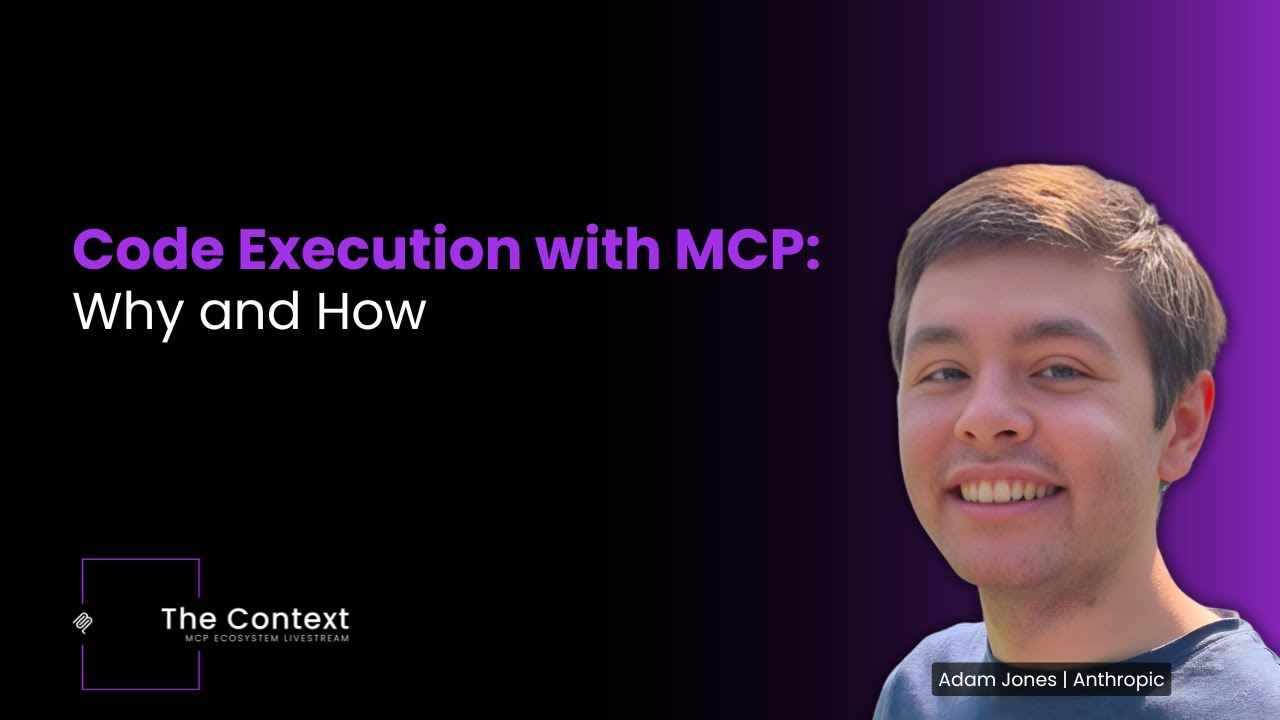
Adam Jones, a co-author of the code execution post, covered the two costs from this lesson in a talk on the Agentic AI Foundation's channel. One is tool definitions loaded before they are needed, the other tool results passed through the model. He covers progressive disclosure and passing results between tools in variables.
Ancestor CLAUDE.md’s are loaded into context automatically on startup

A screenshot of X's own embed of the post, taken on 6 November 2026, with the time in UTC. X cuts the post short with Show more. Select it to open the post on X.
Common mistakes
- Pasting whole files or query results into the prompt when a path and a grep would find the part that matters.
- Deferring every tool, including the ones each task calls, so every run opens with a search.
- Tool descriptions too short for search to match, such as "Execute order query".
- A code execution script that prints its whole result, which puts the 10,000 rows back in the window.
- Running model-written code without a sandbox, resource limits and monitoring.
- Keeping one package's rules in the root
CLAUDE.md, where every task loads them. - Removing a loaded tool from OpenAI's
tool_search_outputmid-session without expecting a cache miss. The guide says changing the loaded set breaks the cache from that point on.
Try it yourself
- Count the tokens your tool definitions take, then defer all but the five you use most and count again.
- Ask Claude Code where an error message comes from in a repository you know, and note which files it opens before it answers.
- Move the rules for one folder out of your root
CLAUDE.mdinto aCLAUDE.mdin that folder. - Rewrite one MCP call that returns a long list as a short script that filters it and prints the first five matches.
Next course: Harness engineering
That ends the course. You have seen what fills the window, why a full window costs accuracy, how an agent carries state past it and how to load less in the first place.
The Harness engineering course comes next. It starts with the code around the model: the loop, the tools, the permissions and the checks that decide when each of these context moves happens.
Check yourself
In Claude Code, when does a CLAUDE.md file in a subfolder load?
Show answer
C. When Claude reads or writes a file in that folder Files in the start folder and above it load at startup. Those below load lazily, when Claude works in their folder.
In Anthropic's five-server example, about how many tokens did the 58 tool definitions take before the conversation started?
Show answer
A. About 55K GitHub, Slack, Sentry, Grafana and Splunk added up to about 55K tokens. 134K is what Anthropic has seen tool definitions take in its own use before it optimized them.
Your agent fetches a 10,000-row sheet but needs only the pending orders. What keeps the other rows out of the window?
Show answer
D. Filtering in code and printing a few rows With code execution, the rows stay in the execution environment and the model sees only what the script prints.
Which setup gains the least from tool search?
Show answer
B. Six compact tools used in every session Anthropic calls tool search less useful for small libraries of tools used in every session, where the search step only adds latency.
Frequently asked questions
What is just-in-time context?
Context an agent fetches at the moment it needs it, rather than context packed into the prompt in advance. Anthropic's context engineering article of September 2025 describes the approach and uses Claude Code as an example.
Is just-in-time context the same as RAG?
No. Classic RAG retrieves chunks by embedding search before the model answers. Just-in-time context lets the agent decide what to fetch while it works, with tools such as grep. Anthropic sees teams adding it on top of embedding retrieval rather than dropping retrieval.
Can I run tool search myself instead of on the provider side?
Yes. On Claude you can search your own way, for example over embeddings, as Anthropic's tool search cookbook does. OpenAI calls it client-executed tool search: the model emits a tool_search_call, your code does the lookup and returns a tool_search_output. OpenAI suggests it when the right tools depend on project or tenant state.
Does tool search break prompt caching?
Not by itself. Anthropic leaves deferred tools out of the first prompt, so the system prompt and the tools you keep loaded stay a stable, cacheable prefix. OpenAI appends each tool it finds at the end of the window for the same reason.
What is progressive disclosure in AI agents?
The agent learns about its context in layers: a name and a short description first, the full instructions when a task matches, and extra files only when a step needs them. Agent Skills work this way, and tool search does the same for tool definitions.
Sources
- Anthropic Engineering: Effective context engineering for AI agents https://www.anthropic.com/engineering/effective-context-engineering-for-ai-agents
- Anthropic Engineering: Introducing advanced tool use on the Claude Developer Platform https://www.anthropic.com/engineering/advanced-tool-use
- Anthropic Engineering: Code execution with MCP https://www.anthropic.com/engineering/code-execution-with-mcp
- Anthropic Engineering: Equipping agents for the real world with Agent Skills https://www.anthropic.com/engineering/equipping-agents-for-the-real-world-with-agent-skills
- Claude cookbooks: Tool search with embeddings https://github.com/anthropics/claude-cookbooks/blob/main/tool_use/tool_search_with_embeddings.ipynb
- OpenAI API docs: Tool search https://developers.openai.com/api/docs/guides/tools-tool-search
- X: Boris Cherny on how Claude Code loads CLAUDE.md files https://x.com/bcherny/status/2016339448863355206
- YouTube: Agentic AI Foundation, Code Execution with MCP (Adam Jones, Anthropic) https://www.youtube.com/watch?v=o_2_s60ui48