
What ended, and when
If you came to use Sora 2 through its API, it no longer takes new work. OpenAI's deprecation page says developers were told on March 24, 2026 that the Videos API and every Sora 2 model name, sora-2 and sora-2-pro among them, would be removed on September 24, 2026. The page lists no replacement. The API guide now opens with a notice that the models were shut down on that date and that the guide stays up for historical reference.
The Sora account said goodbye to Sora on X the same day and promised timelines for the app and the API. What happened to the Sora app is in Mindket's lesson on making AI videos with Gemini and Flow, which cites OpenAI's help page.
The prompting guide is a different matter. OpenAI updated it in March 2026, and its page now carries a banner saying the recipe is archived and may reference outdated models or APIs. This lesson reads it with that banner in mind: it uses the guide's way of writing a shot as a template, then shows where each idea lives in the tools that remain.
Prompting guide updated
It adds reusable characters, 1920 by 1080 exports, clips up to 20 seconds, video extension and a Batch API.
Source: OpenAI Cookbook: Sora 2 Prompting Guide (read November 6, 2026)
Shutdown announced
OpenAI tells developers the Videos API and the Sora 2 models will be removed.
Source: OpenAI API docs: Deprecations (read November 6, 2026)
Videos API shut down
sora-2, sora-2-pro and their dated snapshots stop working, with no one-to-one replacement.
Source: OpenAI API docs: Deprecations (read November 6, 2026)
Write a shot the way the guide teaches
OpenAI's guide tells you to prompt like you are briefing a cinematographer who has never seen your storyboard. Whatever you leave out, the model improvises. A shot here means one continuous piece of video with one camera setup, and the guide asks for one subject action and one lighting recipe in it.
Its descriptive template splits a prompt into the scene, the camera, the beats and the speech. Sora is gone, so a finished prompt has to go to a tool that remains, and each tool words things its own way. The next lesson does it with Veo.
[Prose scene description in plain language. Describe characters, costumes, scenery, weather and other details. Be as descriptive to generate a video that matches your vision.]

Cinematography:
Camera shot: [framing and angle, e.g. wide establishing shot, eye level]
Mood: [overall tone, e.g. cinematic and tense, playful and suspenseful, luxurious anticipation]

Actions:
- [Action 1: a clear, specific beat or gesture]
- [Action 2: another distinct beat within the clip]
- [Action 3: another action or dialogue line]

Dialogue:
[If the shot has dialogue, add short natural lines here or as part of the actions list. Keep them brief so they match the clip length.]- Pick one shot. One camera setup, one subject action and one lighting recipe is the guide's rule for each block.
- Write the scene as plain prose: who is there, what they wear, the place and the weather.
- Under Cinematography, name the framing and angle, for example "wide establishing shot, eye level", then the mood.
- List two or three Actions as beats. "Actor takes four steps to the window, pauses, and pulls the curtain in the final second" gives the model more than "Actor walks across the room."
- Put any speech in a Dialogue block below the prose, with short lines that fit the clip length.
- Add one small sound even for a silent shot, such as "distant traffic hiss" or "a crisp snap", as a cue for rhythm.
- Generate the shot more than once. The guide says the same prompt gives different results each time and calls that a feature.
The template is copied from OpenAI's guide, which calls it one way to write prompts and not a recipe for every shot. Leave out what does not matter for your shot.
A short prompt, and what each part does
The guide's own short example is one sentence. Each part has a job: "90s documentary" sets the style, so the model picks the lens, the light and the color grade. "An old Swedish man sits in a study" gives subject and setting in minor detail and leaves the rest to the model. The quoted line is dialogue, which the guide says Sora will likely follow exactly.
What the sentence leaves out is just as plain. The time of day, the weather, outfits, camera angles and the set are all unspecified, and the guide says that unless you describe them, Sora makes them up. A short prompt buys variety, and a long one buys control.
The table is the guide's own list of weak prompts beside strong ones. The strong ones name things the camera can see.
In a 90s documentary-style interview, an old Swedish man sits in a study and says, "I still remember when I was young."| Weak prompt | Strong prompt |
|---|---|
| A beautiful street at night | Wet asphalt, zebra crosswalk, neon signs reflecting in puddles |
| Person moves quickly | Cyclist pedals three times, brakes, and stops at crosswalk |
| Cinematic look | Anamorphic 2.0x lens, shallow DOF, volumetric light |
The settings a prompt could not change
The guide separates what the prompt controls from what only API parameters control. It names four: the model, the size, the length in seconds and the characters. In its words, resolution, duration and character references "will not change based on prose like 'make it longer.'"
The API worked as a job. A create call returned a job id and a status, the caller polled until the status read completed, and a last call fetched the MP4, according to the video guide. Google's Veo API follows the same shape, which the next lesson walks through.
20 s
longest clip in one generation
Source: OpenAI Cookbook: Sora 2 Prompting Guide (read November 6, 2026)
120 s
a clip extended up to 6 times
Source: OpenAI Cookbook: Sora 2 Prompting Guide (read November 6, 2026)
2
characters in one generation
Source: OpenAI Cookbook: Sora 2 Prompting Guide (read November 6, 2026)
2 to 4 s
reference clip that made a character
Source: OpenAI Cookbook: Sora 2 Prompting Guide (read November 6, 2026)
| Setting | Values the guide lists |
|---|---|
| model | sora-2 or sora-2-pro |
| size | sora-2: 720x1280 and 1280x720. sora-2-pro adds 1024x1792, 1792x1024, 1080x1920 and 1920x1080 |
| seconds | 4, 8, 12, 16 or 20, with 4 as the default |
| characters | Up to two character IDs from an uploaded reference clip |
Where each Sora idea lives now
No tool replaces Sora one to one, and OpenAI names no replacement. The ideas still map onto tools that exist. The pairing below is Mindket's, built from OpenAI's guide and Google's two Gemini cookbook notebooks, and the next lessons teach each right column.
For a wider comparison of video tools by what they cost to start and how long a clip runs, see the best AI video generator lesson.
| Sora 2 feature | What it did | Closest match in Google's cookbook |
|---|---|---|
| Image reference | Used a picture as the first frame, and the text said what happens next | Veo: the image argument. Omni: a picture in the input list |
| Characters | A reusable character from a 2 to 4 second clip, up to two per video | Veo 3.1: up to 3 reference images. Omni: up to 6 reference images |
| Extend video | Continued a clip, using the whole clip as context | Veo: the video argument, 7 seconds a step. Omni: a follow-up turn |
| Edit video | Changed an existing clip with a new prompt | Omni: a follow-up turn with previous_interaction_id |
| Dialogue block | Kept speech apart from the scene description | Veo: lines in quotes inside the prompt text |
The goodbye post
The Sora account announced the end on X. Its post thanks everyone who "created with Sora, shared it, and built community around it" and says more details would follow soon.
What you made with Sora mattered, and we know this news is disappointing.
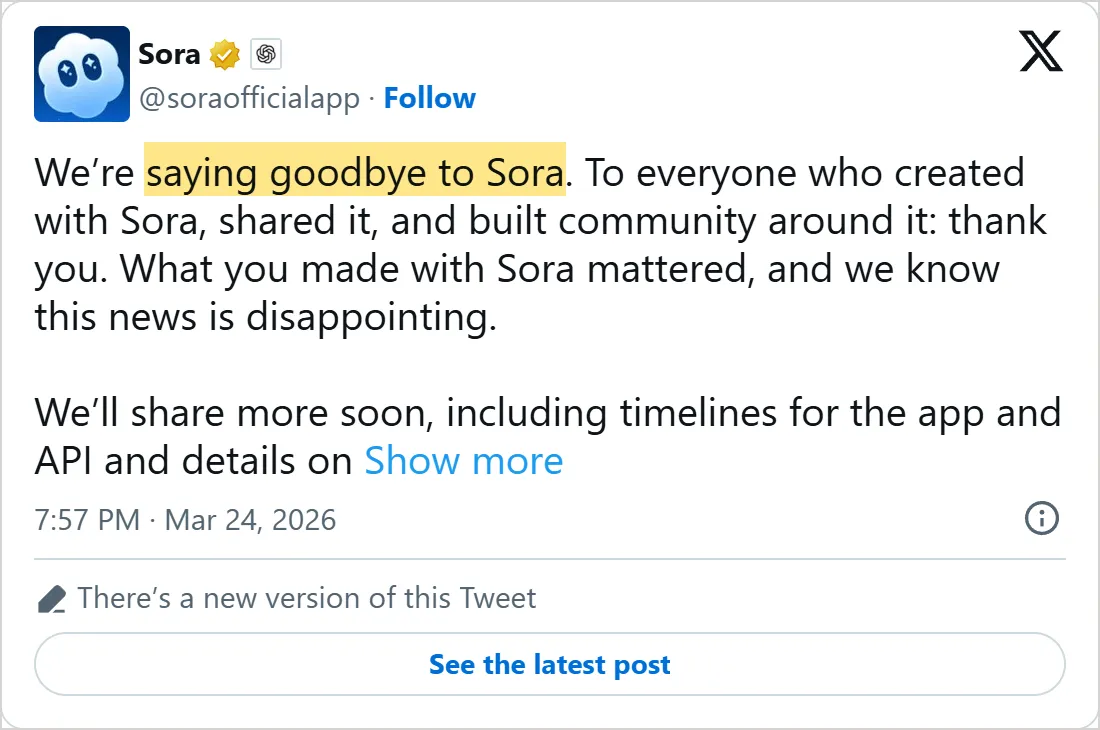
The post as X's own embed showed it on 5 November 2026, with the time in UTC. Select the picture to open the post on X.
Common mistakes
- Trusting a site that says it still offers Sora 2. OpenAI's own pages say the API models were shut down, so ask what the site runs.
- Writing the length into the prompt. Seconds, size and characters were settings in the API call, and prose such as "make it longer" changed none of them.
- Packing a whole scene into one clip. The guide says shorter clips follow instructions better and suggests two 4 second clips stitched in an edit over one 8 second clip.
- Vague style words. "Cinematic look" names nothing the camera can see, so give it a lens, a depth of field and a light.
- Judging a prompt by one run. The guide notes that the second or third result is sometimes the better one.
Try it yourself
Pick something ordinary, such as a kitchen at six in the morning, and write one shot with the template. You need no Sora account. Any video tool you already have will do.
- Write the weak version of the shot first, then rewrite each line the way the table does.
- Add one short spoken line. A 4 second shot usually fits one or two short exchanges, according to the guide.
- Run the finished prompt three times in one tool and note what changes between runs.
- Check each clip against your list: one camera move, one action, one light and lines that fit the length.
Next: make a video with Veo
The next lesson turns the same ideas into code. You will install Google's SDK, write a prompt with a camera move and a sound line, and wait for the job to finish. Veo in the Gemini API also covers first frames, reference images and extending a clip.
Check yourself
You want a longer Sora-style clip. Where did the guide say the length is set?
Show answer
B. In the seconds parameter of the API call The guide says resolution, duration and character references are set in the API call and do not change with prose in the prompt.
Which of these prompts gives the model the most to work with?
Show answer
C. Wet asphalt, zebra crosswalk, neon signs reflecting in puddles It names things the camera can see, which is what the guide's strong prompts do.
Where does the guide say spoken lines belong?
Show answer
A. In a Dialogue block below the prose description A separate block helps the model tell the visual description from the spoken lines.
What is true of the Sora API today?
Show answer
D. It was shut down on September 24, 2026, with no one-to-one replacement OpenAI's deprecation page lists the Videos API and the Sora 2 models with that shutdown date and no replacement.
Frequently asked questions
How do I use Sora?
You cannot start new videos with the Sora API any more. What carries over is the thinking: describe one shot with its subject, action, camera, light and sound. Other vendors' guides ask for much the same parts in layouts of their own, so write the shot again from the tool's own guide, as the prompts lesson shows.
Which tool should I use instead of Sora?
Pick by what you have. Google's Veo and Gemini Omni run through the Gemini API. Mindket's Gemini and Flow lesson, linked above, covers Google's apps. Wan, HunyuanVideo and LTX run on a graphics card of your own. The comparison of video tools on Mindket goes by clip length and how you start.
Can I still use the Sora 2 prompting guide?
Yes, for the writing. Its advice on camera, action, light and sound matches the parts other vendors' guides ask for, though each tool words them its own way. Its API settings and endpoints no longer do anything.
How long could a Sora 2 video be?
Up to 20 seconds in one generation, set with the seconds parameter, according to the March 2026 guide. A clip could be extended up to 6 times, for 120 seconds in total.
Does a Dialogue block work in other video tools?
Veo 3 and later make speech from lines written in the prompt, according to Google's notebook, so write each line in quotes inside the prompt, as its example does. Check the tool's own guide for the exact wording it prefers.
Sources
- OpenAI Cookbook: Sora 2 Prompting Guide https://developers.openai.com/cookbook/examples/sora/sora2_prompting_guide
- OpenAI API docs: Deprecations https://developers.openai.com/api/docs/deprecations
- OpenAI API docs: Video generation with Sora https://developers.openai.com/api/docs/guides/video-generation
- X: Sora, March 24, 2026 https://x.com/soraofficialapp/status/2036532795984715896
- GitHub: google-gemini/cookbook, Get started with Veo notebook https://github.com/google-gemini/cookbook/blob/main/quickstarts/Get_started_Veo.ipynb
- GitHub: google-gemini/cookbook, Gemini Omni notebook https://github.com/google-gemini/cookbook/blob/main/quickstarts/Get_started_Omni.ipynb