
Huashu Design
alchaincyf · Skill
Turns a one-line request in your AI agent into a finished design: a launch animation, a clickable app prototype, an editable slide deck, an infographic or a se…
New29.4k
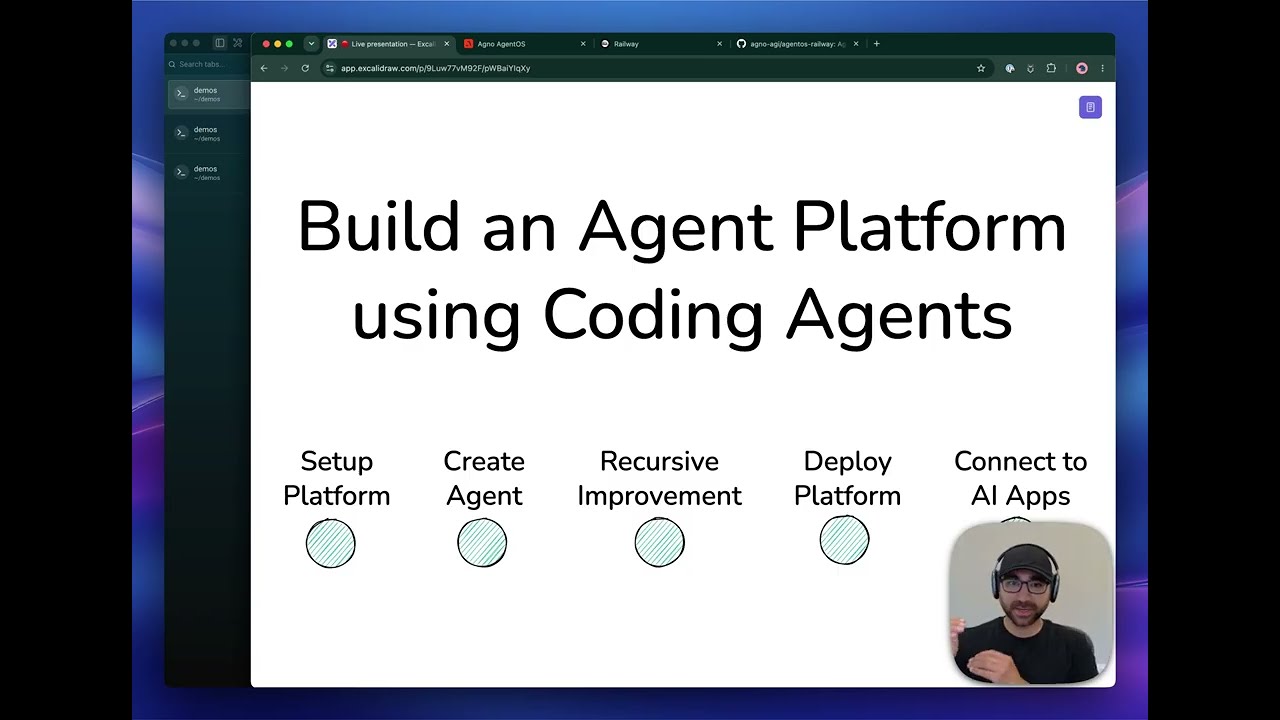


Agno’s open-source platform for building agents and running them as services. Your coding agent sets up a template with AgentOS, an API, an MCP server and PostgreSQL. Setup notes cover Claude Code, Codex, Cursor and the Python SDK.
Agno is an open-source project on GitHub in the Developer category, listed by Mindket. It is free. This is version 2, last updated on . Install it from GitHub as its README says. Get Mindket’s setup notes on your Mindket account, as a zip.
Help me set up my agent platform and build my first agent.
Clone https://github.com/agno-agi/agentos-render into a folder called agent-platform, cd in, and run the setup-platform skill (in .agents/skills/).
And 1 more in Where to use it
Agno is an open-source platform for building agents and running them as services. You write agents with the Agno SDK, or with the Claude Agent or Codex SDKs. AgentOS then runs them behind an API and an MCP server, with login, scheduling and a record of every run. This listing covers the part that touches your coding agent. A template repository, a setup skill and an MCP connector for the docs let Claude Code, Codex or Cursor stand up the platform and build agents on it.
Developers and small teams who want agents running as a real service, with a login, history and a schedule, instead of a script on a laptop. It also suits anyone who would rather have a coding agent set the platform up than wire it by hand. The SDK is Python.
| Industry | Who uses it | How they use it | Example |
|---|---|---|---|
| Marketing and sales | Marketers and account teams | Follow competitors and target accounts through a Daily Brief agent | A marketer asks for competitor launches and positioning, and gets dated source links to open. |
| Customer support | Support operators and the developers behind them | Run an assistant that reads a ticket, checks an order through an MCP server and drafts a reply | A customer asks about a delayed order, and the agent drafts a resolution for an operator. |
| Product and documentation | Product teams | Serve an agent that answers questions from your docs over an API | A help panel in an app asks the agent a question and shows the answer with its source link. |
| Engineering | Engineering leaders and CTOs | Follow releases and advisories that touch the stack, and let Company OS propose small platform fixes | A CTO reads a brief of model releases, pricing changes and deprecations, and reviews the proposed tasks. |
If you only want one script, install the SDK alone and skip the template. The docs call a script fine as a one-off.
Agno’s docs give full steps for three coding agents, and a general pattern for the rest.
agno connect for your own platformcodex mcp add for the docs connectoragno connectagno connect writes a local config entry that starts the mcp-remote bridge through npx, so Node.js must be installedThe platform runs in Docker on your machine, or on a cloud. The README lists templates for Docker, Railway, AWS, GCP, Azure, Fly.io, Render, Modal and Helm. Agents can also answer in Slack.
Get it saves a zip of Mindket’s setup notes in your downloads folder, with each agent’s steps from Agno’s docs. The main route is one prompt, pasted into your coding agent.
| Need | Detail |
|---|---|
| A coding agent | Claude Code, Codex or Cursor, the three the docs name for the setup skill |
| Docker | The template route runs AgentOS and PostgreSQL locally |
| A model key | The template route lists an OpenAI API key. The SDK page says Anthropic, Gemini, Groq, Mistral, Cohere and Ollama work too |
| An os.agno.com sign-in | The AgentOS UI step signs in at os.agno.com and connects from your browser to your platform |
| Python 3.9 or newer | For the SDK and for the agno CLI (agno connect), with uv recommended. Running Claude or Codex as a service uses Python 3.12 |
| Render and GitHub | Only to deploy the template to Render |
Help me set up my agent platform and build my first agent.

Clone https://github.com/agno-agi/agentos-render into a folder called agent-platform, cd in, and run the setup-platform skill (in .agents/skills/).
This is the Build your agent platform page’s prompt. The README gives much the same prompt with agentos-railway, a template that deploys to Railway.
To let your coding agent read the docs while it builds, add the docs as a connector. For Claude Code, the Add Agno page gives this line. For Codex it gives codex mcp add agno-docs --url https://mcp.agno.com.
claude mcp add --transport http --scope user agno-docs https://mcp.agno.com
The template ships skills that your coding agent runs. Name one in your prompt so the agent knows to use it.
| Skill | What it does |
|---|---|
| /setup-platform | Runs the platform locally and builds a first agent with you |
| /create-agent | Builds a new agent in the platform |
| /improve | Improves an agent from simulations, traces or evaluations |
| /create-evals | Builds or refines evaluations for an agent |
| /deploy-platform | Sets up your repository and walks you through the Render deploy |
Then use what you built in the AgentOS UI. You chat with an agent, open its sessions and traces, and see the searches and page reads behind an answer. To call an agent from your own app, the Run your agents page has you create a service account in the UI with the agents:read and agents:run grants. Set its token as AGENTOS_API_TOKEN and your platform’s address as AGENTOS_URL. Then send a form request to the agent’s runs endpoint, as the page does for Daily Brief.
curl --fail-with-body "$AGENTOS_URL/agents/daily-brief/runs" \
  -H "Authorization: Bearer $AGENTOS_API_TOKEN" \
  --form-string "message=Generate today's edition." \
  --form-string "stream=false"
With stream=false the answer comes back as JSON with its status, content, run ID and session ID. To continue the conversation, send the same session ID with the same token.
You have the platform running and want a daily briefing on your field. You send the docs’ prompt, changing the interests to your own:
Build an agent called Daily Brief.

I work on AI developer tools. Follow agent frameworks and platforms,
model and coding-agent releases, and practical examples of agents
running in production. Prioritize developments that could affect
what we build, how we explain it, or who might use it.
Skip generic AI commentary.

Use the Parallel MCP to research the web.
Produce a three-piece edition with one lead story and up to two
other developments. For each, explain what changed, why it matters
to me, and link to dated original sources. Prefer developments since
the previous edition; use the last 24 hours for the first edition.

Save previous editions in the shared notes.
Use per-user learning to remember each user's preferences.
Your coding agent creates the agent in agents/, registers it in app/main.py and adds a description and sample prompts to app/config.yaml. You refresh the Agents list in AgentOS, open Daily Brief and ask it to generate today’s edition. The prompt asks for a lead story and up to two other developments, each with what changed, why it matters to you and dated source links. The session and trace show the searches behind it.
If you are new. An agent is a language model with tools and instructions. A script that runs one agent is fine for a first try. AgentOS keeps an agent running as a service instead. It answers over HTTP, stores sessions and memory, and traces each run, so you can see what happened. The docs suggest starting with a Daily Brief, an agent that researches what you follow. Let your coding agent do the setup. If something is wrong, give it the example and ask it to fix the behavior.
For experts. AgentOS can serve Claude and Codex agents next to Agno’s own. The README says you build with the Agno, Claude Agent or Codex SDKs, and AgentOS adds authentication, role-based access, resume and replay, human approvals and durable execution. When the AgentOS has authorization on, agno connect mints one service account per coding agent, with a 90-day expiry by default. You can revoke one with agno tokens revoke claude-code without touching the rest. An unsecured AgentOS connects without credentials, and an OAuth-protected MCP endpoint gets a one-time sign-in instead.
The failure cases are in the docs. With the default max_attempts of 1, a crashed run can fail visibly. More attempts restart from the original input and can repeat external actions, so the guide to running Claude and Codex as services says to make state-changing tools idempotent. For several instances, the scaling page adds Redis for live run events and cancellation, and says to deploy that with one instance before raising the count.
Most of Agno runs where you put it, and a few paths reach out.
agno down --volumes also removes the named volumes, which destroys dataagno disconnect removes the AgentOS entries from your coding agents’ configs. Add --revoke to also revoke the service accounts agno connect minted. That needs the running AgentOS and an admin credentialThis kit holds setup notes only. Mindket wrote them. Agno itself comes from its own repositories and packages: https://github.com/agno-agi/agno
These notes are not made or endorsed by Agno. The README's introduction says "Agno is a self-driving agent platform. Build agents for your company, product, or customers. Run them as durable services on AgentOS. Put them to work automating company operations." The documentation is at https://docs.agno.com
License: Apache-2.0. The README says "Agno is distributed under the Apache 2.0 license". The LICENSE file (https://github.com/agno-agi/agno/blob/main/LICENSE) is the standard Apache License 2.0 text, and the notice in its appendix reads "Copyright 2025-2026 Agno Inc."
Agno has three ways in. Pick the one that matches what you want.
agno Python package, write an agent in a file and, when you want a service, run it with AgentOS. Source: https://docs.agno.com/sdk/setupagno 2.7 or later puts the agno and agnoctl commands on your PATH. They scaffold a project, run it with Docker Compose and connect coding agents to it over MCP. Source: https://docs.agno.com/cli/overviewSeparately, you can give your coding agent the Agno docs as an MCP connector, so it reads them while it builds. Source: https://docs.agno.com/coding-agents
agno package from PyPI (https://pypi.org/project/agno/), with extras for the parts you use, such as agno[os] or agno[os,mcp], plus your model provider's package. Source: https://docs.agno.com/sdk/setup and https://docs.agno.com/cli/connectagno 2.7 or later installs the agnoctl package as a dependency, and agnoctl also runs on its own with uvx agnoctl connect. Source: https://docs.agno.com/faq/agno-cli and https://docs.agno.com/reference/cli/agnoctluv and say pip works too. Source: https://docs.agno.com/sdk/setup and https://docs.agno.com/other/installPaste this into your coding agent. It is the prompt the README gives.
Help me set up my agent platform and build my first agent.

Clone https://github.com/agno-agi/agentos-railway into a folder called agent-platform, cd into it, and follow .agents/skills/setup-platform/SKILL.md.
Source: https://github.com/agno-agi/agno/blob/main/README.md. The Welcome page (https://docs.agno.com/) gives a prompt for each cloud with the template's name swapped in. Its wording differs a little: it asks the agent to "run the setup-platform skill (in .agents/skills/)".
The Build your agent platform page (https://docs.agno.com/agent-platform/overview) gives that prompt with agentos-render. Its local steps (http://localhost:8000) and its Render deploy, in setup/deploy-and-operate.md, are written for that template. The README's agentos-railway template deploys to Railway.
To upgrade the SDK, the Install & Setup page gives:
uv pip install -U agnoWith pip it gives:
pip install -U agno --no-cache-dirSource: https://docs.agno.com/other/install
The pages Mindket read give no uninstall steps for the SDK or the template. agno down stops a project's containers, and agno down --volumes also removes its named volumes, which destroys data. agno disconnect removes every entry that points at your AgentOS from your coding agents' configs. It edits configs only. Add --revoke to also revoke the service accounts agno connect minted, which needs the running AgentOS and an admin credential. Source: https://docs.agno.com/cli/operate and https://docs.agno.com/cli/connect
The README says "Agno sends a telemetry event per agent so we know which model providers to prioritize. Prompts, messages, and outputs are never sent." It turns off with:
AGNO_TELEMETRY=falseSource: https://github.com/agno-agi/agno/blob/main/README.md
The README says to run the platform in your own cloud and keep your data in your control, and to use the AgentOS UI at https://os.agno.com to review conversations, inspect traces and manage knowledge. The API tutorial says the UI connects from your browser to your running API. Your agents call whichever model provider you configure. The Daily Brief example prompt tells the agent to research the web through the Parallel MCP. Sources: https://docs.agno.com/tutorials/agents-as-api and https://docs.agno.com/agent-platform/first-agent
README.md  7 KB
setup/api-and-mcp.md  5 KB
setup/claude-code.md  6 KB
setup/codex.md  5 KB
setup/cursor.md  3 KB
setup/deploy-and-operate.md  8 KB
setup/other-agents.md  4 KB
setup/python-sdk.md  4 KB
Updated by Mindket to the current version of this kit.
Listed GitHub projects in the same category that share the most topics with this one.
| Product | Stars | Activity | Language | License | Last change |
|---|---|---|---|---|---|
| Agno This page | 43,097 | Active | Python | Apache-2.0 | |
| Crawl4AIShares python · ai · ai-agents | 87,016 | — | — | Apache-2.0 | — |
| Awesome LLM AppsShares python · agents | 144,222 | — | — | Apache-2.0 | — |
| ScraplingShares python · ai | 99,911 | Active | Python | BSD-3-Clause | |
| WorktrunkShares developer-tools · agents | 12,134 | Active | Rust | — | |
| qwen-codeShares developer-tools · ai | 29,845 | Active | TypeScript | Apache-2.0 |
Posts and comments that name this project on Hacker News, Bluesky, X, Reddit, Facebook and YouTube, found by a weekly search and on Trendshift. Mindket doesn’t write or check them. Open one to read it where it was posted.
alchaincyf · Skill
Turns a one-line request in your AI agent into a finished design: a launch animation, a clickable app prototype, an editable slide deck, an infographic or a se…
op7418 · Skill
Skill that makes single-file HTML slide decks, slide illustrations and platform covers in two visual styles, with a presenter mode for rehearsal. For speakers…
alirezarezvani · Skill
Adds 411 ready-made skills for Claude Code and other coding agents, grouped by role from engineering and product to marketing, finance and compliance. Installs…
unclecode · Kit
UncleCode’s open source web crawler and scraper for language models and AI agents. It loads a page in a browser and returns clean Markdown, or JSON in a shape…
rohitg00 · Kit
Rohit Ghumare’s free, MIT-licensed course that builds AI from raw math up to agents and production, in twenty phases. Tutor skills for Claude Code, Codex and C…
affaan-m · Skill
Affaan Mustafa’s plugin of agents, skills, commands and hooks that gives Claude Code, Codex and other coding agents a routine of planning, test-first work, fre…