
anaksor-ocr
Sokheng · Kit
Reads Khmer and English text from documents, receipts and photos of signs, using a detector for text lines and a recogniser for each line. Suits developers who…
New
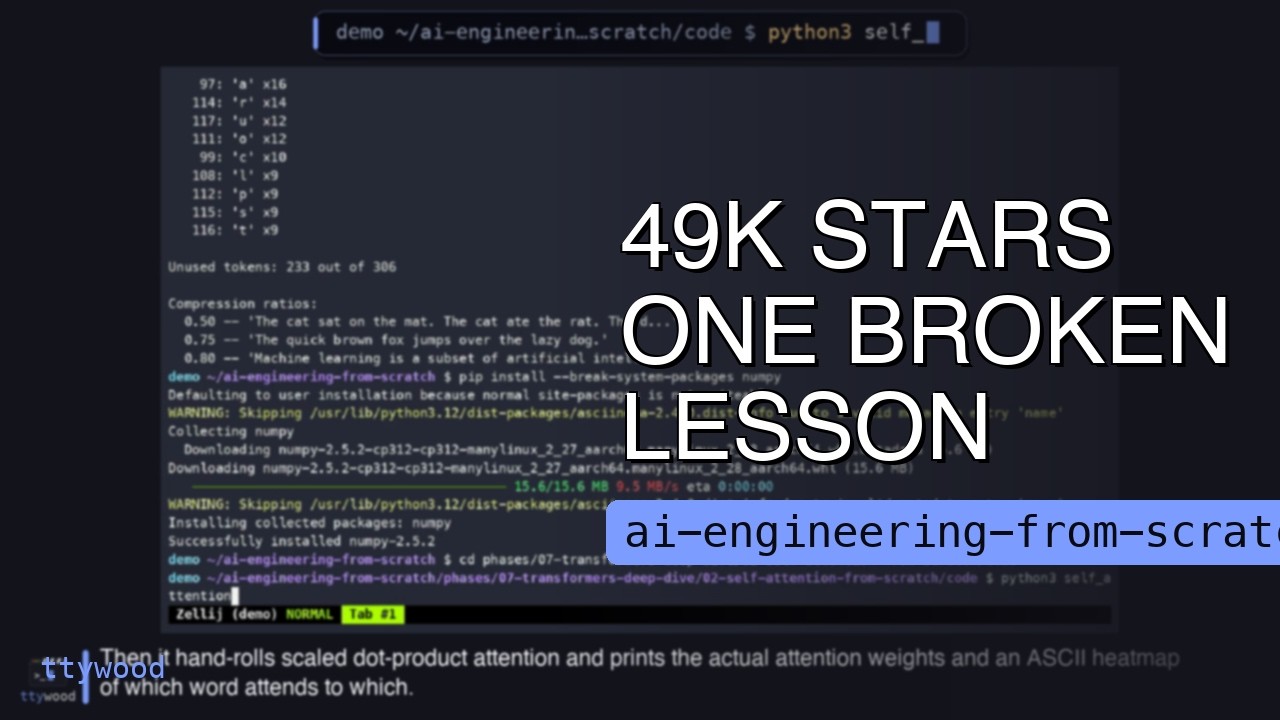


Rohit Ghumare’s free, MIT-licensed course that builds AI from raw math up to agents and production, in twenty phases. Tutor skills for Claude Code, Codex and Cursor teach it lesson by lesson. The setup notes cover the website, a clone, the tutor skills, focused routes, projects and certifications.
AI Engineering from Scratch is an open-source project on GitHub in the Education category, listed by Mindket. It is free. This is version 2, last updated on . Install it from GitHub as its README says. Get Mindket’s setup notes on your Mindket account, as a zip.
npx skills add rohitg00/ai-engineering-from-scratch
AI Engineering from Scratch is a free course by Rohit Ghumare, kept as a GitHub repository under the MIT license. Its README opens with the job: implement model internals, retrieval pipelines and agent runtimes, test them, inspect failures, and keep the code and evaluation results. The lessons sit in twenty phases, from setup, math and classical machine learning through deep learning, transformers and LLMs, to tools and protocols, agents, production and capstone projects. Code runs in Python, TypeScript, Rust and Julia. Every lesson follows the same six beats: motto, problem, concept, Build It, Use It and Ship It. You write the small version first, then run the same thing through a production library. The lesson ends with something you keep, such as a prompt, a skill, an agent or an MCP server.
Anyone who can write code in any language and wants to understand how AI works, not just how to call an API. The README’s prerequisites say exactly that, and add that Python helps. You do not have to start at the beginning. Its table sends a Python developer to Phase 1, someone who knows ML to Phase 3, and a senior engineer who only wants agents to Phase 14.
| Industry | Who uses it | How they use it | Example |
|---|---|---|---|
| Self-study | Developers who call model APIs and want to see inside | Pick a start point from the README’s table and run each lesson’s code | A Python developer starts at Phase 1, runs the vectors.py lesson from the repository root and keeps the output as evidence. |
| Agent building | Engineers who ship agents and tool integrations | Go to Phase 14, or take the focused MCP or Agent Skills route in Phase 13 | A senior engineer skips ahead to Phase 14, Agent Engineering, as the README’s table allows. |
| Careers | People building toward an AI role | Follow the career practice guide: choose one career direction and carry one project through the four core domains | A learner picks Agent Systems Engineering, builds a repository-maintenance agent that proposes a bounded change in a disposable workspace, and keeps the guide’s evidence bundle. |
| Teaching | Teachers, bootcamps and company training leads | Fork the course under MIT and trim it, as FORKING.md describes | A team lead forks the repository and removes the phases the team does not need. |
| Certification prep | People studying for a Claude certification or the MCP Associate exam | Use the certification tutors, which run labs and practice exams from the repository | A candidate asks the MCPA tutor for the diagnostic, and it records the plan in MCPA-CERTIFICATION.md. |
Skip it if all you need is to call a model API from an app. The README says the course is for people who want to understand how AI works, not just call APIs.
The lessons are Markdown, code and quizzes, so you can read them on the website, learn them through a coding agent, or run them on your own machine.
Most lessons work on a CPU, the Dev Environment lesson says.
Get it saves a zip of Mindket’s setup notes in your downloads folder, with the steps from the maker’s pages. The website needs nothing at all. For the tutor you install skills with npx, and for lesson code you clone the repository.
| Need | Detail |
|---|---|
| Nothing, for the website | Open a lesson in your browser. The README says no setup and no cloning |
| Node.js and npx | For the tutor install. The Agent Skills preflight asks for Node.js 20 or later, the Agent Trace Debugger project asks for 22.18 or later, and the Dev Environment lesson installs 22 |
| Python 3 | The setup preflight asks for 3.11 or later, and the lesson installs 3.12 with uv. Two of the README’s three projects say 3.10 or later |
| Git | To clone the repository |
| A skill-capable coding agent | Claude Code, Codex, Cursor or another agent that reads SKILL.md, plus a writable skill folder |
| A GPU | Optional. Most lessons work on a CPU |
npx skills add rohitg00/ai-engineering-from-scratch
git clone https://github.com/rohitg00/ai-engineering-from-scratch.git
cd ai-engineering-from-scratch
python3 phases/00-setup-and-tooling/01-dev-environment/code/verify.py --route beginner
Start the tutor by name. The README gives each host its own form, and the skills say never to show a Claude Code slash command as universal syntax.
| What you want | Claude Code | Codex |
|---|---|---|
| Start the course | /start-learning | start-learning |
| Model Context Protocol (MCP) path | /learn-mcp | learn-mcp |
| Agent Skills path | /learn-agent-skills | learn-agent-skills |
| A phase quiz | /check-understanding 13 | check-understanding 13 |
In another host, ask in words, as in “Use start-learning to begin the course.”
start-learning asks why you are learning, how much time you have and what you want to build. It then runs a ten-question placement quiz and writes LEARNING.md in your current folder. After that, learn teaches one lesson per session: concept, math, code, quiz. The README’s way of working through any lesson:
You are a Python developer with a free evening. You clone the repository, run the preflight, then the first math lesson:
python3 phases/00-setup-and-tooling/01-dev-environment/code/verify.py --route beginner
python3 phases/01-math-foundations/01-linear-algebra-intuition/code/vectors.py
The preflight separates what you need now from what can wait, and prints a corrective command for anything required that is missing. The vectors script has no dependencies. It ends by showing that a matrix times a vector is the operation inside a neural network layer. Save that output, since the README calls it your first evidence. Then open the lesson’s docs/en.md and read what the script just showed you.
If you are new. A phase is a group of lessons on one topic, and phases 0 to 19 stack from setup up to capstone projects. A skill is a Markdown file called SKILL.md that tells a coding agent how to do one job, here how to tutor you. MCP, the Model Context Protocol, is a standard for connecting AI tools to other software. Phase 0 sets up your computer, and the preflight tells you what is missing and how to fix it. If installing a tutor feels like too much, open the first lesson on the website and just read.
For experts. Each tutor keeps its state in a file in your working folder: LEARNING.md, MCP-LEARNING.md, AGENT-SKILLS-LEARNING.md, REVERSE-ENGINEERING-LEARNING.md, CLAUDE-CERTIFICATION.md and MCPA-CERTIFICATION.md. The focused routes follow JSON manifests under learning-paths, not the numeric order of Phase 13. The MCP route targets the 2026-07-28 stateless protocol revision, where each request carries its own protocol version and client capabilities in _meta, with no handshake first.
The preflight has a route for each goal: beginner, ml-foundations, llm-engineering, agents, mcp, agent-skills and certification. The three projects ship graders you run with scripts/project_test.py and --strict. scripts/install_skills.py installs the artifacts the lessons produce in a skills, by-phase or flat layout, and scripts/scaffold_workbench.py drops the Phase 14 agent workbench pack into another repository.
The website needs no install. The tutor runs inside your own coding agent, and the lesson code runs on your own machine with python3 and the other runtimes.
This kit holds setup notes only. Mindket wrote them. The curriculum, its lessons, code, skills and website stay in Rohit Ghumare's repository: https://github.com/rohitg00/ai-engineering-from-scratch
These notes are not made or endorsed by Rohit Ghumare. GitHub describes the repository as "Learn AI Engineering! Learn it. Build it. Ship it for others." The README opens with "Implement model internals, retrieval pipelines, and agent runtimes. Test them, inspect failures, and keep the code and evaluation results." The notes were written from the README, the pages it links and the files in the repository read on 3 November 2026.
License: MIT. The LICENSE file (https://github.com/rohitg00/ai-engineering-from-scratch/blob/main/LICENSE) reads "Copyright (c) 2026 Rohit Ghumare". The README says to use it however you want, fork it, teach it, sell it and ship it, and that attribution is appreciated but not required.
The README says it is free and open source under the MIT license, and that you can learn on the website, with a coding agent, or by running local code. The lessons are written in Python, TypeScript, Rust and Julia, and they are grouped into twenty phases. Math is the floor and agents and production are the roof, the README says, and you can skip ahead if you already know the lower layers. The lesson counts and study-hour estimates in the README grow as lessons are added, so these notes leave them out: read them in the README. Source: https://github.com/rohitg00/ai-engineering-from-scratch/blob/main/README.md
Each lesson lives in its own folder, with the same layout across the curriculum:
phases/<NN>-<phase-name>/<NN>-<lesson-name>/
├── code/      runnable implementations (Python, TypeScript, Rust, Julia)
├── docs/
│   └── en.md  lesson narrative
└── outputs/   prompts, skills, agents, or MCP servers this lesson produces
In phases 0 to 18, the README's tables mark each lesson as a "Learn" or a "Build" lesson. Phase 19's tables list capstone projects and build tracks instead. Every lesson follows six beats, the README says: motto, problem, concept, Build It, Use It and Ship It.
Phase names are copied from the README. Folder names are copied from the phase map in the repository's check-understanding skill: https://github.com/rohitg00/ai-engineering-from-scratch/blob/main/skills/check-understanding/SKILL.md
| # | Phase | Folder under phases/ |
|---|---|---|
| 0 | Setup & Tooling | 00-setup-and-tooling |
| 1 | Math Foundations | 01-math-foundations |
| 2 | ML Fundamentals | 02-ml-fundamentals |
| 3 | Deep Learning Core | 03-deep-learning-core |
| 4 | Computer Vision | 04-computer-vision |
| 5 | NLP: Foundations to Advanced | 05-nlp-foundations-to-advanced |
| 6 | Speech & Audio | 06-speech-and-audio |
| 7 | Transformers Deep Dive | 07-transformers-deep-dive |
| 8 | Generative AI | 08-generative-ai |
| 9 | Reinforcement Learning | 09-reinforcement-learning |
| 10 | LLMs from Scratch | 10-llms-from-scratch |
| 11 | LLM Engineering | 11-llm-engineering |
| 12 | Multimodal AI | 12-multimodal-ai |
| 13 | Tools & Protocols | 13-tools-and-protocols |
| 14 | Agent Engineering | 14-agent-engineering |
| 15 | Autonomous Systems | 15-autonomous-systems |
| 16 | Multi-Agent & Swarms | 16-multi-agent-and-swarms |
| 17 | Infrastructure & Production | 17-infrastructure-and-production |
| 18 | Ethics, Safety & Alignment | 18-ethics-safety-alignment |
| 19 | Capstone Projects | 19-capstone-projects |
The README's "Where to start" table, read on 3 November 2026. It also gives an hours estimate for each row, which these notes leave out.
| Background | Start at |
|---|---|
| New to programming and AI | Phase 0, Setup |
| Know Python, new to ML | Phase 1, Math Foundations |
| Know ML, new to deep learning | Phase 3, Deep Learning Core |
| Know deep learning, want LLMs and agents | Phase 10, LLMs from Scratch |
| Senior engineer, only want agent engineering | Phase 14, Agent Engineering |
| Only want to build production MCP systems | The MCP path |
| Only want to build production Agent Skills | The Agent Skills Engineering path |
| Only want to learn reverse engineering | The Reverse Engineering path |
The README's "Choose a learning path" table gives one goal per link, for example "I want to build agents" starts at Phase 14 and "I want to build production LLM applications" starts at Phase 11. Not sure where you fit? The README points to the start-learning placement tutor and the website's prerequisites guide: https://aiengineeringfromscratch.com/prereqs.html
SKILL.md, and ChatGPT.The pages read give no update or uninstall steps for the tutor skills. A fork stays current with the remote and merge lines FORKING.md gives, copied in setup/books-and-forks.md. The pages give no update step for a plain clone. The skills installer writes to the host and scope you pick, so the folder to delete is the one the installer named, such as .claude/skills/. That sentence is Mindket's, not Rohit Ghumare's.
README.md  7 KB
setup/books-and-forks.md  4 KB
setup/claude-code.md  5 KB
setup/codex.md  3 KB
setup/focused-paths.md  9 KB
setup/lesson-artifacts.md  4 KB
setup/local-python.md  7 KB
setup/other-agents.md  4 KB
setup/projects.md  5 KB
setup/website.md  3 KB
Updated by Mindket to the current version of this kit.
Listed GitHub projects in the same category that share the most topics with this one.
| Product | Stars | Activity | Language | License | Last change |
|---|---|---|---|---|---|
| AI Engineering from Scratch This page | 77,834 | — | — | MIT | — |
| Build a Large Language Model (From Scratch)Shares from-scratch · deep-learning · generative-ai | 107,934 | — | — | — | — |
| AI For BeginnersShares computer-vision · deep-learning · machine-learning | 70,626 | — | — | MIT | — |
| LLM CourseShares course · llm · machine-learning | 84,938 | — | — | Apache-2.0 | — |
| Generative AI for BeginnersShares generative-ai · ai | 123,169 | Active | Jupyter Notebook | MIT |
Posts and comments that name this project on Hacker News, Bluesky, X, Reddit, Facebook and YouTube, found by a weekly search and on Trendshift. Mindket doesn’t write or check them. Open one to read it where it was posted.
Sokheng · Kit
Reads Khmer and English text from documents, receipts and photos of signs, using a detector for text lines and a recogniser for each line. Suits developers who…
Qwen · Kit
Qwen2.5-7B-Instruct as GGUF files in eight quantization sizes, to chat with locally through llama.cpp. For people who want a capable 7.6B model on their own co…
ACE-Step · Kit
Generates music from text with a 4B diffusion decoder, 50 steps and guidance control, aiming for higher audio quality than the base. For creators with a GPU of…
rasbt · Kit
The official code for Sebastian Raschka’s book on building a GPT-like LLM in PyTorch, one chapter at a time. The notebooks cover text data, attention, pretrain…
microsoft · Kit
Microsoft’s free 12-week, 24-lesson AI curriculum, with quizzes, Jupyter notebooks and labs. It runs from the history of AI and expert systems through neural n…
NousResearch · Kit
Nous Research’s open source agent that you run in a terminal, in a desktop app or from a chat app. It keeps memory, writes skills from experience, runs schedul…