
Nanosaur2-670M
well9472 · Kit
Makes illustrations from text prompts with a small 670M-parameter diffusion model, run through ComfyUI. Built as a low-budget research model for people who wan…
New

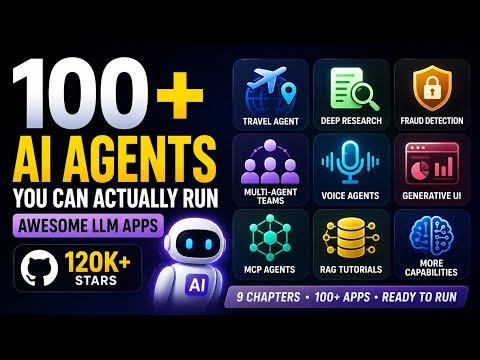


Shubham Saboo’s open source collection of AI agents, agent skills and RAG apps, most in a folder of their own with a README. Setup notes cover the skills for Claude Code, Codex and Cursor, the Python apps, local Ollama apps, an MCP agent and a Google ADK course.
Awesome LLM Apps is an open-source project on GitHub in the Developer category, listed by Mindket. It is free. This is version 2, last updated on . Install it from GitHub as its README says. Get Mindket’s setup notes on your Mindket account, as a zip.
npx skills add https://github.com/Shubhamsaboo/awesome-llm-apps/tree/main/agent_skills/project-graveyard
And 1 more in Where to use it
Awesome LLM Apps is a GitHub repository of example AI apps and agent skills, under the Apache-2.0 license. Its README says they are hand-built and tested end to end. It is not one program. The README is an index, split into sections such as Agent Skills, Starter AI Agents, Advanced AI Agents, Voice AI Agents, MCP AI Agents and RAG. Most entries link to a folder in the repository holding one app or skill, and two link to other repositories and are marked external. The app folders these notes use each have their own README. An app uses the model provider its own README names, though the main README says the collection works with Claude, Gemini, GPT, DeepSeek, Llama, Qwen and other open-source models.
Developers who learn by running a working example and then changing it. People who use a coding agent and want to add a skill to it. Anyone who wants to see how a RAG pipeline, an MCP client or a team of agents is put together in Python.
| Part | What the README says | Who picks it |
|---|---|---|
| Agent Skills | Give your coding agent new abilities, with one command to install | People who use Claude Code, Codex or Cursor |
| Starter AI Agents | Single-file agents that run with just an API key | Beginners who want a first agent to run |
| Advanced AI Agents | Production-style agents with tools, memory and multi-step reasoning | Developers who have run a starter and want more |
| RAG | Retrieval pipelines, from simple chains to agentic and multi-source | Anyone who wants answers drawn from their own documents |
| MCP AI Agents | Agents that connect to external tools and data through the Model Context Protocol | Developers who wire an agent to GitHub, Notion or a browser |
| Voice AI Agents | Speech-in, speech-out agents that use real-time voice APIs | Developers who prototype a voice app |
| Crash courses | Deep-dive tutorials on the major agent frameworks | Learners of Google ADK or the OpenAI Agents SDK |
Skip it if you want production software with support. The README calls its entries templates, and the Apache-2.0 license provides the software on an “AS IS” basis, without warranties or conditions of any kind.
The skills work in the coding agents the README names. Most apps are Python programs you start from a terminal. Some, such as the Generative UI starter, are npm projects with a Next.js frontend.
The maker’s coding-agent install steps cover the skills. Two app folders, the Generative UI starter and the dashboard canvas agent, also carry a CLAUDE.md or AGENTS.md for a coding agent working in them. For the Python apps, Mindket’s notes are plain steps you run in a terminal.
Get it saves a zip of Mindket’s setup notes in your downloads folder. The apps and skills install from the repository, not from the zip.
| Need | Detail |
|---|---|
| Git | To clone the repository. The quick start runs git clone |
| Python and pip | For each app. The quick start runs pip install -r requirements.txt in the app’s folder. The repository names no single Python version: the GitHub MCP Agent asks for 3.8+ and the Google ADK course for 3.11+ |
| Node.js | For the skills command, which starts with npx, and for the npm projects, such as the Generative UI starter, which its CLAUDE.md calls a flat npm project with a Next.js frontend |
| A provider key | For an app that calls a hosted model. The travel agent asks for an OpenAI key and a SerpAPI key |
| Docker and Ollama | For some apps. Of the apps covered here, the Local RAG Agent uses Qdrant in Docker and models in Ollama, the local travel agent uses Ollama, and the GitHub MCP Agent uses Docker. Others, such as the Llama 3.1 Local RAG, run locally too |
npx skills add https://github.com/Shubhamsaboo/awesome-llm-apps/tree/main/agent_skills/project-graveyard
The README’s quick start gives that skills command, with Project Graveyard as its example. It gives the next four lines for the AI Travel Agent. Swap in the folder and the last command of the app you pick.
git clone https://github.com/Shubhamsaboo/awesome-llm-apps.git
cd awesome-llm-apps/starter_ai_agents/ai_travel_agent
pip install -r requirements.txt
streamlit run travel_agent.py
The travel agent shows two password fields on its page, one for an OpenAI key and one for a SerpAPI key.
With a skill, ask your agent in plain words. The README’s example for Project Graveyard is the question below.
why do I never finish my side projects?
With an app, enter the keys it asks for on its page. The data analysis agent’s README says to put the OpenAI key in the Streamlit sidebar. That agent takes a CSV or Excel file and answers questions about it. The GitHub MCP agent answers questions about a repository you name.
You have a folder of old side projects and want to know which one to finish. You install the Project Graveyard skill, then ask your agent:
run the graveyard on ~/dev and ~/projects
Its README says the scan reads git metadata and not your code, runs on your machine and makes no network calls. Per its SKILL.md, the agent turns the output into a report. The report has four parts: a census, tombstones with each project’s cause of death, your patterns, and one project to bring back.
The limits are in the README. It was tested on macOS and Linux, and it does not mention Windows. A project with no git history is counted but not diagnosed.
If you are new. An LLM app sends your question to a language model and shows the answer. An agent can also call tools, such as a web search. RAG means the app first looks up passages in your own files and hands them to the model, so the answer comes from your documents. A skill is a folder with a SKILL.md file that a coding agent reads when the task needs it. An API key is a secret string from a model provider, and providers may charge for use, so check the provider’s pricing page first. Start with one Starter AI Agent and ask it a single question before you read the code.
For experts. Each app is its own project. The travel, data analysis, Local RAG and GitHub MCP apps are built with the Agno framework, and their requirements list agno>=2.2.10. The Generative UI starter pairs a Next.js frontend with a LangGraph agent, as its CLAUDE.md describes. The crash courses cover Google ADK and the OpenAI Agents SDK.
The file agent_skills/registry.json lists seven skills, each with its description, install command and eval folder. Six of them also name a license and author. A GitHub workflow, skill-evals.yml, runs the skills’ evals, a lint, a security scan, trigger checks and a registry check on pull requests, and on pushes to main, that touch agent_skills/ or README.md.
Most of the questions here are about keys, your data and the licenses of single folders.
This kit holds setup notes only. Mindket wrote them. The apps and skills themselves live in the GitHub repository https://github.com/Shubhamsaboo/awesome-llm-apps
These notes are not made or endorsed by the repository's owner. The README opens with "100+ open-source AI agents, agent skills, and RAG apps. Hand-built, tested end-to-end, Apache-2.0." and says it works with "Claude, Gemini, GPT, DeepSeek, Llama, Qwen and other open-source models." Source: https://github.com/Shubhamsaboo/awesome-llm-apps/blob/main/README.md
License: Apache-2.0. GitHub's repository answer names it "Apache License 2.0", and the LICENSE file (https://github.com/Shubhamsaboo/awesome-llm-apps/blob/main/LICENSE) is the standard Apache License 2.0 text. It fills in no copyright holder. Some folders carry a license of their own: see "Folders with their own license" below.
A collection of example apps and agent skills, not one program. The README is an index with these sections: Agent Skills, Standalone Apps & Tools, Starter AI Agents, Advanced AI Agents, Always-on Agents, Multi-agent Teams, Voice AI Agents, Generative UI and Agentic Frontends, Autonomous Game-Playing Agents, MCP AI Agents, RAG, LLM Apps with Memory, Chat with X, LLM Optimization Tools, LLM Fine-tuning and AI Agent Framework Crash Courses. Most entries link to a folder. The folders these notes use have their own README with install and run steps. Two entries in the README link to other repositories and are marked "external".
The README also links "Step-by-step tutorials on Unwind AI" at https://www.theunwindai.com. These notes do not use it.
Nothing, to read the list. For a skill, the README's command installs one skill folder into your coding agent. For an app, you clone the repository and install that app's own requirements.txt. The repository has no single install step. See the notes below.
git clone.pip install -r requirements.txt inside the app's folder. The repository names no single Python version: the Google ADK crash course says Python 3.11+, and the GitHub MCP agent says Python 3.8+.npx, and for npm projects such as the Generative UI starter.The repository's own license is Apache-2.0. These folders under generative_ui_agents/ hold a LICENSE file of their own, each the MIT License. Source: the files at https://github.com/Shubhamsaboo/awesome-llm-apps/tree/main/generative_ui_agents
ai-mcp-app-builder also holds three skill folders with their own LICENSE.txt files. Read the license in the folder you copy from.
A local copy is a Git folder. To update it, run git pull inside it (Mindket's note, ordinary Git). To remove it, delete the folder. The README gives no uninstall steps. A skill you copied into an agent's skills folder is removed by deleting its folder there (Mindket's note). Packages you installed with pip stay until you remove them with pip.
npx runs a package from the npm registry and downloads it the first time (ordinary npx behavior, Mindket's note). The address you give the skills command points at GitHub.README.md 7 KB setup/adk-course.md 2 KB setup/claude-code.md 3 KB setup/codex.md 2 KB setup/cursor.md 2 KB setup/local-rag.md 2 KB setup/mcp-app.md 2 KB setup/other-agents.md 2 KB setup/python-apps.md 4 KB
Updated by Mindket to the current version of this kit.
Listed GitHub projects in the same category that share the most topics with this one.
| Product | Stars | Activity | Language | License | Last change |
|---|---|---|---|---|---|
| Awesome LLM Apps This page | 144,222 | — | — | Apache-2.0 | — |
| Crawl4AIShares rag · python | 87,016 | — | — | Apache-2.0 | — |
| AgnoShares python · agents | 43,097 | Active | Python | Apache-2.0 |
Posts and comments that name this project on Hacker News, Bluesky, X, Reddit, Facebook and YouTube, found by a weekly search and on Trendshift. Mindket doesn’t write or check them. Open one to read it where it was posted.
well9472 · Kit
Makes illustrations from text prompts with a small 670M-parameter diffusion model, run through ComfyUI. Built as a low-budget research model for people who wan…
Waqf-AI · Kit
Reads handwritten Arabic text from images and returns it as text. A fine-tuned PaddleOCR-VL model for people digitizing Arabic handwriting.
Wan-AI · Kit
Makes video clips from a text prompt or an image plus text, at up to 720P and 24 frames per second, in the Diffusers format for a single consumer GPU.
unclecode · Kit
UncleCode’s open source web crawler and scraper for language models and AI agents. It loads a page in a browser and returns clean Markdown, or JSON in a shape…
agno-agi · Kit
Agno’s open-source platform for building agents and running them as services. Your coding agent sets up a template with AgentOS, an API, an MCP server and Post…
Cinnamon · Kit
Cinnamon’s open source web app for chatting with your documents. You upload files, pick an API or a local model, and get answers with citations you can open in…