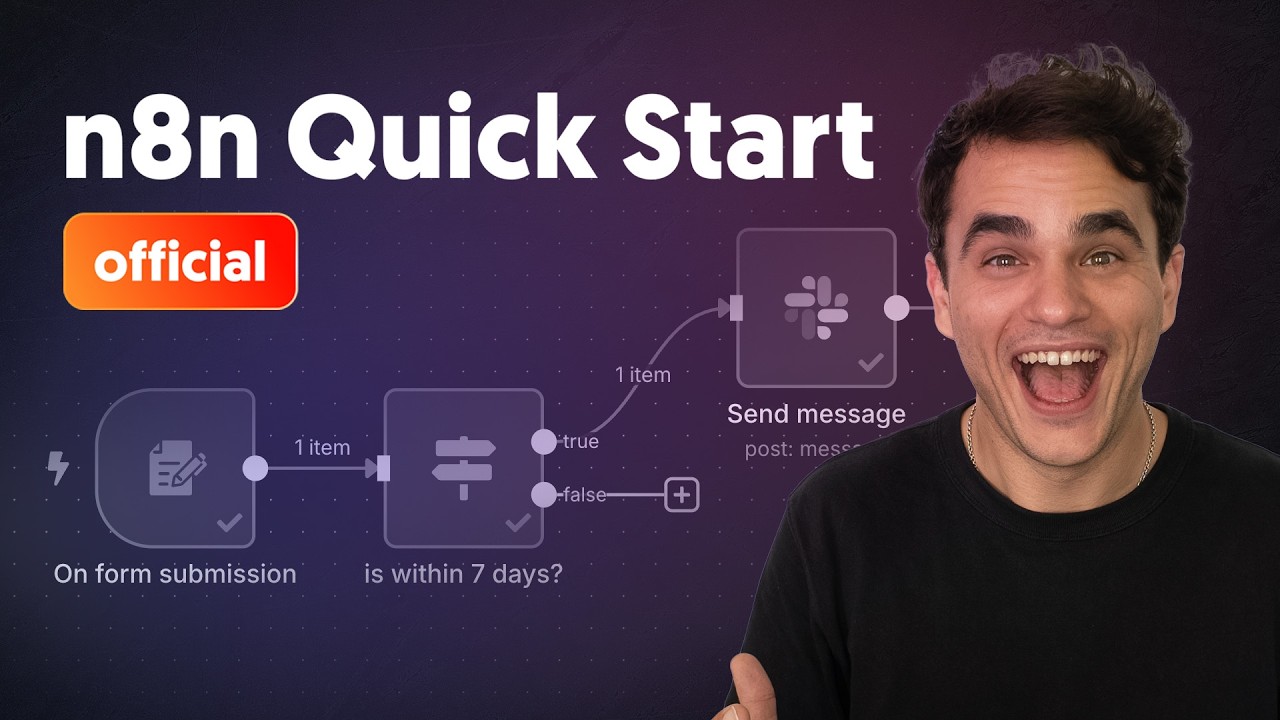


What n8n is
n8n is a workflow automation platform made by n8n GmbH, a company in Berlin. Jan Oberhauser founded it and released it publicly in 2019. A workflow is a chain of steps that runs by itself when something happens, such as a form being filled in or the clock reaching 8 AM. Each step is a node, and the one that starts the run is the trigger.
You build a workflow in a visual editor in your browser. n8n Cloud runs it for you, or you can host n8n on your own server. The code is public on GitHub, but the Sustainable Use License limits commercial use, so n8n calls itself fair-code rather than open source. Using it inside your own business is allowed.
What n8n is good for
- Moves data between apps: a workflow can take a form submission, call another app's API and save the result, and the simple cases need no code.
- Runs jobs on a schedule: the Schedule Trigger starts a workflow every day at a set hour, as in the daily weather log below.
- Answers webhooks: the Webhook node starts a workflow when another app or script sends it an HTTP request.
- Builds AI agents: the AI Agent node takes a chat model and tools, decides which tool to call and answers the message.
- Starts from a template: n8n's GitHub page counts more than 9,000 workflow templates, and Mindket's n8n workflows page lists ready-made ones.
- Works with MCP: one node lets an agent call an MCP server, and a trigger turns n8n itself into one.
When to use n8n, and when to pick another tool
| Your job | Use n8n? | Or try |
|---|---|---|
| Connect apps with steps you can see and change | Yes | Zapier, a hosted alternative |
| Keep the automation's data on a server you run | Yes, self-host the Community edition | n8n Cloud, if nobody on your team runs servers |
| Build an AI agent that calls tools | Yes, with the AI Agent node | MCP servers to give it more tools |
| Let clients build or edit workflows in your n8n | No, not without an Enterprise license | Ask n8n about one |
| Chat, write or research with an AI | No | ChatGPT, Claude or Gemini |
| Write code with an AI helper | No | Cursor or Claude Code |
How to use n8n, step by step
The eight pictures build n8n's own first workflow. It wakes up every morning, fetches the weather in Berlin, writes one sentence about it and saves the sentence in a table. You need an n8n instance first. The quickest is an n8n Cloud trial, and a self-hosted copy works the same way.
On a new instance, select Build a workflow, then Add first step on the empty canvas. In the panel that asks what triggers the workflow, choose On a schedule.

Leave Trigger Interval on Days, open Trigger at Hour and pick 8am. Click the title to rename the node. The yellow note says the schedule runs only after you publish.

Close the window, select + after the trigger and pick HTTP Request. Put
https://mockingbird.n8n.io/v1/weather/berlinin URL and select Execute step. The output listscity,temp_candcondition. The picture shows a stand-in address on the computer that took it, so your values will differ.
Select +, then Data transformation, then Edit Fields (Set). Add a field called
report, type the words of a sentence and dragcity,temp_candconditionin from the INPUT panel. Select Execute step to see the finished sentence.
Select + and add a Data table node with the Insert row action. Open the Data table dropdown and choose Create new data table. n8n opens a new browser tab for it.

In the new tab, name the table and select Create. Then select Add Column, type
reportas the name and select Add Column again. Close the tab.
Back in the workflow, pick your table and set Mapping Column Mode to Map Automatically. Select Execute under the canvas. Every node shows a green check mark when the run is done.

Open Personal, then Data tables, then your table. The new row holds the sentence the workflow wrote. To make it run every morning, select Publish in the canvas header and follow the prompts.

Screenshots of n8n 2.46.6, self-hosted in Docker on Windows, taken on 6 November 2026. The weather API in them is a local stand-in for n8n's sample API.
The tutorials at the top of this page build their own first workflows on screen with the same ideas: a trigger, data passed from node to node, and publishing. The first workflow lesson writes out each step above.
An example to try
Run n8n on your own computer with the two Docker commands from its GitHub page, then build the weather workflow from the pictures.
docker volume create n8n_data
docker run -it --rm --name n8n -p 5678:5678 -v n8n_data:/home/node/.n8n docker.n8n.io/n8nio/n8n
- Open
http://localhost:5678in your browser. The first visit asks you to create the owner account. - The
-v n8n_data:/home/node/.n8npart keeps your workflows and credentials in a Docker volume, so they survive an update. - For anything you keep running, n8n's docs now recommend Docker Compose or their one-line setup script.
- A good result is a canvas where every node shows a green check mark after you select Execute, and a data table with a row of text.
Tips for better results
- Rename each node as you build. The default names stop being obvious around the third node.
- Check the workflow's timezone before you wait for a schedule. The workflow's own setting wins, and otherwise the instance's applies.
- After a failed run, open the Executions tab and select Debug in editor. n8n copies that run's data into your workflow, so you can fix one step and run it again. This works on n8n Cloud and on registered Community, Business and Enterprise editions.
- Treat a workflow that n8n Assistant built like one you built by hand. n8n's own team warns that it might not get every build right first time. Read each node's input and output in the run.
What n8n costs and what its license allows
n8n Cloud has a 14-day free trial with Pro features, and the self-hosted Community edition is free with almost the complete feature set. Paid Cloud plans count executions, and a test run from the editor is not one of them.
The license decides who may build workflows in your n8n. Your own people may, and so may a consultant who builds automations for clients on the consultant's own instance, as long as the clients can't create or edit them. White-labeling n8n with its branding removed is not allowed.
Learn more about n8n
- 1n8n tutorial for beginners: build your first workflowAn n8n tutorial for beginners: build a first workflow with a schedule trigger, an HTTP Request, an Edit Fields node and a data table, then test and publish it.
- 2n8n webhook: how the Webhook node and its test and production URLs workHow the n8n Webhook node works: build a POST webhook, call its test URL with curl, publish it, then use the production URL and return a response.
- 3n8n AI agent: build one with the AI Agent node, memory and toolsBuild an n8n AI agent step by step: a Chat Trigger, the AI Agent node, an OpenAI chat model, Simple Memory and two tools, then read how it runs.
- 4Self-host n8n with Docker: setup, data volume and updatesSelf-host n8n with Docker: run the n8nio/n8n image, keep your data on a volume, set the timezone and webhook URL, then back up and update without losing work.
Frequently asked questions
Is n8n free?
Yes, to start. n8n Cloud has a 14-day free trial, and the self-hosted Community edition is free with almost the complete feature set. Paid Cloud plans are priced by workflow executions.
Do I need to code to use n8n?
No. The quickstart lists no coding experience as a prerequisite, and you build by connecting nodes. Code comes in later, because expressions are JavaScript and a node can run your own JavaScript or Python.
Is n8n open source?
Not quite. n8n's GitHub page calls it source available and self-hostable under the Sustainable Use License, a model n8n calls fair-code. The code is public, and the license limits commercial use.
Why did my n8n workflow not run on its schedule?
Check that you published it first, because an unpublished schedule trigger never fires. Then check the timezone. The workflow's own setting wins, and a self-hosted instance defaults to America/New York.
n8n or Zapier, which one should I pick?
n8n can run on your own server, which sets it apart from hosted tools such as Zapier and Make. Coverage describes it as a source-available alternative to them, and our Zapier page covers the other side.
Can n8n use ChatGPT or Claude?
Yes. The AI Agent node takes a chat model, and n8n's AI docs name OpenAI, Anthropic and Google models among those a workflow can connect.
Where can I find ready-made n8n workflows?
In n8n's own template library, which its GitHub page counts at more than 9,000, and on Mindket's n8n workflows page. There each workflow's nodes are drawn before you download it.
Sources
- Wikipedia: n8n https://en.wikipedia.org/wiki/N8n
- n8n Docs: Build your first workflow https://docs.n8n.io/build-your-first-workflow
- n8n Docs: Choose how to use n8n https://docs.n8n.io/choose-how-to-use-n8n
- n8n Docs: Schedule Trigger node https://docs.n8n.io/integrations/builtin/core-nodes/n8n-nodes-base.scheduletrigger
- n8n Docs: Webhook node https://docs.n8n.io/integrations/builtin/core-nodes/n8n-nodes-base.webhook
- n8n Docs: AI Agent node https://docs.n8n.io/integrations/builtin/cluster-nodes/root-nodes/n8n-nodes-langchain.agent
- n8n Docs: Edit Fields (Set) node https://docs.n8n.io/integrations/builtin/core-nodes/n8n-nodes-base.set
- n8n Docs: HTTP Request node https://docs.n8n.io/integrations/builtin/core-nodes/n8n-nodes-base.httprequest
- n8n Docs: Understand executions https://docs.n8n.io/build/understand-workflows/understand-executions
- n8n Docs: Debug executions https://docs.n8n.io/build/understand-workflows/understand-executions/debug-executions
- n8n Docs: Save and publish workflows https://docs.n8n.io/build/understand-workflows/save-and-publish-workflows
- n8n Docs: Integrate AI https://docs.n8n.io/build/integrate-ai
- n8n Docs: MCP servers https://docs.n8n.io/build/integrate-ai/mcp-servers
- n8n Docs: MCP Server Trigger node https://docs.n8n.io/integrations/builtin/core-nodes/n8n-nodes-langchain.mcptrigger
- n8n Docs: Community license https://docs.n8n.io/n8n-community-license/community-license
- n8n Docs: License FAQ https://docs.n8n.io/n8n-community-license/community-license/license-faq
- n8n Docs: Install with Docker https://docs.n8n.io/deploy/host-n8n/install-options/install-with-docker
- n8n Docs: One-line setup https://docs.n8n.io/deploy/host-n8n/install-options/one-line-setup
- GitHub: n8n-io/n8n https://github.com/n8n-io/n8n
- n8n.io on X: n8n Assistant is live, check the execution logs, 10 September 2026 https://x.com/n8n_io/status/2097996379301741038