
anaksor-ocr
Sokheng · Kit
Reads Khmer and English text from documents, receipts and photos of signs, using a detector for text lines and a recogniser for each line. Suits developers who…
New
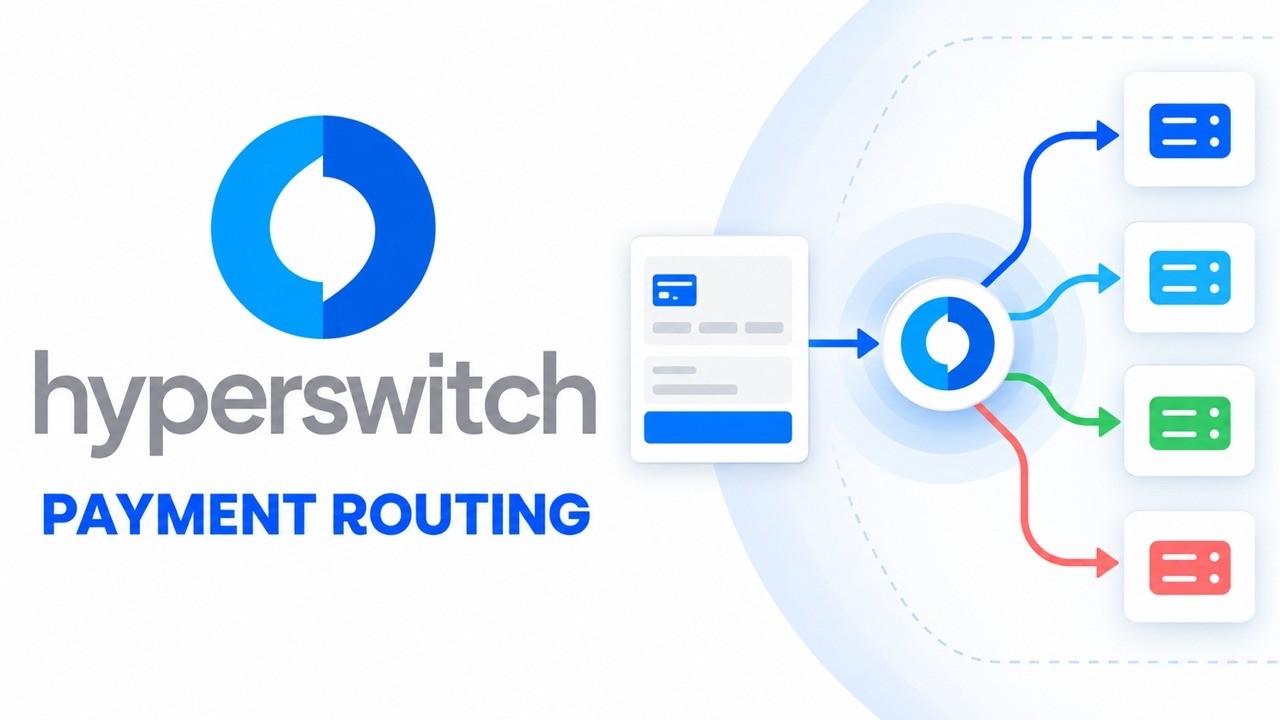


Juspay’s open source payments platform, written in Rust. Your checkout calls one API, and it routes each payment to one of over a hundred processors, with retries, a card vault and a dashboard. Run it with Docker or Helm, or try the hosted sandbox first.
Hyperswitch is an open-source project on GitHub in the Developer category, listed by Mindket. It is free. This is version 2, last updated on . Install it from GitHub as its README says. Get Mindket’s setup notes on your Mindket account, as a zip.
git clone --depth 1 --branch latest https://github.com/juspay/hyperswitch
cd hyperswitch
scripts/setup.sh
Hyperswitch is an open source payments stack from Juspay, written in Rust. Your checkout calls one Hyperswitch API, and Hyperswitch sends each payment on to a processor such as Stripe, Adyen, Braintree, Worldpay or Checkout.com. The README says it connects to more than a hundred processors. Around that core sit separate modules for routing between processors, retrying failed payments, a card vault, a view of your payment costs, reconciliation and alternate payment methods. You take the modules you need and leave the rest. The README calls it a commercial open source stack, and the repository’s GitHub description offers SaaS and self-host options. This listing covers the repository and how to run it yourself.
Teams that take card payments and want to own the layer between their checkout and their processors. The README names three starting points. Merchants on a single Stripe or Braintree integration move to several processors. Merchants replace a payment gateway with direct acquirer connections. Others rebuild their payments platform and keep the vault they already use, such as VGS or TokenEx. The docs page on self-hosting adds banks and payment institutions that want control on their own premises.
| Industry | Who uses it | How they use it | Example |
|---|---|---|---|
| E-commerce and subscriptions | Merchants on one processor | Add more processors and route payments between them | A shop that takes payments through Stripe alone connects Adyen as well and sets a rule for which one gets each payment. |
| Banks and payment institutions | Regulated merchants | Self-host the stack with the vault inside their own infrastructure | A bank deploys the Helm chart in its own cluster and runs the card vault there. It stays responsible for its own PCI DSS certification. |
| Merchants with an existing vault | Payment engineers | Keep stored cards where they are and add Hyperswitch around them | A merchant keeps its VGS vault and uses Hyperswitch for routing and retries. |
| Learning and prototypes | Developers | Run the stack on one computer, or use the hosted sandbox | A developer runs scripts/setup.sh, opens the Control Center on port 9000 and tests a payment. |
If you only need a handful of card payments through one processor, you may not need it. Self-hosting makes you the operator of a payments system, with its databases, keys and upgrades.
The README and Juspay’s docs document these routes.
The README’s ecosystem section also lists a Terraform repository, hyperswitch-suite, as the recommended starting point for the full stack. The kit does not cover it.
Get it saves a zip of Mindket’s setup notes in your downloads folder, with the steps for the Docker, Helm, sandbox and web SDK routes. The main route is the one-click Docker script from the README.
| Need | Detail |
|---|---|
| git and bash | The README’s Quickstart starts with git clone, and scripts/setup.sh is a bash script (#!/usr/bin/env bash) |
| Docker or Podman | With Compose. The script stops with a message when neither is found |
| curl and jq | The script stops without curl, and its last health check reads the answer with jq |
| Free ports | 8080, 8081, 9000, 9050, 5432, 6379 and 9060. With nc or lsof installed, the script warns about any in use and asks whether to go on. Without either, it skips the check |
| A processor account | For each connector, that processor’s credentials. The README says each connector has a guide covering credentials setup |
| Kubernetes | Only for Helm: a cluster with labelled nodes, kubectl and Helm. The chart page says "minimum --memory 6000 --cpus 4 needed". Its card vault key steps also use git, cargo and openssl, and its gRPC check uses grpcurl |
| Time | Juspay’s local setup page says docker compose up -d compiles Hyperswitch first, which can take 10 to 15 minutes depending on your machine. The script’s Standard profile runs docker compose --env-file .oneclick-setup.env up -d |
git clone --depth 1 --branch latest https://github.com/juspay/hyperswitch
cd hyperswitch
scripts/setup.sh
Juspay’s local setup page gives a plainer route. It skips the script and the profiles.
git clone https://github.com/juspay/hyperswitch
cd hyperswitch
docker compose up -d
The script ends by printing where each service listens. The README describes the Control Center as the merchant dashboard for connectors, routing rules, analytics and API keys. The App Server is the API your checkout calls. The README’s next steps are to add a payment connector in the Control Center and test a payment.
To check the server by hand, the local setup page gives this line. It says a 200 OK answer means the server and its database and Redis work.
curl --head --request GET 'http://localhost:8080/health'
| Choice | Name | What it is for | Services |
|---|---|---|---|
| 1 | Standard Setup | Marked Recommended, for a quick trial | App Server, Control Center, PostgreSQL and Redis |
| 2 | Full Stack Setup | End-to-end payment testing | Everything in Standard, Monitoring and Scheduler |
| 3 | Standalone App Server | API-first integration testing | App Server, PostgreSQL, Redis and Superposition |
The script prints the stop line for your profile. For Standard and Standalone it is the line below, with podman compose in place of docker compose when it found Podman.
docker compose down
For Full Stack it is this line.
docker compose --profile scheduler --profile monitoring --profile olap --profile full_setup down
You run a shop that takes payments through one processor, and you want a second one ready. In the repository folder on your laptop, you run the script and type 1 for the Standard profile:
scripts/setup.sh
The script prints the Control Center at http://localhost:9000 and a demo email and password. You sign in, add a connector for each processor, set up routing between them and try a payment. The README says the hosted sandbox shows logs, routing rules and retry strategies, so you can try the same steps there first.
If you are new. A payment processor is the company that moves the money for a card payment. Hyperswitch is not one. It sits between your checkout and the processors and decides which one gets each payment. A connector is the link between Hyperswitch and one processor. The simplest start is the hosted sandbox, with nothing to install. You sign up or log in there first. After that, run the Standard profile, add one connector and send one test payment. Leave the vault and the Helm route until that works.
For experts. The README splits the project into services. The Rust app server in this repository is the core, and it depends on a card vault and an encryption service. Two standalone projects sit beside it. hyperswitch-prism is a unified connector library for payment processors, and decision-engine is a routing control plane that works with any orchestrator.
| Repository | Role | Language or tooling |
|---|---|---|
| hyperswitch | App server: routing, retries, vaulting, observability | Rust |
| card-vault | PCI-compliant card storage | Rust |
| encryption-service | Encryption, decryption and KMS | Rust |
| hyperswitch-prism | Unified connector library | Rust |
| decision-engine | Routing control plane | Rust |
| control-center | Full merchant dashboard | ReScript |
| hyperswitch-web | Primary web SDK, a React library for unified checkout | ReScript |
| hyperswitch-sdk-android | Android SDK, on Maven | Kotlin |
| hyperswitch-sdk-ios | iOS SDK, on CocoaPods | Swift |
| react-native-hyperswitch | React Native SDK, on npm | TypeScript |
| flutter_hyperswitch | Flutter SDK, on pub.dev | Dart |
| hyperswitch-helm | Kubernetes deployments | Helm charts |
On Kubernetes, the stack comes from the hyperswitch-stack chart. These are the chart page’s lines.
helm repo add hyperswitch https://juspay.github.io/hyperswitch-helm
helm repo update
kubectl create namespace hyperswitch
helm install hypers-v1 hyperswitch/hyperswitch-stack -n hyperswitch
The chart page says the card vault and its dependencies are installed by default. You still generate a master key and custodian keys, and open the locker with them, before it can save cards. The kit lists those steps.
The contributing guide says Hyperswitch makes heavy use of features, so common cargo commands need an extra argument. Formatting needs the nightly toolchain.
cargo check --all-features
cargo clippy --all-features
cargo test --all-features
cargo +nightly fmt
This is payments software, and running it makes you responsible for what it holds.
This kit holds setup notes only. Mindket wrote them. Hyperswitch itself, its Control Center, its SDKs and its Helm charts come from Juspay's repositories, starting at https://github.com/juspay/hyperswitch
These notes are not made or endorsed by Juspay. The README says: "Hyperswitch is a commercial open-source payments stack purpose-built for scale, flexibility, and developer experience." It says the Rust app server in this repository is the core, and that the dashboards, SDKs and deployment tooling live in the repositories its ecosystem section lists. The documentation is at https://docs.hyperswitch.io
License: Apache-2.0. The LICENSE file (https://github.com/juspay/hyperswitch/blob/main/LICENSE) is the standard Apache License 2.0 text. The bracketed "Copyright [yyyy] [name of copyright owner]" at its end is the appendix's boilerplate for applying the license, and the file names no copyright holder.
The kit has no coding agent in it. Hyperswitch is a payments service you run, so the files below are per route, not per agent.
Which parts you get depends on the route you pick:
hyperswitch-stack chart into a Kubernetes cluster. The chart's requirements table lists hyperswitch-app, hyperswitch-control-center, hyperswitch-monitoring and hyperswitch-web. Source: https://github.com/juspay/hyperswitch-helm/blob/main/charts/hyperswitch-stack/README.mdgit clone, and scripts/setup.sh is a bash script (#!/usr/bin/env bash).nc or lsof installed, the script warns about any in use and asks whether to go on. Without either, it skips the check.kubectl and Helm. The chart's page says a minimum of --memory 6000 --cpus 4 is needed. Its card vault key steps also use git, cargo (Rust) and openssl, and its gRPC check uses grpcurl.This is the README's Quickstart. It needs Docker or Podman.
git clone --depth 1 --branch latest https://github.com/juspay/hyperswitch

cd hyperswitch

scripts/setup.sh
The script asks you to choose a profile, starts the services, checks their health and prints where each one listens. Source: README.md, "Quickstart", and scripts/setup.sh
docker compose up -d route from the docsThree of the README's links to docs.hyperswitch.io pages under /hyperswitch-open-source/ answered with a server error (HTTP 500) when these notes were written, on 3 November 2026, and the fourth, deploy-on-kubernetes-using-helm, gave no answer. The notes use the pages that did answer: the README, scripts/setup.sh, docs/CONTRIBUTING.md, the Exploration Guide, the Helm repository's README files and the local setup page that the Exploration Guide links to (https://github.com/juspay/hyperswitch-docs/blob/main/setup-hyperswitch-locally/run-hyperswitch.md).
README.md  6 KB
setup/build-and-contribute.md  2 KB
setup/docker-compose.md  2 KB
setup/docker-one-click.md  4 KB
setup/hosted-sandbox.md  1 KB
setup/kubernetes-helm.md  5 KB
setup/web-sdk-playground.md  3 KB
Updated by Mindket to the current version of this kit.
Posts and comments that name this project on Hacker News, Bluesky, X, Reddit, Facebook and YouTube, found by a weekly search and on Trendshift. Mindket doesn’t write or check them. Open one to read it where it was posted.
Sokheng · Kit
Reads Khmer and English text from documents, receipts and photos of signs, using a detector for text lines and a recogniser for each line. Suits developers who…
Qwen · Kit
Qwen2.5-7B-Instruct as GGUF files in eight quantization sizes, to chat with locally through llama.cpp. For people who want a capable 7.6B model on their own co…
ACE-Step · Kit
Generates music from text with a 4B diffusion decoder, 50 steps and guidance control, aiming for higher audio quality than the base. For creators with a GPU of…
twentyhq · Kit
An open-source CRM, mostly under AGPLv3, that your team can use in the cloud, host itself or extend with TypeScript apps. The setup notes cover Docker Compose,…
alirezarezvani · Skill
Adds 411 ready-made skills for Claude Code and other coding agents, grouped by role from engineering and product to marketing, finance and compliance. Installs…
block · Kit
Self-hostable workspace where people and AI agents share the same rooms, built on a Nostr relay that logs every action as a signed event. For teams that want t…