
anaksor-ocr
Sokheng · Kit
Reads Khmer and English text from documents, receipts and photos of signs, using a detector for text lines and a recogniser for each line. Suits developers who…
New
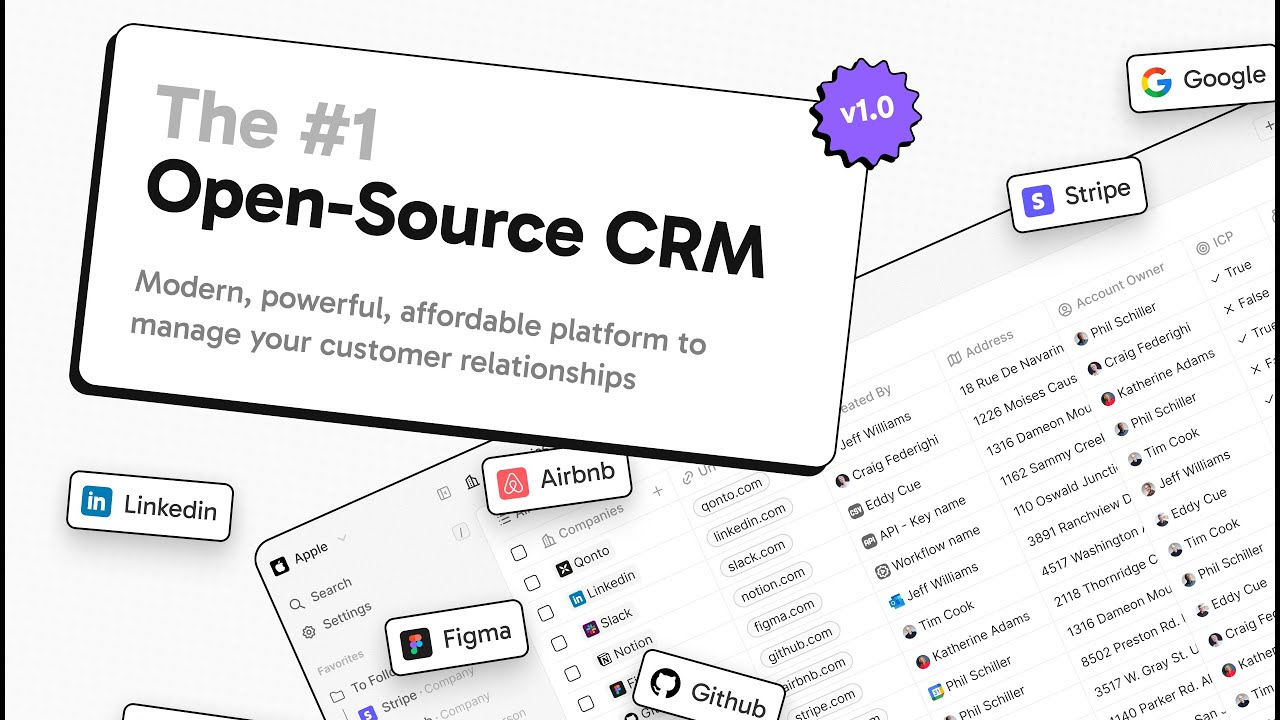


An open-source CRM, mostly under AGPLv3, that your team can use in the cloud, host itself or extend with TypeScript apps. The setup notes cover Docker Compose, a source checkout, the app CLI, and MCP and agent skills for Claude Code, Codex and Cursor.
Twenty is an open-source project on GitHub in the Business category, listed by Mindket. It is free. This is version 2, last updated on . Install it from GitHub as its README says. Get Mindket’s setup notes on your Mindket account, as a zip.
bash <(curl -sL https://raw.githubusercontent.com/twentyhq/twenty/main/packages/twenty-docker/scripts/install.sh)
Twenty is an open-source CRM that your team shapes to its own business. It starts with Companies, People, Opportunities, Tasks and Notes, and you add custom objects and fields beside them. Email and calendar sync fill the records, views and workflows run the daily work, and AI agents act inside your permission model. You can use the cloud product, host it yourself, or extend it with apps written in TypeScript.
Teams with developers who want a CRM they can reshape, and organizations that must keep customer data on their own servers. The Meet Twenty page is plain about who should look elsewhere: teams that want a CRM they never have to think about, and companies that need hundreds of pre-built integrations today.
| Industry | Who uses it | How they use it | Example |
|---|---|---|---|
| Sales teams | Teams that track deals and contacts | Keep Companies, People and Opportunities with the synced email on each record | A rep connects a Google account under Settings, Accounts, and the emails and meetings with a contact land on that record. |
| Startups | Technical founders who outgrew spreadsheets and Notion | Model the business as custom objects and fields | A founder adds a Person Type field to People, as the Quickstart suggests, and not a separate object that would have no email history. |
| Go-to-market teams | Teams that want their own lead scoring or enrichment | Build workflows from a trigger and a chain of steps | The Workflows page lists a Slack alert when a deal reaches a certain stage as one thing to build. |
| Self-hosting organizations | Privacy-conscious teams that must own their data | Run the Docker Compose install and keep it off the public internet | An admin follows the Tailscale route on the Securing page, binds the server port to 127.0.0.1, joins the tailnet with sudo tailscale up --hostname=twenty and runs sudo tailscale serve --bg 3000. |
| Developers and agencies | Teams that know TypeScript and React | Build an app that adds objects, logic functions and front components | A developer scaffolds with twenty app init and keeps twenty app dev running, so an edited file shows in the UI within a second. |
| AI-assisted teams | People who work through a coding agent | Connect an MCP client to the workspace | A user adds the workspace’s /mcp address to Claude Code and asks for the 5 most recently created companies, a prompt from the MCP page. |
Twenty opens in a browser, in the cloud or on a server you run. It connects to other tools in these ways.
| Route | What you run | What the docs say |
|---|---|---|
| Cloud | Nothing. You sign up at app.twenty.com | Choose a trial, then set up your workspace name and profile after the Stripe confirmation. You can cancel anytime |
| Docker Compose | The install script, or a downloaded .env and docker-compose.yml | Meant for production hosting or self-hosting, with at least 2GB of RAM and Docker Compose up to date |
| Source checkout | Git, Node 26.5.1 or a later 26.x (the root package.json engines), Yarn 4, PostgreSQL and Redis | The Local Setup page is written for contributors and curious developers, and starts the server, worker and frontend with nx |
| Local app environment | The twenty local start command | Runs the web UI, API, worker and databases in Docker for app work, on loopback port 2020 by default |
Get it saves a zip of Mindket’s setup notes in your downloads folder, with a page for each route and agent from the maker’s README and docs. The cloud route needs no install. A server of your own takes one command.
| Need | Detail |
|---|---|
| The cloud | A browser and a Google, Microsoft or email sign-in |
| Docker Compose | A server or computer with Docker and Docker Compose, and at least 2GB of RAM |
| Apps | Node.js 24 from 24.5, or Node.js 26 from 26.5.1 (not Node 25), Yarn 4 through Corepack and the twenty CLI. Building apps is officially supported only on macOS and Linux, and on Windows you work inside WSL 2 |
| A source checkout | Git, Node 26.5.1 or a later 26.x, Yarn 4, nvm, PostgreSQL and Redis. npm does not work for it |
| MCP | A workspace you can sign in to, and an MCP client that supports streamable HTTP servers |
bash <(curl -sL https://raw.githubusercontent.com/twentyhq/twenty/main/packages/twenty-docker/scripts/install.sh)
The Docker Compose page puts VERSION in front of the same line to pin a release, for example VERSION=v2.38.1. It must be a full release tag published on Docker Hub, and aliases such as v2 or latest are not accepted. To restart after changing SERVER_URL, the page gives these two lines.
docker compose down
docker compose up -d
The Quickstart says to start with your mailbox, because real data gives your team value before you change anything else.
| Trigger | When it fires |
|---|---|
| Record event | A record is created, updated, deleted or upserted |
| Manual | A user clicks a button on one record, on several or globally |
| Schedule | On a recurring interval written in cron syntax |
| Webhook | An external system sends an HTTP POST |
The AI chat answers questions about your records. Agents work through roles, so set their access under Settings, then Members, then Roles. The AI page gives these prompts.
What opportunities are closing this month?
Which deals have been in Negotiation for more than 30 days?
Summarize my interactions with this person
You want to see which deals close this month. You sign up for the cloud, connect your mailbox and import your Opportunities, with their close dates, from a CSV. Then you open the AI chat and ask:
What opportunities are closing this month?
The chat has access to your workspace data, so it answers from your records. It draws on the workspace’s AI credits.
If you are new. A CRM is where a team keeps its companies, contacts and deals. In Twenty those are the Companies, People and Opportunities objects, and a workspace is the space where your team’s data lives. Self-hosted means the server runs on a computer you control.
For experts. Most settings live in the app, under Settings, Admin Panel, Configuration Variables. Infrastructure settings such as PG_DATABASE_URL, SERVER_URL and the encryption keys can only be set in the .env file, and IS_CONFIG_VARIABLES_IN_DB_ENABLED=false moves everything there. ENCRYPTION_KEY encrypts OAuth tokens, application variables and TOTP secrets at rest. Losing it means losing access to every secret in the database.
The Securing page splits an instance into a private zone, a public zone for /webhooks, /s and /emailing, and a zone for cloud AI connectors at /mcp, /oauth and /.well-known. Workflow webhooks only check that the workspace and workflow exist, so anyone with the URL can trigger one. In production the logic-function and code-interpreter drivers start disabled, and the LOCAL driver has no sandbox.
The Apps page says logic functions run in isolated Node.js processes, sandboxed from the host, and front components run in Web Workers through Remote DOM. On a self-hosted server the isolation depends on the driver: the Setup page says LOCAL has no sandbox and names LAMBDA for untrusted code. An app only sees what its role allows. The README defines an object as code like this.
import { defineObject, FieldType } from 'twenty-sdk/define';

export default defineObject({
  nameSingular: 'deal',
  namePlural: 'deals',
  labelSingular: 'Deal',
  labelPlural: 'Deals',
  fields: [
    { name: 'name', label: 'Name', type: FieldType.TEXT },
    { name: 'amount', label: 'Amount', type: FieldType.CURRENCY },
    { name: 'closeDate', label: 'Close Date', type: FieldType.DATE_TIME },
  ],
});Over MCP, the docs say to call learn_tools for a tool’s schema, then execute_tool.
You run the server, so the care is yours. These points come from the repository and the docs.
This kit holds setup notes only. Mindket wrote them. Twenty, its twenty CLI and its agent skills come from Twenty's repository: https://github.com/twentyhq/twenty
These notes are not made or endorsed by Twenty. The repository describes itself as "The open alternative to Salesforce, designed for AI." The documentation is at https://docs.twenty.com
License: mixed. The LICENSE file (https://github.com/twentyhq/twenty/blob/main/LICENSE) says the project is mostly under the GNU Affero General Public License v3.0, with an additional permission it calls the Twenty Application Exception, and with two qualifications:
/* @license Enterprise */ are under a commercial license, not the AGPLv3. That license says they may be used in production only with agreed Twenty terms and a valid Twenty Enterprise Edition subscription, and that you may copy and modify them for development and testing without one.twenty CLI, twenty-sdk, twenty-client-sdk, create-twenty-app, twenty-shared, the twenty-ui component library and the applications under packages/twenty-apps.GitHub's repository page names the license "Other". Read the LICENSE file before you run a modified copy for other people.
.env and docker-compose.yml, then the containers the compose file starts. The Docker Compose page names a server and a worker service and a twenty-postgres container, and says REDIS_URL has a default in docker-compose.yml. Source: https://docs.twenty.com/developers/self-host/capabilities/docker-compose.mdyarn installs. Source: https://docs.twenty.com/developers/contribute/capabilities/local-setup.mdtwenty CLI, installed globally with npm, and a project that holds twenty-sdk and twenty-client-sdk. Source: https://docs.twenty.com/developers/extend/apps/getting-started/quick-start.mdskills CLI installs into your agent, each with the references it needs, or a Codex plugin named twenty. Source: https://github.com/twentyhq/twenty/blob/main/SKILLS.mdengines.node: ^24.5.0 || ^26.5.1), and Yarn 4 through Corepack. The apps guide says building apps is officially supported only on macOS and Linux, and on Windows you work inside WSL 2. Source: https://docs.twenty.com/developers/extend/apps/getting-started/quick-start.mdpackage.json engines), Yarn 4 and nvm. npm does not work for this, the guide says to use yarn.For a server of your own, the Docker Compose page gives one line. Run it on the server:
bash <(curl -sL https://raw.githubusercontent.com/twentyhq/twenty/main/packages/twenty-docker/scripts/install.sh)Source: https://docs.twenty.com/developers/self-host/capabilities/docker-compose.md
twenty CLI, a local server and publishing an appFor a Docker Compose install, the upgrade guide says to back up the database, stop Twenty with docker compose down, change the TAG value in .env, and start it again with docker compose up -d. The server runs the upgrade migrations on its own at startup. The steps are in setup/docker-compose.md.
The twenty CLI has its own commands for a local development server (twenty local upgrade, twenty local stop, twenty local reset) and for an installed app (twenty app uninstall). They are in setup/build-an-app.md.
The documentation pages these notes use give no uninstall page for a self-hosted server. The troubleshooting page uses docker compose down --volumes for a fresh install and warns that it permanently deletes all database data. Back up first.
The pages these notes use do not describe usage data for the self-hosted server. The Setup page says each configuration variable is documented in the admin panel under Settings → Admin Panel → Configuration Variables, and that a few infrastructure settings can only be set in the .env file. Source: https://docs.twenty.com/developers/self-host/capabilities/setup.md
npx skills add runs the separate skills CLI (https://skills.sh/), which is not a Twenty tool. Read its own page for what it collects.
Whatever an assistant reads through MCP is sent to that assistant, and what its provider does with it follows the provider's own policy. MCP connections inherit the permissions of the signed-in user, or of the role you give an API key.
manage-app: https://github.com/twentyhq/twenty/blob/main/packages/twenty-agent-skills/skills/manage-app/SKILL.mdREADME.md 8 KB setup/build-an-app.md 7 KB setup/claude-code.md 6 KB setup/cloud-and-first-steps.md 6 KB setup/codex.md 4 KB setup/cursor.md 3 KB setup/docker-compose.md 12 KB setup/local-development.md 5 KB setup/other-agents.md 5 KB
Updated by Mindket to the current version of this kit.
Posts and comments that name this project on Hacker News, Bluesky, X, Reddit, Facebook and YouTube, found by a weekly search and on Trendshift. Mindket doesn’t write or check them. Open one to read it where it was posted.
Sokheng · Kit
Reads Khmer and English text from documents, receipts and photos of signs, using a detector for text lines and a recogniser for each line. Suits developers who…
Qwen · Kit
Qwen2.5-7B-Instruct as GGUF files in eight quantization sizes, to chat with locally through llama.cpp. For people who want a capable 7.6B model on their own co…
ACE-Step · Kit
Generates music from text with a 4B diffusion decoder, 50 steps and guidance control, aiming for higher audio quality than the base. For creators with a GPU of…
immich-app · Kit
Immich’s AGPL-licensed server for your photos and videos, with a web app and phone apps. The phone backs up to it and it groups faces. These notes cover Docker…
juspay · Kit
Juspay’s open source payments platform, written in Rust. Your checkout calls one API, and it routes each payment to one of over a hundred processors, with retr…
perplexity-ai · Kit
Picks the best option for a decision from text and images, such as which team should handle a request, with a probability for each choice, for developers who b…