
Huashu Design
alchaincyf · Skill
Turns a one-line request in your AI agent into a finished design: a launch animation, a clickable app prototype, an editable slide deck, an infographic or a se…
New29.4k

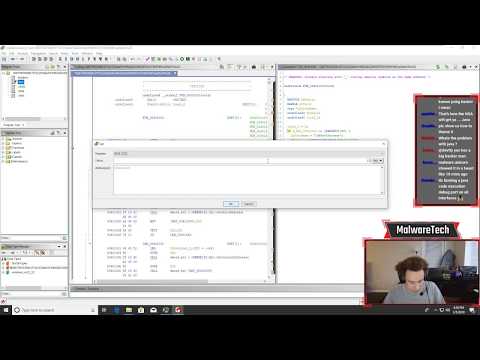


The NSA’s open-source reverse engineering framework: it turns a compiled program into assembly and C-like code you can read, annotate and script, in a window or in batch runs on Windows, macOS and Linux.
Ghidra is an open-source project on GitHub in the Developer category, listed by Mindket. It is free. This is version 2, last updated on . Install it from GitHub as its README says. Get Mindket’s setup notes on your Mindket account, as a zip.
Linux or macOS: ./ghidraRun
Windows: ghidraRun.bat
Ghidra is a software reverse engineering framework that the National Security Agency’s Research Directorate created and maintains, according to its README. It opens a compiled program, shows the machine code as assembly, and turns it into C-like text you can rename, comment and rework. It handles many processor instruction sets and executable formats, runs in a window or from the command line, and takes scripts in Java or Python. It is a desktop program you unzip and launch, not an add-on for a coding agent.
Security researchers, malware analysts, firmware engineers and students who need to see what a compiled program does without its source code. The README says the NSA built Ghidra for teams working on large reverse engineering efforts, and has applied it to analyzing malicious code.
| Industry | Who uses it | How they use it | Example |
|---|---|---|---|
| Security and incident response | Malware analysts | Import a suspicious file, let auto-analysis run, then read the decompiler’s output beside the assembly | An analyst renames the functions in an unknown sample until its flow reads clearly. |
| Vulnerability research | Researchers who audit compiled code | Run one script over many binaries in headless mode | A researcher points analyzeHeadless at a folder of binaries with a post-script that lists what each one calls. |
| Embedded and firmware | Firmware engineers | Load images for the processors Ghidra has modules for, among them ARM, MIPS, PowerPC and RISC-V | An engineer opens a router image and reads the code for its MIPS chip. |
| Teams on one target | Groups of analysts | Share a Ghidra Server repository so each person checks changes in to one copy | Two analysts split a large binary and check their renames in to the same repository. |
Skip it if you only want to peek at a file’s strings or headers. A download of over half a gigabyte plus a JDK is more than that job needs.
Ghidra runs on Windows, Linux and macOS, and its modes share one installation.
Scripts and extensions are written in Java or Python. The README names the GhidraDev plugin for Eclipse, and says Visual Studio Code projects can be created from the CodeBrowser at Tools → Create VSCode Module project.
Ghidra does not advertise an AI feature. The README, Getting Started and What’s New mention no MCP server or AI assistant, and the release’s source tree has no file named for either. REA, a separate MCP server that Mindket lists as REA: Reverse Engineer Anything, can drive an existing Ghidra installation from a coding agent, next to Hopper, IDA and Kuna.
Get it saves a zip of Mindket’s setup notes in your downloads folder, with the steps for Windows, macOS and Linux from the NSA’s README and Getting Started guide. Ghidra has no installer: you install a JDK, unzip one release file and run a script.
| Need | Detail |
|---|---|
| JDK | A 64-bit JDK 25, the minimum for this release. The docs name Adoptium Temurin and Amazon Corretto as free long-term-support builds |
| Computer | Windows 10 (build 1809 or later), Linux, or macOS 10.13 or later, with 4 GB of RAM and 1 GB of disk. Dual monitors are strongly suggested |
| Release file | ghidra_<version>_<release>_<date>.zip from the GitHub Releases page, listed there at 543 MB for 12.2. The two “Source Code” files are the wrong download |
| Python 3 | Only for the Debugger and PyGhidra. Getting Started gives 3.9 to 3.15 for PyGhidra and 3.7 to 3.14 for the Debugger, and What’s New says 3.9 to 3.14, so a version from 3.9 to 3.14 fits all three |
| Native parts | Included for Windows 64-bit (ARM runs them through x86 emulation) and Linux x86 64-bit. Getting Started lists macOS and Linux ARM 64-bit as running with user-built native binaries, so there you build them |
Linux or macOS: ./ghidraRun
Windows: ghidraRun.bat
The PyGhidra launcher is ./support/pyghidraRun, or support\pyghidraRun.bat on Windows. On macOS, Getting Started gives two ways past Gatekeeper’s quarantine: a command run before you extract, or building the native parts before the first launch. The release has no macOS native parts, so you need that build anyway.
xattr -d com.apple.quarantine ghidra_<version>_<date>.zip
cd <GhidraInstallDir>/support/gradle/
gradle buildNatives
The project window holds your files, and the CodeBrowser opens one program for reading. These steps come from the Beginner student guide in the release’s docs folder.
You have a program and want it imported and analyzed without opening a window. The headless README gives this as its first example, and says -import accepts a file or a folder.
analyzeHeadless /Users/user/ghidra/projects Project1 -import /binaries/binary1.exe
You get a Ghidra project named Project1 in /Users/user/ghidra/projects, with binary1.exe imported and analyzed, since analysis is on by default. Open the project in Ghidra afterwards to read the result. The headless README says the analyzer may not run while that project is open in Ghidra.
If you are new. The student guide says the decompiler usually gets things right, and has you fix the rest: names and types of parameters and variables, and structure members. The more type information you fill in, the better its output. We would start with a small program you compiled yourself, since you already know what it should say, and work through docs/GhidraClass/Beginner in the install folder. Keep suspicious files for later.
For experts. A headless run takes any number of -preScript and -postScript scripts. With -process -recursive they run over every program in a project folder. -analysisTimeoutPerFile caps the analysis time per file, and -max-cpu caps the cores used. The PyGhidra library also installs on its own, and needs Ghidra 12.0 or later on the machine.
pip install pyghidra
To pair Ghidra with a coding agent, REA’s guide says it verified its bridge on Ghidra 12.1.4 with JDK 21 and accepts any 12.x from 12.1. It also notes that Ghidra 12.2 declares JDK 25 or newer. Its README says analysis runs locally, while the tool results go to your agent, whose model provider has its own data policy. Its own check for the Ghidra engine is below.
rea doctor --provider ghidra --json
The docs describe network use only where you set it up. The larger risk is the file you open.
This kit holds setup notes only. Mindket wrote them. Ghidra installs from the National Security Agency's repository: https://github.com/NationalSecurityAgency/ghidra
These notes are not made or endorsed by the National Security Agency or the U.S. Government. The README says Ghidra is created and maintained by the NSA Research Directorate. The repository's DISCLAIMER.md says nothing in the project is an endorsement by the U.S. Government of any product or service.
License: Apache-2.0. Source: https://github.com/NationalSecurityAgency/ghidra/blob/master/LICENSE
The LICENSE file is the standard Apache License 2.0 text. Its closing appendix keeps the placeholder line "Copyright [yyyy] [name of copyright owner]" and names no holder. The NOTICE file (https://github.com/NationalSecurityAgency/ghidra/blob/master/NOTICE) explains the licensing. Parts written by U.S. Government employees are not subject to U.S. copyright, and other contributions come under the License. Each module lists its third-party components in its own LICENSE.txt. Stand-alone support programs in the GPL folder are released under the GPL 3. The repository also carries a DISCLAIMER.md with an "AS IS" warranty disclaimer and a hold-harmless clause: https://github.com/NationalSecurityAgency/ghidra/blob/master/DISCLAIMER.md
Ghidra has no installer. You extract one zip from the repository's Releases page and run a launch script from the folder it makes. Per Getting Started, the folder holds these parts:
Nothing changes in the Windows registry or in other OS settings. The docs say removing Ghidra is as simple as deleting its folder. Ghidra keeps temporary files, caches and your settings in other folders, covered in each platform's note.
There is no install command. The README's steps for an official release:
ghidra_<version>_<release>_<date>.zip and sits under "Assets". The two files named "Source Code" are not the right download. The latest release when these notes were written is Ghidra 12.2, with the file ghidra_12.2_PUBLIC_20261016.zip. The release page lists its SHA-256 as 2c2cd776db3c1f6a097ba418922378ac3649cadd5e844a6f5f088ae628a7be67../ghidraRunOn Windows the script is ghidraRun.bat. To launch PyGhidra instead, run ./support/pyghidraRun (support\pyghidraRun.bat on Windows).
support/ghidraClean script (ghidraClean.bat on Windows) is, per its own header, "an interactive utility to discover and delete artifacts that Ghidra lays down on the filesystem". Run it before you delete the folder.The README warns that known security vulnerabilities exist in certain versions of Ghidra and points to https://github.com/NationalSecurityAgency/ghidra/security/advisories. Ghidra 12.2 fixed a batch of advisories published with it on 22 October 2026, among them crafted files that exhaust the JVM's memory, so open untrusted files on the newest release. Vulnerabilities are reported through GitHub's private reporting: https://github.com/NationalSecurityAgency/ghidra/blob/master/SECURITY.md
README.md  6 KB
setup/build-from-source.md  2 KB
setup/headless.md  3 KB
setup/linux.md  2 KB
setup/macos.md  2 KB
setup/pyghidra.md  2 KB
setup/rea.md  2 KB
setup/windows.md  2 KB
Updated by Mindket to the current version of this kit.
Posts and comments that name this project on Hacker News, Bluesky, X, Reddit, Facebook and YouTube, found by a weekly search and on Trendshift. Mindket doesn’t write or check them. Open one to read it where it was posted.
alchaincyf · Skill
Turns a one-line request in your AI agent into a finished design: a launch animation, a clickable app prototype, an editable slide deck, an infographic or a se…
op7418 · Skill
Skill that makes single-file HTML slide decks, slide illustrations and platform covers in two visual styles, with a presenter mode for rehearsal. For speakers…
alirezarezvani · Skill
Adds 411 ready-made skills for Claude Code and other coding agents, grouped by role from engineering and product to marketing, finance and compliance. Installs…
block · Kit
Self-hostable workspace where people and AI agents share the same rooms, built on a Nostr relay that logs every action as a signed event. For teams that want t…
backnotprop · Kit
Opens your AI coding agent's plans, specs and code changes in a browser so you can annotate or comment on them and send the feedback straight back to the agent.
alibaba · Kit
Reviews Git changes with an AI agent that reads files and searches the codebase, then writes comments tied to exact lines. It suits developers who want automat…