
Huashu Design
alchaincyf · Skill
Turns a one-line request in your AI agent into a finished design: a launch animation, a clickable app prototype, an editable slide deck, an infographic or a se…
New29.4k
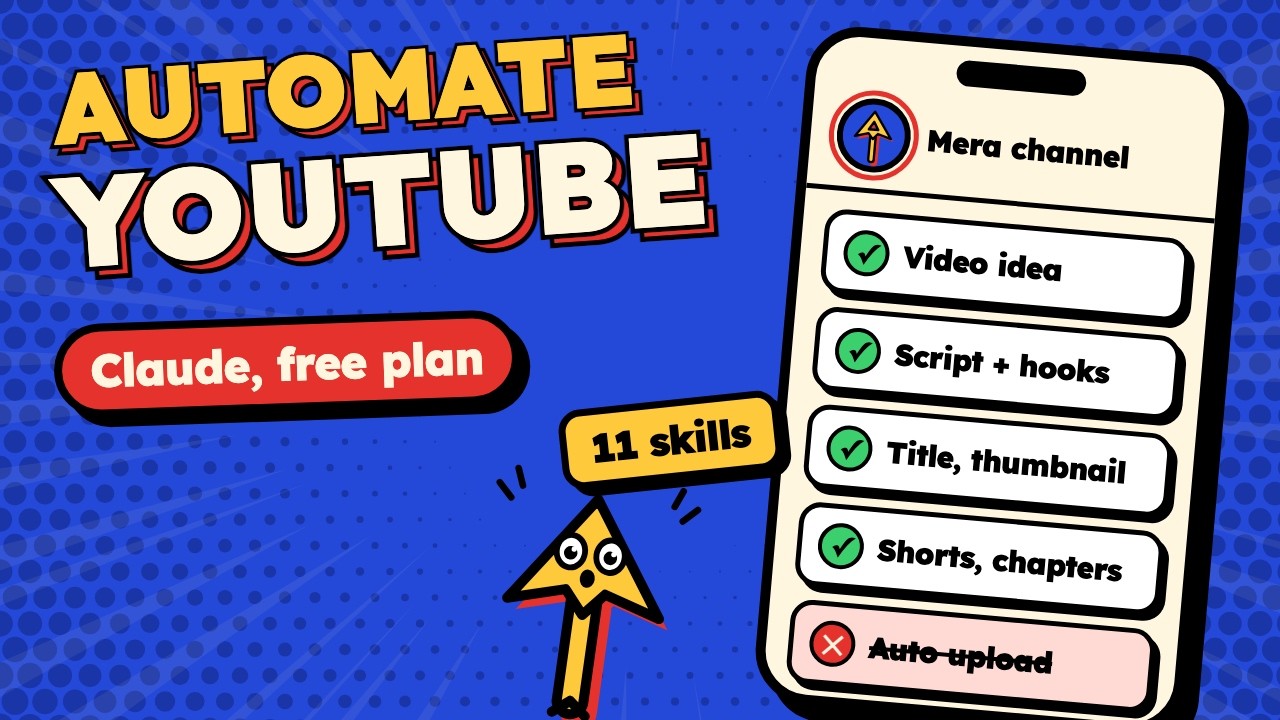


Jake Schincariol’s eleven free Claude skills for a YouTube channel: hooks scored before you film, title and thumbnail checked as a pair, edit lists, retention reads, Shorts, chapters and a channel audit. They write drafts, and you post.
YouTube Agent Skill is an open-source project on GitHub in the Marketing & SEO category, listed by Mindket. It is free. This is version 2, last updated on . Install it from GitHub as its README says. Get Mindket’s setup notes on your Mindket account, as a zip.
git clone https://github.com/Jakeschincariol/youtube-agent-skill.git
cp -r youtube-agent-skill/skills/yt-* ~/.claude/skills/
YouTube Agent Skill is Jake Schincariol’s pack of eleven Claude skills, one slash command for each job on a channel, from /yt-script to /yt-audit. Six of them carry a small Python script that does the counting. One scores a hook, one checks a title against its thumbnail, and the others list a transcript’s cuts, read a retention export, rank videos or find chapter breaks. The README calls those scripts the reason the skills are not just prompts. Every run ends with a block you copy and the question “ship it, or change it?”
Creators who film and upload their own videos and want a strict second reader on the hook, the packaging and the edit. Several skills work from your own transcripts and YouTube Studio exports, so it helps most once you have a few videos out. It will not film or upload for you.
| Who | Skills they reach for | Example |
|---|---|---|
| Solo creators | /yt-script, /yt-package, /yt-plan | A creator with a few free hours plans one long video, one cheap one and three Shorts for the week. |
| Editors | /yt-edit, /yt-chapters, /yt-shorts | An editor turns a raw recording’s transcript into a cut list. The finished cut’s transcript then gives chapters and five Short candidates. |
| Channel managers | /yt-retention, /yt-audit, /yt-viral | A manager gives a video’s retention export with its transcript and sees the steepest drop with what was being said there. |
| Whoever answers comments | /yt-comment | Someone pastes a comment thread and gets short replies in the creator’s voice, plus the one comment to pin. |
Claude Code is the main home, since that is where the six tools run.
Get it saves a zip of Mindket’s setup notes in your downloads folder, with every route the README gives.
| Need | Detail |
|---|---|
| Claude Code | For the slash commands and the six tools. A Claude chat runs one pasted skill without them |
| Python 3 | For the six tools, with no packages to add. The README writes python3, and on Windows Python’s own guide uses python or py |
| Git | For the clone route |
| yt-dlp | Only if /yt-viral gathers videos with it. A separate program, and its SKILL.md names other ways |
| Accounts and keys | None for the pack. The README says no signup, no API key and nothing to connect. Claude itself runs on your Claude account |
git clone https://github.com/Jakeschincariol/youtube-agent-skill.git
cp -r youtube-agent-skill/skills/yt-* ~/.claude/skills/
The plugin route needs no clone or copy of your own. Claude Code’s docs say /plugin install in a session first opens the plugin’s details, where you review it and pick a scope. They write an install as the plugin’s name, @ and its marketplace’s name, here youtube-agent@youtube-agent-skill. Plugin skills carry the plugin’s name, so the commands then read /youtube-agent:yt-script and so on.
/plugin marketplace add Jakeschincariol/youtube-agent-skill
/plugin install youtube-agent
Type a command and give it what it asks for. Many want an idea, a transcript or a file you exported.
| Command | What you give it | What comes back |
|---|---|---|
| /yt-script | A raw idea | Five hooks off 21 formulas, the top two with their scores, then the script beat by beat with what is on screen |
| /yt-package | The video you need a title for | Ten titles checked by title.py, the top three with their scores and issues, and a thumbnail brief for the winner |
| /yt-edit | A timestamped transcript in srt, vtt or Whisper JSON | An edit decision list of dead air, filler and retakes with timecodes, which you apply yourself |
| /yt-comment | Comments you paste in | Four piles counted, replies under 30 words, and the one comment to pin |
| /yt-plan | Your free hours and what is half made | A week of one anchor video, one cheap one and three Shorts, with the hours it costs |
| /yt-viral | Channels in your niche. Claude gathers their public video lists the way you choose, or you hand one over, four or more videos per channel | The top five by views over each channel’s median, with the title formula each one used |
| /yt-retention | The audience retention CSV from YouTube Studio, plus the transcript to see what was said at each drop | The hook leak, the cliffs and the slide, then the biggest leak named with one change for it |
| /yt-shorts | A long video’s transcript | Five spans of 20 to 55 seconds, each with a new first line, on-screen text and a loop point |
| /yt-seo | The video you are posting | A description led by its two most-read lines, up to about fifteen tags and three searches it should win |
| /yt-chapters | The posted video’s timestamped transcript | Chapters checked against YouTube’s rules, each retitled in three to five words as the promise of that part |
| /yt-audit | Your channel or its recent videos | The single biggest fix, three things already working, and what not to do yet |
You want the opening of a video on lighting a desk with one lamp before you film it.
/yt-script how to light a desk setup with one lamp
You get the top two of five scored hooks and the script beat by beat, each beat marked with what is on screen.
It adds a runtime estimate at 150 words a minute and names the formula the winning hook used, with why it fits the idea.
If you are new. A skill is a text file of instructions Claude follows when you type its command, or when your request matches it. Start with voice.md. The README says it matters more here than anywhere else, because you say the words out loud. Then try /yt-package on a video you already posted and compare its titles with yours.
For experts. The six tools are plain Python 3 scripts with no packages, and you can run them yourself from the cloned folder. These are the README’s lines:
python3 skills/yt-script/hookscore.py --hook "one line"        # 5-property hook panel
python3 skills/yt-package/title.py --title "..." --thumb "..." # title + thumbnail linter
python3 skills/yt-edit/deadair.py transcript.srt               # edit decision list
python3 skills/yt-chapters/chapters.py transcript.srt          # validated chapters
python3 skills/yt-retention/retention.py retention.csv         # where they left, and why
python3 skills/yt-viral/swipe.py collected.json --min 2.0      # outliers by own-channel multiple
hookscore.py rates specificity, address, stakes, curiosity and brevity from 0 to 100. Its verdict is 60% their mean and 40% the weakest one, so a single dead property drags the hook down. The README says it was calibrated on 74 real short-form hooks across five channels. It separates deliberately bad hooks from real ones well, and a creator’s hits from their own misses barely at all.
Keep the eleven folders together. chapters.py loads yt-edit’s transcript reader, retention.py does too when you pass a transcript, and swipe.py reads hooks.json from yt-script. title.py’s number check looks only for digits, so a name or a date in words still counts as missing.
It writes drafts and never publishes.
# YouTube Agent Skill: setup notes

This kit holds setup notes written by Mindket. It does not contain the skills, their Python tools or the voice template. Those install from Jake Schincariol’s repository: https://github.com/Jakeschincariol/youtube-agent-skill

License: MIT, Copyright (c) 2026 Jake Schincariol. Full text: https://github.com/Jakeschincariol/youtube-agent-skill/blob/main/LICENSE

YouTube Agent Skill is a community project by Jake Schincariol. It is not made or endorsed by Anthropic or by YouTube.

The pages these notes came from: the README (https://github.com/Jakeschincariol/youtube-agent-skill/blob/main/README.md), each skill’s SKILL.md under https://github.com/Jakeschincariol/youtube-agent-skill/tree/main/skills, the voice template (https://github.com/Jakeschincariol/youtube-agent-skill/blob/main/templates/voice.md), the plugin files in https://github.com/Jakeschincariol/youtube-agent-skill/tree/main/.claude-plugin and the six Python scripts in the skill folders. Facts about where Claude Code loads skills and plugins come from Claude Code’s own docs, named where they are used. Mindket copied every command and ran none of them.

## What it is

Eleven skills for Claude, one slash command per job on a channel. Six of them carry a small Python 3 script that does the counting, such as scoring a hook or listing the cuts in a transcript. The README calls those scripts the reason the skills are not just prompts.

Every skill ends with a block you copy and the question “ship it, or change it?”. Nothing is posted to YouTube for you. In the README’s words: “These skills write. You upload.”

## The eleven skills

| Command | What it does | Python tool |
|---|---|---|
| /yt-script | Five hooks off 21 formulas, scored, the top two kept, then the spoken script beat by beat | hookscore.py |
| /yt-package | The title and the thumbnail words, written and checked as one pair | title.py |
| /yt-edit | An edit decision list from a timestamped transcript: dead air, filler and retakes | deadair.py |
| /yt-comment | Pasted comments sorted into four piles, with short replies and the one to pin | none |
| /yt-plan | A week sized to your hours: one anchor video, one cheap one, three Shorts | none |
| /yt-viral | Videos from channels in your niche, gathered the way you choose, ranked by views over each channel’s own median | swipe.py |
| /yt-retention | A YouTube Studio retention export read for the hook leak, the cliffs and the slide | retention.py |
| /yt-shorts | Spans of 20 to 55 seconds inside a long video that work as Shorts, each with a new first line | uses hookscore.py |
| /yt-seo | A description led by its two most-read lines, up to about fifteen tags and three searches the video should win | none |
| /yt-chapters | Chapters from a transcript, checked against YouTube’s chapter rules | chapters.py |
| /yt-audit | A channel review that ends in one fix | uses title.py and hookscore.py |

Source: the README’s table “The eleven” and each SKILL.md.

## Files in this kit

- setup/claude-code.md: the README’s two routes (paste a line into Claude and let it install the pack, or clone and copy in Claude Code), and an install for one project only
- setup/plugin.md: the plugin route, two commands inside Claude Code
- setup/any-chat.md: one SKILL.md pasted into a Claude chat, without Claude Code
- setup/first-run.md: voice.md, the six tools run by hand, and the input each tool wants

## What you need first

- Claude Code, for the slash commands and the six tools. Without it, one skill at a time runs in a Claude chat (setup/any-chat.md).
- Python 3 for the tools. The README says they run on “a clean Python 3 with no dependencies”, so there is nothing to install with pip. Its commands say python3. On Windows, Python’s own guide (https://docs.python.org/3/using/windows.html) uses python or py, and says the python3 command that its Python install manager adds is not meant to be widely used.
- Git, for the clone route.
- yt-dlp only if /yt-viral gathers video lists with it. It is a separate program, and yt-viral’s SKILL.md names other ways too.
- No account, sign-up or API key for the pack itself. The README: “Free, MIT, no signup, no API key, nothing to connect.” Claude itself runs on your Claude account.

## What installs where

- Clone and copy: eleven folders named yt-* in ~/.claude/skills/, each with its SKILL.md and, for six of them, a Python tool. The yt-script folder also carries hooks.json, the 21 hook formulas.
- One project only: the same eleven folders in your repository’s .claude/skills/.
- Plugin: Claude Code keeps the plugin’s files itself, and its skills run under the plugin’s name (setup/plugin.md).
- voice.md: one file you write at ~/.claude/youtube/voice.md (setup/first-run.md).

Keep the eleven folders together. chapters.py loads the transcript reader in yt-edit, and so does retention.py when you give it a transcript. swipe.py reads hooks.json in yt-script. /yt-shorts runs hookscore.py from yt-script, and /yt-audit runs it and title.py from yt-package.

## Your data

The skills write text for you to copy, and you post it yourself. The six tools read the files you hand them and the pack’s own files, such as hooks.json and yt-edit’s transcript reader. Mindket read each script, and none imports a network library. /yt-viral works from a list of videos that Claude gathers the way you prefer, or that you hand over, and its SKILL.md says to use public listings only, never a logged-in session. What you paste or give Claude, such as transcripts and comments, goes to Claude as in any other Claude work.

## Update and remove

The README gives no update or removal step. setup/claude-code.md and setup/plugin.md say what Claude Code’s own docs give for removing a skill or a plugin.
README.md  6 KB
setup/any-chat.md  2 KB
setup/claude-code.md  3 KB
setup/first-run.md  6 KB
setup/plugin.md  2 KB
Updated by Mindket to the current version of this kit.
alchaincyf · Skill
Turns a one-line request in your AI agent into a finished design: a launch animation, a clickable app prototype, an editable slide deck, an infographic or a se…
op7418 · Skill
Skill that makes single-file HTML slide decks, slide illustrations and platform covers in two visual styles, with a presenter mode for rehearsal. For speakers…
alirezarezvani · Skill
Adds 411 ready-made skills for Claude Code and other coding agents, grouped by role from engineering and product to marketing, finance and compliance. Installs…
nerijs · Kit
A pixel art style add-on for Stable Diffusion XL that turns text prompts into pixel-style images, with an optional LCM LoRA for faster runs. For game makers, d…
LiconStudio · Kit
Keeps characters, clothing, objects and backgrounds consistent in generated video by feeding the model up to five reference images. A LoRA for LTX-2.5 in Comfy…
nhathoangfoto · Kit
A LoRA for FLUX.2 Klein 9B that puts a character into the pose shown by a mannequin reference while keeping the character's face and style. For artists and des…