
Nanosaur2-670M
well9472 · Kit
Makes illustrations from text prompts with a small 670M-parameter diffusion model, run through ComfyUI. Built as a low-budget research model for people who wan…
New


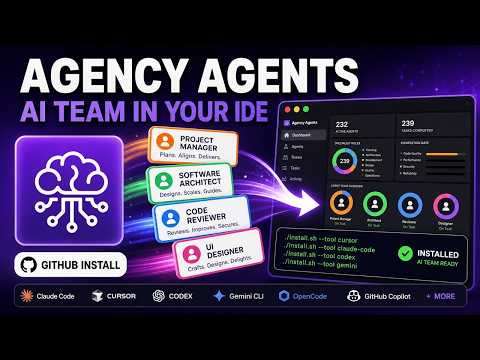


A library of AI agent files from msitarzewski’s agency-agents repository. Each agent is a specialist with its own personality, process and deliverables. Install a division for Claude Code, Copilot, Codex, Cursor or another tool, then name the agent you want.
The Agency is an open-source project on GitHub in the Developer category, listed by Mindket. It is free. This is version 2, last updated on . Install it from GitHub as its README says. Get Mindket’s setup notes on your Mindket account, as a zip.
./scripts/convert.sh
./scripts/install.sh
And 2 more in Where to use it
The Agency is a library of AI agent files from the agency-agents repository. Each agent is one Markdown file that gives your coding tool a role to work in, such as Frontend Developer, Reality Checker, Penetration Tester or Grant Writer. The file holds the agent’s personality, core mission, workflow, deliverables with code examples, and success metrics. An install script copies the files to the place your tool reads, and converts them first where the tool wants another format.
People who use an AI tool for more than code and want it to take a defined role. A developer wants a code reviewer, a founder wants a plan for getting users, a security lead wants a threat model. It also suits anyone who reads agent prompts to see how others write them, because every file is plain text you can edit. Skip it if you want one general assistant with no roles.
| Industry | Who uses it | How they use it | Example |
|---|---|---|---|
| Software teams | Developers and founders building a product | Name a different agent for each stage of an MVP, from the React app to the launch check | A founder asks the Backend Architect to design the API and database, then asks the Reality Checker for a quality check before launch. |
| Marketing | Marketers and community managers | Run a campaign with one agent per channel, then one for the numbers | A marketer asks the Content Creator for campaign content and the Analytics Reporter to track how it performs. |
| Paid media | Ad managers who take over an account | Audit the account first, then fix tracking, structure, search terms and ad copy | A manager starts with the Paid Media Auditor, has the Ad Creative Strategist refresh all ad copy and extensions, and ends with the Analytics Reporter building reporting dashboards. |
| Enterprise delivery | Product and project teams | Put quality gates on a feature, from scoping to a production check | A team asks the Senior Project Manager to scope a feature and the Evidence Collector to verify the build. |
| GIS and mapping | Teams planning a campus digital twin | Split the work between the GIS agents | A team asks the BIM/GIS Specialist to convert Revit building models to GIS scene layers. |
The installer writes these folders, as its usage text and the README’s per-tool sections give them. It scans your machine and pre-selects the tools it finds.
| Tool | What it gets |
|---|---|
| Claude Code | Agent files copied as they are into ~/.claude/agents/ |
| GitHub Copilot | Agent files copied as they are into ~/.github/agents/ and ~/.copilot/agents/ |
| Codex | One TOML custom agent per agent, in ~/.codex/agents/ |
| Cursor | One .mdc rule file per agent, in .cursor/rules/ of your project |
| Gemini CLI | Subagent files in ~/.gemini/agents/ |
| Antigravity | One SKILL.md per agent, in ~/.gemini/config/skills/ |
| OpenCode | Converted agent files in .opencode/agents/ of your project |
| Aider | One CONVENTIONS.md roster index in your project |
| Windsurf | One .windsurfrules file in your project |
| OpenClaw | A workspace per agent, with SOUL.md, AGENTS.md and IDENTITY.md, in ~/.openclaw/agency-agents/ |
| Qwen Code | SubAgent files in .qwen/agents/ of your project |
| Kimi Code | A folder per agent with agent.yaml and system.md, in ~/.config/kimi/agents/ |
DeepSeek’s DSH, Hermes, Osaurus and Mistral Vibe have installers too. The maker’s own desktop app installs into several of these tools without a script.
Get it saves a zip of Mindket’s setup notes in your downloads folder, with a page for each tool from the maker’s README and integration pages. The agents install from msitarzewski’s repository, so you need a copy of it first.
| Need | Detail |
|---|---|
| A copy of the repository | The README’s script lines start with ./scripts/ and run from its folder. It gives no clone line |
| A shell | Linux, macOS with bash 3.2 or newer, or Windows Git Bash or WSL, as the header comment of install.sh lists them |
| One of the tools above | The installer scans for the ones you have and pre-selects them |
| Python 3 and Perl | The plain ./scripts/convert.sh converts every tool. Its Hermes step runs python3 and its Codex step runs perl (scripts/convert.sh). Claude Code and Copilot need neither, and ./scripts/install.sh --tool <name> converts only that tool |
| Python 3, optional | The README’s runbook snippet and the Kimi page’s YAML check use Python too, and you can skip both |
./scripts/convert.sh
./scripts/install.sh
Claude Code and GitHub Copilot need no conversion, so one line does it for Claude Code.
./scripts/install.sh --tool claude-code
Cursor, Windsurf, Aider, OpenCode and Qwen Code work from a project, so run the installer from your project’s root by its full path.
cd /your/project
/path/to/agency-agents/scripts/install.sh --tool cursor
To install one division, add --division, and add --dry-run to see the plan without writing anything. Aider and Windsurf get the whole roster in one file whatever you pick, and Hermes ignores --division and --agent, because its router keeps the full roster on disk.
./scripts/install.sh --tool claude-code --division engineering,security
./scripts/install.sh --tool opencode --division engineering --dry-run
The maker’s desktop app, for macOS, Linux and Windows, does the same job with no script. On a Mac the README gives one line to install it.
brew install --cask msitarzewski/agency-agents/agency-agents
Name the agent in a session. Claude Code, Copilot and Codex take this plain line from the README. Windsurf and Aider take lines of the same shape.
Use the Frontend Developer agent to review this component.
Other tools have their own way to call an agent. These are lines from the README and the tools’ pages.
| Tool | Line from its page |
|---|---|
| Cursor | @frontend-developer Review this React component for performance issues. |
| OpenCode | @backend-architect design this API. |
| Gemini CLI | Use the frontend-developer agent to help me build this UI. |
| Antigravity | Use the agency-frontend-developer skill to review this component. |
| DSH | /agency-frontend-developer review this React component |
| Kimi Code | kimi --agent-file ~/.config/kimi/agents/frontend-developer/agent.yaml |
Hermes works differently. It gets four routing tools, search, inspect, load and delegate, and you ask it in plain words to use the plugin.
The roster is split into divisions. These are a few agents from the README’s tables.
| Division | Some of its agents |
|---|---|
| Engineering | Frontend Developer, Backend Architect, Code Reviewer, Technical Writer |
| Design | UI Designer, UX Researcher, Brand Guardian |
| Marketing | Growth Hacker, Content Creator, SEO Specialist |
| Paid media | PPC Campaign Strategist, Search Query Analyst, Paid Media Auditor |
| Sales | Outbound Strategist, Deal Strategist, Sales Engineer |
| Product | Sprint Prioritizer, Product Manager |
| Testing | Evidence Collector, Reality Checker, API Tester |
| Security | Security Architect, Application Security Engineer, Incident Responder |
| Finance | Bookkeeper & Controller, Financial Analyst, Tax Strategist |
| Game development | Game Designer, Level Designer, Unity Architect |
You build a small web app in Claude Code, and the agents are installed. You type the README’s own line.
Hey Claude, activate Frontend Developer mode and help me build a React component
The README’s claim is that each file gives the agent a defined specialty, voice and process, not a generic prompt. When the component works, you call a second role the same way.
Use the Reality Checker agent to verify this feature is production-ready.
The README’s startup MVP team lists five roles: Frontend Developer, Backend Architect, Growth Hacker, Rapid Prototyper and Reality Checker.
If you are new. An agent here is a text file that tells your AI tool who to be and how to work. It sets a role, rules, steps and what to hand back. In most tools you call the agent by name. In Cursor you call one with @ and its slug, such as @frontend-developer. A rule applies by itself only after you set alwaysApply: true in its frontmatter, as the Cursor page shows. Aider keeps its roster index in context all session. Start with one division and one agent on a real task, then open its file once to see what it asks of the model. Claude Code and Copilot are the easiest first tools, since they need no conversion. Copilot also needs VS Code’s chat.agentFilesLocations setting to include the install folder.
For experts. The agents are one source format, Markdown with YAML frontmatter, and convert.sh builds each tool’s format from it. That is why the same agent is a TOML file for Codex, a SKILL.md for Antigravity and DSH, an .mdc rule for Cursor and a three-file workspace for OpenClaw. The installer also takes --agent and --agents-file for a hand-picked set, and --link to symlink instead of copy. Updates propagate at once for Claude Code and Copilot, which link the agent files themselves. For the other tools they arrive after you rerun convert.sh, because those tools link the converted files in integrations/.
A runbook’s roster can install as a team. The README shows a short Python snippet that reads strategy/runbooks.json and writes the agent ids to a file for --agents-file.
Some limits come from the tools. Aider keeps its conventions file in context all session. It gets a roster index with each agent’s path in place of the agent bodies, and you read one in when you need it. OpenCode registers only part of a large roster, so install a subset with --division. Qwen Code needs 0.25.1 or later, because earlier releases refuse to launch an agent whose code examples contain ${name} placeholders. Hermes gets one router plugin that keeps the roster on disk and loads a specialist only when you ask for one.
The agents are text files your tool follows, and the scripts mostly copy and convert them.
This kit holds setup notes only. Mindket wrote them. The agents, the install script and the converters come from the repository's own files: https://github.com/msitarzewski/agency-agents
These notes are not made or endorsed by the repository's owner. The README's "What Is This?" section says "The Agency is a growing collection of meticulously crafted AI agent personalities" and adds that each agent has a specialty, a personality, deliverables and success metrics. The repository's GitHub description reads "A complete AI agency at your fingertips". The README is at https://github.com/msitarzewski/agency-agents/blob/main/README.md
License: MIT. The LICENSE file (https://github.com/msitarzewski/agency-agents/blob/main/LICENSE) is the standard MIT text, "Copyright (c) 2025 AgentLand Contributors". The README's License section says "Use freely, commercially or personally. Attribution appreciated but not required."
The repository is a library of agent files, one Markdown file per agent, grouped in folders by division (engineering, design, marketing, testing, security and others). The roster tables in the README link every agent. Source: https://github.com/msitarzewski/agency-agents/blob/main/README.md
The install script copies those files, or converts them first, into the place each tool reads. The README's list of supported tools gives these folders:
~/.claude/agents/, no conversion needed~/.github/agents/ and ~/.copilot/agents/, no conversion needed~/.gemini/config/skills/, one SKILL.md per agent~/.gemini/agents/.opencode/agents/ in your project.cursor/rules/ in your project, as .mdc rule files./CONVENTIONS.md, a roster index./.windsurfrules, one fileSOUL.md, AGENTS.md and IDENTITY.md per agent, in ~/.openclaw/agency-agents/.md SubAgent files, in .qwen/agents/ in your project (the README's tool list says ~/.qwen/agents/, see setup/qwen-code.md)~/.config/kimi/agents/~/.codex/agents/SKILL.md skills in ~/.osaurus/skills/~/.vibe/agents/ and ~/.vibe/prompts/ (from its integration page, which the README's tool list does not include)~/.hermes/plugins/SKILL.md skills in ~/.dsh/skills/ (user) or .dsh/skills/ (project)Source for the folders: the "Supported Tools" list in the README, checked against the usage text at the top of https://github.com/msitarzewski/agency-agents/blob/main/scripts/install.sh
./scripts/) and the README gives no clone line.scripts/install.sh lists the platforms as Linux, macOS (bash 3.2 or newer), and Windows Git Bash or WSL. Source: https://github.com/msitarzewski/agency-agents/blob/main/scripts/install.sh./scripts/convert.sh, which converts every tool: its Hermes step runs python3 and its Codex step runs perl (scripts/convert.sh). Claude Code and Copilot need neither, and ./scripts/install.sh --tool <name> converts only the tool you name. The optional runbook snippet in setup/choose-agents.md and the YAML check in setup/kimi-code.md use Python too, and you can skip both.The README's two-step route for the tools that need converted files (Claude Code and Copilot do not). Step 1 generates the integration files. Step 2 installs them, is interactive and auto-detects what you have.
./scripts/convert.sh
./scripts/install.sh
Source: the "Quick Install" section of the README. The usage text in scripts/install.sh adds that it runs convert.sh for you when the integration files are missing, unless you pass --no-convert.
To install for one tool directly:
./scripts/install.sh --tool claude-codeNon-interactive, for CI and scripts:
./scripts/install.sh --no-interactive --tool allThe maker's desktop app does the same job with no script. See setup/desktop-app.md.
The README gives no update or uninstall steps for the scripts. It says the desktop app auto-updates. When the agents change in the repository, the README's "Regenerating After Changes" section gives these lines to regenerate the integration files:
./scripts/convert.sh                    # regenerate all (serial)
./scripts/convert.sh --parallel         # regenerate all in parallel (faster)
./scripts/convert.sh --tool codex       # regenerate just one tool
./scripts/convert.sh --tool cursor      # regenerate just one tool
These lines only rewrite integrations/. convert.sh never touches your tools' folders. Run ./scripts/install.sh again to copy the new files out. The installer will not replace an existing .windsurfrules or CONVENTIONS.md, so delete the old one first.
To take agents out by hand, these notes (Mindket's, not the maker's) go by the folders listed above: delete the agent files the installer copied there. Check the folder first, because it may hold agents you made yourself. Two tools keep more than files. The Hermes step adds agency-agents-router under plugins.enabled in Hermes' config.yaml, and the OpenClaw step registers each workspace with openclaw agents add, so undo those too.
The usage text says install.sh copies files into the folders above and --dry-run prints the plan without writing anything. --link makes symlinks instead of copies, so updates propagate: at once for Claude Code and Copilot, and after you rerun ./scripts/convert.sh for the tools that use converted files. The README and the integration pages say nothing about usage data. Mindket searched install.sh and convert.sh for curl, wget and web addresses and found none outside comments. Both also load scripts/lib.sh, and the Hermes conversion runs scripts/build-hermes-plugin.py. Mindket did not read those two files. The OpenClaw step runs your own openclaw command when it exists, as the README says, and the Hermes step runs python3 and edits Hermes' config file. Source: https://github.com/msitarzewski/agency-agents/blob/main/scripts/install.sh
README.md  7 KB
setup/aider.md  2 KB
setup/antigravity.md  1 KB
setup/choose-agents.md  2 KB
setup/claude-code.md  1 KB
setup/codex.md  1 KB
setup/cursor.md  2 KB
setup/deepseek-harness.md  2 KB
setup/desktop-app.md  1 KB
setup/gemini-cli.md  1 KB
setup/github-copilot.md  1 KB
setup/hermes.md  2 KB
setup/kimi-code.md  2 KB
setup/mistral-vibe.md  2 KB
setup/openclaw.md  1 KB
setup/opencode.md  3 KB
setup/osaurus.md  1 KB
setup/qwen-code.md  3 KB
setup/windsurf.md  1 KB
Updated by Mindket to the current version of this kit.
Posts and comments that name this project on Hacker News, Bluesky, X, Reddit, Facebook and YouTube, found by a weekly search and on Trendshift. Mindket doesn’t write or check them. Open one to read it where it was posted.
well9472 · Kit
Makes illustrations from text prompts with a small 670M-parameter diffusion model, run through ComfyUI. Built as a low-budget research model for people who wan…
Waqf-AI · Kit
Reads handwritten Arabic text from images and returns it as text. A fine-tuned PaddleOCR-VL model for people digitizing Arabic handwriting.
Wan-AI · Kit
Makes video clips from a text prompt or an image plus text, at up to 720P and 24 frames per second, in the Diffusers format for a single consumer GPU.
Wan-AI · Kit
Generates cinematic video of a character driven by an audio track, and can also lip-sync existing video. For video creators, animators and researchers with a l…
Wan-AI · Kit
Animates a character or swaps one into a video by copying a performer's movement and expressions, as one model from the Wan2.2 video family. Use only faces and…
vllm-sr · Kit
Answers choice, yes-or-no, score, box and tracking questions about text, images or video in one call, with a probability for each answer. For people building r…