
Huashu Design
alchaincyf · Skill
Turns a one-line request in your AI agent into a finished design: a launch animation, a clickable app prototype, an editable slide deck, an infographic or a se…
New29.4k


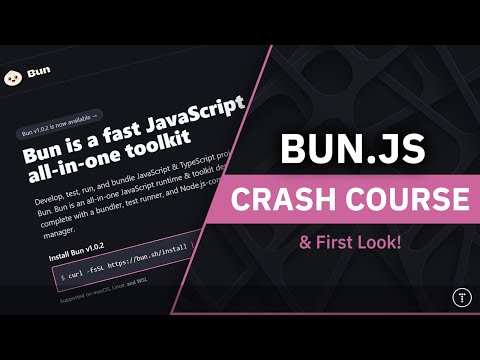


The all-in-one toolkit for JavaScript and TypeScript apps. One executable holds a Node.js-compatible runtime, a package manager, a test runner and a bundler. The notes cover every platform, Docker, GitHub Actions, Claude Code and Cursor.
Bun is an open-source project on GitHub in the Developer category, listed by Mindket. It is free. This is version 2, last updated on . Install it from GitHub as its README says. Get Mindket’s setup notes on your Mindket account, as a zip.
curl -fsSL https://bun.com/install | bash
And 1 more in Where to use it
Bun is an all-in-one toolkit for JavaScript and TypeScript apps, made by the oven-sh team. It ships as a single executable called bun. Its core is a fast runtime that the README calls a drop-in replacement for Node.js, built on JavaScriptCore. The same command also runs tests and package.json scripts, installs packages and bundles code. It runs TypeScript and JSX with no setup.
JavaScript and TypeScript developers who want one tool where they now use a runtime, a package manager, a test runner and a bundler. The README says Bun’s built-in tools work in existing Node.js projects with little to no changes, so you can try one piece at a time. The install command, for example, works without Bun’s runtime.
| Industry | Who uses it | How they use it | Example |
|---|---|---|---|
| Web and SaaS teams | Full-stack and front-end developers | Run a TypeScript server with Bun.serve, add packages and serve an HTML file from the same project | A developer starts with bun init, adds a route to Bun.serve and imports an index.html to serve at the root. |
| Open source | Library maintainers | Swap npm install for bun install and run the suite with bun test | A maintainer runs bun install in an existing repository, and Bun converts package-lock.json to bun.lock. |
| DevOps and CI | Build and platform engineers | Install Bun in a workflow and run installs and tests there | An engineer adds oven-sh/setup-bun@v2 to a GitHub Actions job, then runs bun install and bun test. |
| Scripts and tooling | Developers who write small tools | Run a TypeScript file straight away, or run an npm tool with bunx, which auto-installs it into Bun’s global cache | A developer formats a file with bunx prettier foo.js. |
| Teams with coding agents | Developers who use Claude Code or Cursor | Let bun init write the agent rules and keep test output short | A developer runs CLAUDECODE=1 bun test and sees only the failures and the summary. |
Check the compatibility page first if your project leans on a Node.js module that it rates as partly implemented. node:https is one, and the page lists what is missing.
Bun runs on Linux, macOS and Windows, and the docs cover several places to put it.
The docs also have guides for frameworks such as Next.js, Astro, Remix and SvelteKit, and for libraries such as Express, Hono and Drizzle.
Get it saves a zip of Mindket’s setup notes in your downloads folder, with the steps for each platform from Bun’s docs. The main route is one install line.
| Need | Detail |
|---|---|
| Operating system | Linux, macOS 13.0 or later, or Windows 10 version 1809 or later |
| Linux extras | The unzip package and glibc 2.17 or newer (Alpine and Void Linux use the musl build). The docs recommend kernel 5.6 or higher |
| Processor | On x64, Intel Nehalem or newer, or AMD Bulldozer or newer |
| Node.js | Not needed for the install script. The npm route needs npm |
| A terminal | Bash on macOS and Linux, PowerShell on Windows |
curl -fsSL https://bun.com/install | bash
On Windows, run this in PowerShell instead.
powershell -c "irm bun.sh/install.ps1|iex"
npm, Homebrew and Scoop work too. The first line pipes a script into bash.
npm install -g bun
brew install oven-sh/bun/bun
scoop install bun
Type bun, then what you want to run. Put Bun’s own flags, such as --watch, right after bun.
bun run index.tsx
bun --watch run index.tsx
bun test
bun build ./index.tsx --outdir ./build
bunx cowsay "Hello world!"
The migration guide lists the swaps from npm.
| What you do | npm | Bun |
|---|---|---|
| Install dependencies | npm install | bun install |
| Run a package.json script | npm run my-script | bun my-script |
| Run a file | node index.js | bun index.js |
| Run a package’s command | npx cowsay | bunx cowsay |
You start a new project from the Quickstart. You type:
bun init my-app
cd my-app
bun run index.ts
Bun asks you to pick a template, and you choose Blank. The last command prints Hello via Bun!. Then you replace index.ts with a small server.
const server = Bun.serve({
  port: 3000,
  routes: {
    "/": () => new Response('Bun!'),
  }
});

console.log(`Listening on ${server.url}`);You run bun run index.ts again. It prints Listening on http://localhost:3000/, and the page at that address says Bun!. The Quickstart goes on to add a package with bun add figlet, then an HTML file, then a start script.
If you are new. A runtime is the program that runs your JavaScript outside a browser. Node.js is another one. A package manager downloads the libraries your project uses. A bundler joins many files into a few that a browser can load. Bun does all three, and it runs your tests too, from one command. Start with bun init in an empty folder and follow the Quickstart. Bun runs TypeScript and JSX with no configuration. bun init still writes a tsconfig.json for bun check and editor autocomplete.
For experts. bun install does not run the lifecycle scripts of installed dependencies unless you list the package in trustedDependencies. It also optimizes the postinstall scripts of popular packages such as esbuild and sharp by working out which scripts need to run. The --frozen-lockfile flag installs exactly what bun.lock says and exits with an error if package.json disagrees. The --production flag implies it, and bun install --frozen-lockfile --dry-run checks the lockfile without installing.
Bun’s own flags go right after bun. bun --watch run dev works, while bun run dev --watch hands the flag to your script. Watch mode restarts the process, and --hot reloads the code without restarting it. A package whose script starts with a node shebang runs on node by default. Pass --bun to run it on Bun’s runtime. bun build checks types only when you pass --check.
Bun runs on your machine. The docs mention network use for installs, updates and canary crash reports.
This kit holds setup notes only. Mindket wrote them. Bun installs from its maker's repository and site: https://github.com/oven-sh/bun and https://bun.com
These notes are not made or endorsed by the Bun team. The README says Bun is "an all-in-one toolkit for JavaScript and TypeScript apps" that "ships as a single executable called bun". The documentation is at https://bun.com/docs
License: MIT. The docs license page (https://bun.com/docs/project/license) opens with "Bun itself is MIT-licensed." The LICENSE file in the repository (https://github.com/oven-sh/bun/blob/main/LICENSE.md) says the same, then covers what Bun links in. Bun statically links JavaScriptCore and WebKit, which are LGPL-2 licensed, and the page lists the other libraries it links, each with its own license. Read that page before you ship a Bun-built binary.
bun. The installation page calls it a single, dependency-free executable. The script and the package managers below all install the same program. Source: https://bun.com/docs/installation~/.bun/bin (%USERPROFILE%\.bun\bin on Windows), the folder the page tells you to add to your PATH if bun is not found.bunx comes with it. The bunx page says it is installed with bun. Source: https://bun.com/docs/pm/bunxbun init, bun install or bun add in it. Then Bun writes package.json, bun.lock and node_modules, as the pages for those commands describe.unzip package. The page gives sudo apt install unzip.npm install -g bun) needs npm.curl -fsSL https://bun.com/install | bashOn Windows, PowerShell:
powershell -c "irm bun.sh/install.ps1|iex"Both lines are from the installation page (https://bun.com/docs/installation). The first one pipes a downloaded script into bash. Then check the install:
bun --versionoven/bun imagesetup-bun action and bun test in CIbun init, bun run, Bun.serve, bun addbun install, bun run, bunx, bun test and bun build in a project you already haveCLAUDE.md that bun init writes, and quiet test outputbun init writesbun upgrade. A canary build is made from every commit to main and the docs call it untested. The installation page says canary builds upload crash reports automatically.bunx and bun install read from the npm registry. bunx asks the registry for newer versions once a day. Source: https://bun.com/docs/pm/bunxnode_modules folder (--install defaults to auto). --no-install turns it off. Source: https://bun.com/docs/runtime.bun folder in your home folder, or use your package manager's uninstall. The platform notes give the lines.Bun does not run the lifecycle scripts, such as postinstall, of installed dependencies unless you list the package in trustedDependencies in package.json. The page says this is for security. Your own project's scripts do run. Source: https://bun.com/docs/pm/cli/install
README.md  5 KB
setup/claude-code.md  2 KB
setup/cursor.md  1 KB
setup/docker.md  2 KB
setup/existing-node-project.md  4 KB
setup/first-project.md  3 KB
setup/github-actions.md  2 KB
setup/macos-and-linux.md  3 KB
setup/other-agents.md  1 KB
setup/package-managers.md  1 KB
setup/windows.md  2 KB
Updated by Mindket to the current version of this kit.
Listed GitHub projects in the same category that share the most topics with this one.
| Product | Stars | Activity | Language | License | Last change |
|---|---|---|---|---|---|
| Bun This page | 96,694 | Active | Rust | — | |
| reactShares javascript · react | 252,263 | Active | JavaScript | MIT | |
| angularShares javascript · typescript | 101,373 | Active | TypeScript | MIT |
Posts and comments that name this project on Hacker News, Bluesky, X, Reddit, Facebook and YouTube, found by a weekly search and on Trendshift. Mindket doesn’t write or check them. Open one to read it where it was posted.
alchaincyf · Skill
Turns a one-line request in your AI agent into a finished design: a launch animation, a clickable app prototype, an editable slide deck, an infographic or a se…
op7418 · Skill
Skill that makes single-file HTML slide decks, slide illustrations and platform covers in two visual styles, with a presenter mode for rehearsal. For speakers…
alirezarezvani · Skill
Adds 411 ready-made skills for Claude Code and other coding agents, grouped by role from engineering and product to marketing, finance and compliance. Installs…
freeCodeCamp · Kit
The open source codebase and curriculum of freeCodeCamp.org, a community where you can learn to code for free, run by a donor-supported 501(c)(3) charity. The…
react · Kit
A JavaScript library for building web and native user interfaces from components that manage their own state. For developers who want to adopt it in a whole ap…
immich-app · Kit
Immich’s AGPL-licensed server for your photos and videos, with a web app and phone apps. The phone backs up to it and it groups faces. These notes cover Docker…