
anaksor-ocr
Sokheng · Kit
Reads Khmer and English text from documents, receipts and photos of signs, using a detector for text lines and a recogniser for each line. Suits developers who…
New
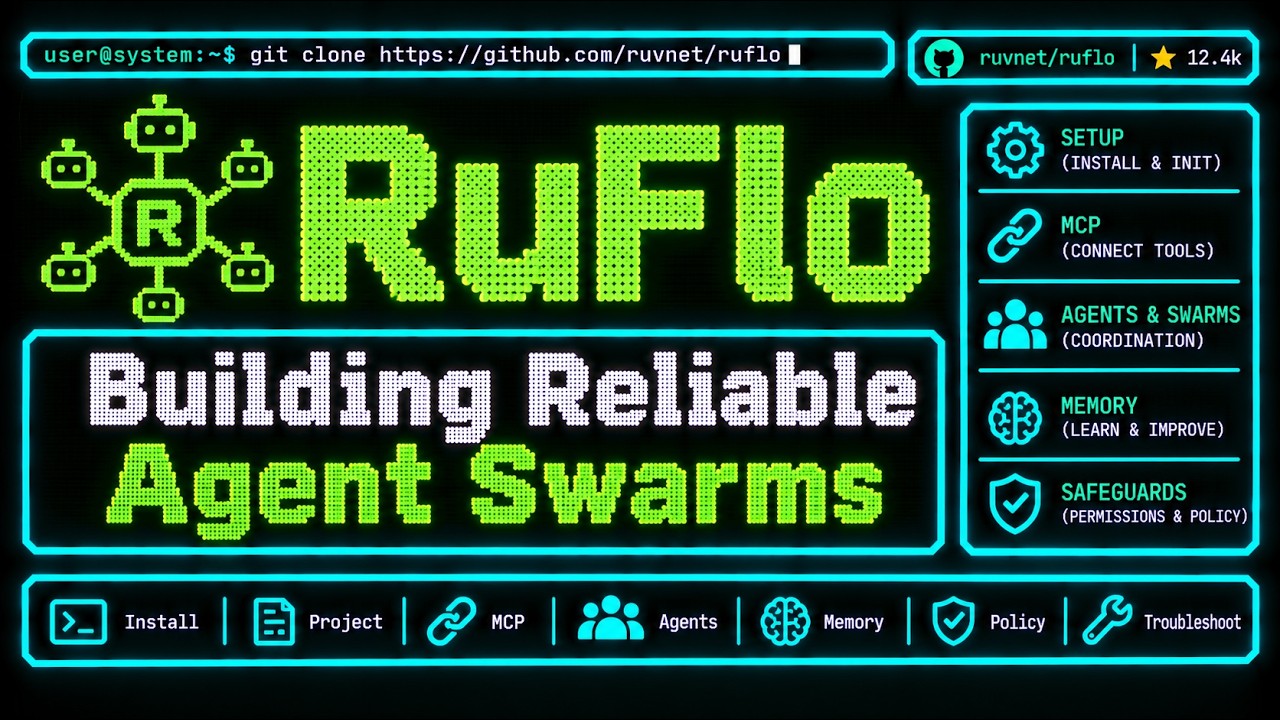


ruvnet’s free, MIT-licensed layer that adds agent swarms, shared memory, a console and an MCP server to Claude Code and Codex. It was called Claude Flow. The setup notes cover Claude Code, Codex, Cursor, Windsurf, VS Code, JetBrains, Claude Desktop, ChatGPT and Grok Build.
Ruflo is an open-source project on GitHub in the Developer category, listed by Mindket. It is free. This is version 2, last updated on . Install it from GitHub as its README says. Get Mindket’s setup notes on your Mindket account, as a zip.
/plugin marketplace add ruvnet/ruflo
/plugin install ruflo-core@ruflo
/plugin install ruflo-console@ruflo
And 1 more in Where to use it
Ruflo is a free, MIT-licensed layer that sits around Claude Code or Codex. The README splits the job in two. The model writes, and Ruflo gives it tools, memory, loops, sandboxes and controls. It lists more than a hundred specialized agents, swarms that coordinate them, memory that carries across sessions, a console, and federation between machines. The README says Reuven Cohen (rUv) built it, first as Claude Flow.
People who already work in Claude Code or Codex, or another MCP client, and want several agents on one job with shared memory and a view of cost. Skip it for small edits. The maker’s own guide says a single agent is often better for a small, straightforward change.
| Industry | Who uses it | How they use it | Example |
|---|---|---|---|
| Software teams | Developers building a feature | Run the feature template, which hands a task down a pipeline of agents | A developer sends the template the task “Add user auth”, and the User Guide says an architect, a coder, a tester and a reviewer take it in turn. |
| Security and review | Engineers who audit code | Run the security template on a folder | An engineer points it at src/auth/, and the guide lists a scanner, an analyzer and a fixer as its steps. |
| Agent operators | People who run several agents | Watch missions, agents, models and cost in the console | A person opens /ruflo in Claude Code, asks Claude to create a mission to add a dark mode toggle, and checks it in Missions. |
| Teams on separate machines | Two teams that share findings | Use federation to send tasks between machines | The README’s example has two teams sharing fraud signals, with personal data stripped from the task before it leaves. |
Ruflo works in many tools, and the setup notes have a page for each. The plugins, the console and the mods are Claude Code integrations. Everywhere else Ruflo arrives as an MCP server, and the README says hook support depends on the client.
Get it saves a zip of Mindket’s setup notes in your downloads folder, with a page for each tool from the maker’s README and docs. Pick one route. The README’s table says the plugins put no files in your workspace, and the command line writes a full setup into it. The console and mods still keep their own state under .claude-flow/.
| Need | Detail |
|---|---|
| Node.js | 20 or newer. The User Guide lists it as required, and the npm entry says the same |
| Package manager | npm 9 or newer, pnpm or bun, from the User Guide’s prerequisites |
| An agent | Claude Code 2.1.287 or later for the plugin route (core, console and mods). Cursor, Windsurf, VS Code 1.102+, JetBrains and Claude Desktop start a local MCP server. ChatGPT needs the hosted plugin or a remote server |
| A model key | ANTHROPIC_API_KEY for Claude models, from the User Guide. OpenAI and Google keys are optional |
| A shell | The curl installer needs a POSIX shell. On native Windows use the npx line |
/plugin marketplace add ruvnet/ruflo
/plugin install ruflo-core@ruflo
/plugin install ruflo-console@ruflo
/plugin install ruflo-mods@ruflo
/reload-plugins
/ruflo
Type those inside Claude Code. For Codex and other MCP clients, the README runs the setup wizard in your project terminal.
npx ruflo@latest init wizard
The MCP server alone is one line, and the User Guide’s Cursor, Windsurf and VS Code files hold the same entry in JSON.
npx -y ruflo@latest mcp start
{
  "mcpServers": {
    "ruflo": {
      "command": "npx",
      "args": ["ruflo@latest", "mcp", "start"]
    }
  }
}After init, the README says to use Claude Code as you always do. Its hooks route tasks and coordinate agents in the background. You can also start agents yourself. These three lines are the User Guide’s basic usage.
npx ruflo@latest agent spawn -t coder --name my-coder
npx ruflo@latest hive-mind spawn "Implement user authentication"
npx ruflo@latest agent list
In Claude Code, /ruflo opens the console. Its Claude control setting has four levels, read, write, manage and full, each with ask or auto approval. The README says the default is read plus ask.
The README walks through one task, creating a mission with Claude. Install the console, open /ruflo and set Settings, then Claude control, to write plus ask. Then send the README’s own prompt.
Create a mission to add a dark mode toggle. Show me the mission and its status.
Claude opens Missions and sets the goal, and you confirm the create action in the console. Check that Missions holds the goal and Overview records the action. The README adds that creating a mission does not mean the feature has been built. Take back control pauses Claude’s console tools.
If you are new. A coding agent is a model plus the tools around it, and Ruflo is the second part. A swarm is a group of agents that coordinate through a lead and shared memory. MCP is how a client such as Cursor calls Ruflo’s tools. The maker’s guide starts smaller than any of that, with one skill.
npx skills add ruvnet/ruflo --skill ruflo
The command is skills, plural. The guide says the skill gives an agent instructions for working with Ruflo, and does not start a server or grant access to your files. Its first prompt to the agent is this.
Use the RuFlo skill to explain what is installed and what is not. Do not change files or connect services yet. Propose the smallest setup for a read only review of this project.
For experts. The README names hierarchical, mesh and adaptive swarm topologies with consensus, and vector memory in an HNSW-indexed AgentDB. It says the learning loop depends on the configured memory and the quality of feedback. The speed comparisons are the maker’s own, in a gist the README links, and these notes did not rerun them.
Tool groups cut the number of MCP tools a client loads, which the User Guide says reduces latency and token use. Command line arguments beat environment variables, and those beat the config file.
export CLAUDE_FLOW_TOOL_GROUPS=implement,test,fix,memory
export CLAUDE_FLOW_TOOL_MODE=develop
The ruflo-core launcher reads RUFLO_MCP_SKIP_NPX=1 to refuse the unpinned npx fallback, and RUFLO_MCP_CLI_OVERRIDE to point at a built CLI. RuFlo Explained pins the release it checked in its examples, so a later version can change a command.
The maker’s docs flag most of this themselves.
This kit holds setup notes only. Mindket wrote them. Ruflo, its plugins and its command line install from ruvnet's repository: https://github.com/ruvnet/ruflo
These notes are not made or endorsed by ruvnet. The README says "Built by Reuven Cohen (rUv), originally as Claude Flow", and that Claude Flow is now Ruflo. Its first line calls Ruflo "An agent meta-harness for Claude Code and Codex." The README is at https://github.com/ruvnet/ruflo/blob/main/README.md
License: MIT. The LICENSE file (https://github.com/ruvnet/ruflo/blob/main/LICENSE) reads "Copyright (c) 2024-2026 ruvnet".
The README says: "Agent = Model + Harness. The model writes; the harness gives it tools, memory, loops, sandboxes, and controls so it can actually work. Ruflo is the harness". It lists 100+ specialized agents, coordinated swarms, self-learning memory, federated comms across machines and security guardrails. It also says you do not need to learn every tool: after init, use Claude Code normally and the hooks route tasks and coordinate agents in the background. Source: README
The maker's own guide, RuFlo Explained (https://github.com/ruvnet/ruflo/blob/main/docs/ruflo-explained.md), puts it plainly: "You still choose the goal. Your AI model still does the reasoning." It also advises one coordinator, a few independent tasks, a fixed budget and a clear finish line, and says a single agent is often better for a small, straightforward change.
It depends on the route you pick, and the README says the routes differ a lot. Source: README, Quick Start
.claude-flow/. Among ruflo's own plugins, ruflo-core registers the MCP server. The external agentic-qe-fleet, agentdb and agentic-flow plugins ship their own.npx ruflo init): the README lists 98 agents, 60+ commands, 30 skills, the MCP server, hooks and a daemon, with files in .claude/, .claude-flow/, CLAUDE.md, helpers and settings.npx ruflo@latest mcp start), for any client that can start a local stdio server.ruflo npm entry lists >=20.0.0 in its engines field (https://registry.npmjs.org/ruflo/latest).npm install -g @anthropic-ai/claude-code.ANTHROPIC_API_KEY as required for Claude models and OPENAI_API_KEY and GOOGLE_API_KEY as optional. See setup/tools-and-environment.md.The README's two first routes. The first is for Claude Code, typed inside a session. The second runs the setup wizard in your project's terminal and works for Codex and other MCP clients.
/plugin marketplace add ruvnet/ruflo
/plugin install ruflo-core@ruflo
npx ruflo@latest init wizardSource: README, Get started with Ruflo
init --codex, the MCP entry and dual mode with Claude Coderuflo tui, the console in a plain terminalThe User Guide gives these update lines:
npx ruflo@latest init upgradenpx ruflo@latest init upgrade --add-missingThe first updates helpers and the statusline and preserves your data. The second also adds skills, agents and commands that are new in a later version, without overwriting your own changes. Source: https://github.com/ruvnet/ruflo/blob/main/docs/USERGUIDE.md (Upgrading)
The README and the User Guide give no uninstall steps. To take it out by hand, these notes (Mindket's, not ruvnet's) go by what the docs say init writes: the .claude/, .claude-flow/ and CLAUDE.md files, plus the helpers and settings the README lists for the command line route. Remove the MCP entry with your client's own command. For a global install, npm uninstall -g ruflo is npm's own command, not one from the maker.
README.md  6 KB
setup/chatgpt.md  3 KB
setup/claude-code.md  7 KB
setup/claude-desktop.md  2 KB
setup/codex.md  4 KB
setup/cursor.md  2 KB
setup/federation.md  3 KB
setup/grok-build.md  4 KB
setup/jetbrains.md  1 KB
setup/terminal-ui.md  3 KB
setup/tools-and-environment.md  3 KB
setup/vs-code.md  1 KB
setup/windsurf.md  1 KB
Updated by Mindket to the current version of this kit.
Listed GitHub projects in the same category that share the most topics with this one.
| Product | Stars | Activity | Language | License | Last change |
|---|---|---|---|---|---|
| Ruflo This page | 81,187 | — | — | MIT | — |
| DifyShares agentic-framework · agentic-workflow · agentic-ai | 160,579 | — | — | — | — |
| CopilotKitShares ai-assistant · agentic-ai · agents | 38,557 | Active | TypeScript | MIT | |
| UI UX Pro MaxShares ai-skills · claude · codex | 146,944 | Active | Python | MIT | |
| ArchifyShares dsh-plugin · codex · ai-agents | 94,756 | Active | JavaScript | Apache-2.0 | |
| SimShares agentic-workflow · agents | 30,071 | — | — | Apache-2.0 | — |
Posts and comments that name this project on Hacker News, Bluesky, X, Reddit, Facebook and YouTube, found by a weekly search and on Trendshift. Mindket doesn’t write or check them. Open one to read it where it was posted.
Sokheng · Kit
Reads Khmer and English text from documents, receipts and photos of signs, using a detector for text lines and a recogniser for each line. Suits developers who…
Qwen · Kit
Qwen2.5-7B-Instruct as GGUF files in eight quantization sizes, to chat with locally through llama.cpp. For people who want a capable 7.6B model on their own co…
ACE-Step · Kit
Generates music from text with a 4B diffusion decoder, 50 steps and guidance control, aiming for higher audio quality than the base. For creators with a GPU of…
langgenius · Kit
LangGenius’s open-source platform for building LLM apps: visual workflows, RAG, model management and agents with a sandbox. Its difyctl tool and skill let Clau…
NousResearch · Kit
Nous Research’s open source agent that you run in a terminal, in a desktop app or from a chat app. It keeps memory, writes skills from experience, runs schedul…
nextlevelbuilder · Skill
Generates tailored design systems, including color palettes, typography pairings, and layout patterns, based on specific project requirements and industry stan…