
Bonsai-27B-GGUF
lmstudio-community · Kit
A GGUF conversion of the 27B Bonsai model for LM Studio, with a 3.80 GB Q1_0 language file and a 0.93 GB BF16 vision projector. Tested for text, vision and par…
New

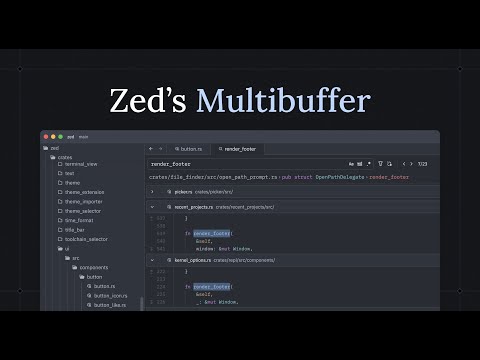


Zed Industries’ code editor for macOS, Linux and Windows, from the creators of Atom and Tree-sitter. These notes cover the install on each system, running Claude, Codex and other agents inside it, local models, MCP servers and turning the cloud parts off.
Zed is an open-source project on GitHub in the Developer category, listed by Mindket. It is free. This is version 2, last updated on . Install it from GitHub as its README says. Get Mindket’s setup notes on your Mindket account, as a zip.
brew install --cask zed
And 3 more in Where to use it
Zed is a code editor that its README calls high-performance and multiplayer, from the creators of Atom and Tree-sitter. It runs on macOS, Linux and Windows. Zed Industries, Inc., a for-profit company, develops it, and its source is licensed primarily under GPL-3.0-or-later, with Apache-2.0 components where marked. Besides editing, the docs describe real-time collaboration, remote projects over SSH and an Agent Panel that hosts Zed’s own agent, Claude, Codex and others. This entry covers installing it and setting up the agents.
Developers who want a fast editor and a choice of coding agents in one window, and teams that edit the same project together. Its docs carry guides for people moving from VS Code, IntelliJ IDEA, PyCharm, WebStorm or RustRover.
| Industry | Who uses it | How they use it | Example |
|---|---|---|---|
| Software teams | Developers who pair program | Share a project in a channel and edit it together, with voice chat | Two developers join one channel, open the shared project and watch each other’s cursors. |
| Remote and server work | Engineers whose code lives on a server | Keep the window on their own machine while the language servers and terminals run over SSH | An engineer opens zed ssh://me@example.com/~/project and edits a folder on the server. |
| Coding agents | Developers who use Claude Code, Codex or Gemini CLI | Run each agent in its own thread from one sidebar | A developer starts a Claude thread and a Codex thread, and isolates one in a new Git worktree so they do not edit the same files. |
| Privacy-minded work | Developers who prefer local models | Point the Zed Agent at Ollama, or turn AI off | A developer pulls a model with Ollama and picks it from the model dropdown. |
Skip it if you need an editor in the browser. The README lists the web as not yet available.
Zed installs on three systems. The install page says FreeBSD builds from source, and the Linux page says the same for some architectures and distributions.
Agents work in the Agent Panel in three ways, which differ in who holds the sign-in.
| Path | What runs | Who holds the sign-in |
|---|---|---|
| Zed Agent | Zed’s own agent, with tools, profiles, skills, instructions and MCP | Zed: its models come from Zed-hosted models, an API key, a subscription, a gateway or a local model |
| External Agents | Claude, Codex, OpenCode, Copilot, Cursor, Pi and others, over the Agent Client Protocol | The agent itself |
| Terminal Threads | A command-line agent such as claude or codex, in a terminal that Zed lists as a thread | The command-line tool |
Get it saves a zip of Mindket’s setup notes in your downloads folder, with the steps from Zed’s docs for each system and each agent. The install is one command or one download.
| Need | Detail |
|---|---|
| A computer | macOS 12.0 or later, Windows 11 version 22H2 or later or Windows 10 version 1903 or later (x64 or Arm64), or Linux on 64-bit Intel or AMD (x86_64) or 64-bit Arm (aarch64) |
| Graphics | Metal on macOS, a DirectX 11 GPU on Windows, a Vulkan 1.3 driver on Linux |
| Linux libraries | glibc 2.31 or newer on x86_64, 2.35 or newer on aarch64, for the build the install script fetches |
| An account | Not needed for most of the editor. Collaboration and models billed through Zed need a sign-in |
| An agent or a model | Optional: the agent’s own sign-in, a provider API key, a subscription, or a local model server |
brew install --cask zed
winget install -e --id ZedIndustries.Zed
curl -f https://zed.dev/install.sh | sh
The preview build gets updates about a week before stable. On Linux, ZED_CHANNEL=preview selects it.
curl -f https://zed.dev/install.sh | ZED_CHANNEL=preview sh
Open a folder from a terminal, or press Cmd+O or Ctrl+O inside Zed.
zed ~/projects/my-app
| Action | macOS | Linux and Windows |
|---|---|---|
| Command palette | Cmd+Shift+P | Ctrl+Shift+P |
| Go to file | Cmd+P | Ctrl+P |
| Go to symbol | Cmd+Shift+O | Ctrl+Shift+O |
| Find in project | Cmd+Shift+F | Ctrl+Shift+F |
| Open settings | Cmd+, | Ctrl+, |
| Inline assistant | Cmd+Enter | Ctrl+Enter |
If you forget a shortcut, search for the action in the command palette. For Vim keys, run the workspace::ToggleVimMode action. Language support beyond the built-in set comes from extensions, which open with Cmd+Shift+X or Ctrl+Shift+X.
To make Zed the editor Git opens, the CLI page gives these two lines.
export EDITOR="zed --wait"
export VISUAL="zed --wait"
You keep a project in ~/projects/my-app and pay for Claude. You open it from a terminal:
zed ~/projects/my-app
You press Cmd+Shift+A and install Claude Agent from the ACP Registry. In its thread you type /login and sign in. Claude Agent owns that sign-in, and a key you saved for the Zed Agent does not configure it. Later you start a Codex thread for a second task. Because both might touch the same files, you run it in a new Git worktree from the worktree picker in the title bar.
If you are new. A code editor is where you read and change a project’s files. An agent is a program that makes those changes from your instructions, and Zed can host several. Start with the editor alone: install it, open a folder and search the command palette for what you want. Nothing here needs an account to begin. Add an agent when you want one, and turn AI off with the disable_ai setting if you do not.
For experts. External Agents speak the Agent Client Protocol, and Zed hosts the thread while the agent keeps its own models, tools and auth. A custom agent that speaks it goes in settings. Terminal Threads run the CLI as it is, and agent.terminal_init_command starts one for you.
{
  "agent_servers": {
    "my-agent": {
      "type": "custom",
      "command": "node",
      "args": ["~/projects/agent/index.js", "--acp"],
      "env": {}
    }
  }
}MCP servers you add in Zed go to the Zed Agent directly and may be forwarded to an External Agent. By default the Zed Agent asks before it runs a permission-gated tool (terminal commands, file edits and deletes, fetch, web search, skills) or an MCP tool. agent.tool_permissions and per-tool rules change that. For project instructions it takes the first file it finds from .rules, .cursorrules, .windsurfrules, .clinerules, .github/copilot-instructions.md, AGENT.md, AGENTS.md, CLAUDE.md and GEMINI.md. A new folder opens in Restricted Mode, which keeps its .zed/settings.json, tasks, language servers and MCP servers from running until you trust it.
Most of this entry is about install and agent setup. A few limits sit outside it.
This kit holds setup notes only. Mindket wrote them. Zed is made by Zed Industries and installs from its own downloads and repository: https://github.com/zed-industries/zed
These notes are not made or endorsed by Zed Industries.
License: the README says "Zed source code is licensed primarily under GPL-3.0-or-later, with Apache-2.0 components where marked." The repository holds LICENSE-GPL (the GNU General Public License version 3 text) and LICENSE-APACHE (the Apache License 2.0, headed "Copyright 2022 - 2025 Zed Industries, Inc."). Source: https://github.com/zed-industries/zed/blob/main/README.md
The README calls Zed "a high-performance, multiplayer code editor from the creators of Atom and Tree-sitter". It runs on macOS, Linux and Windows, and the README lists the web as not yet available. The README says Zed is developed by Zed Industries, Inc., a for-profit company. Its docs describe real-time collaboration, remote development over SSH, and AI features that run through Zed's own agent, External Agents or a terminal. This kit gathers the install, update and removal steps the docs give for each system, how to run other coding agents inside Zed, and how to turn off the cloud parts.
macOS, with Homebrew:
brew install --cask zedWindows, with winget:
winget install -e --id ZedIndustries.ZedLinux, with the install script:
curl -f https://zed.dev/install.sh | shSource: https://github.com/zed-industries/zed/blob/main/docs/src/installation.md
The download page, https://zed.dev/download, has the macOS disk image and the Windows installer too.
zed command, removalZed keeps itself up to date by default. The update page says it checks, downloads in the background and applies the update when you restart. To turn that off, open the Settings Editor and find Auto Update under General Settings. Source: https://github.com/zed-industries/zed/blob/main/docs/src/update.md
Each platform note has its removal steps. The uninstall page is https://github.com/zed-industries/zed/blob/main/docs/src/uninstall.md
README.md  5 KB
setup/build-from-source.md  5 KB
setup/claude-code.md  4 KB
setup/codex.md  3 KB
setup/first-steps.md  5 KB
setup/linux.md  5 KB
setup/macos.md  3 KB
setup/models-and-mcp.md  7 KB
setup/other-agents.md  5 KB
setup/privacy-and-telemetry.md  5 KB
setup/windows.md  3 KB
Updated by Mindket to the current version of this kit.
Posts and comments that name this project on Hacker News, Bluesky, X, Reddit, Facebook and YouTube, found by a weekly search and on Trendshift. Mindket doesn’t write or check them. Open one to read it where it was posted.
lmstudio-community · Kit
A GGUF conversion of the 27B Bonsai model for LM Studio, with a 3.80 GB Q1_0 language file and a 0.93 GB BF16 vision projector. Tested for text, vision and par…
LibertAIDAI · Kit
Runs DeepSeek-V4.1-Flash-1017 as a 2.9 bits-per-weight EXL3 quantization, a 196 GiB copy for people serving large models on their own hardware. Perplexity stay…
facebook · Kit
Generates short music clips from a text description or an audio prompt, in the small checkpoint of facebook's MusicGen. It suits developers and music hobbyists…
alpindale · Kit
Tags every character of C source code for syntax highlighting with a tiny neural network of about 984 weights, run through a small C program. For developers an…
prithivMLmods · Kit
Try a set of LoRAs for the FLUX.2 Klein image model in a Gradio app that runs in your browser or on your own computer. Made for people who make or test AI imag…
Sokheng · Kit
Reads Khmer and English text from documents, receipts and photos of signs, using a detector for text lines and a recogniser for each line. Suits developers who…