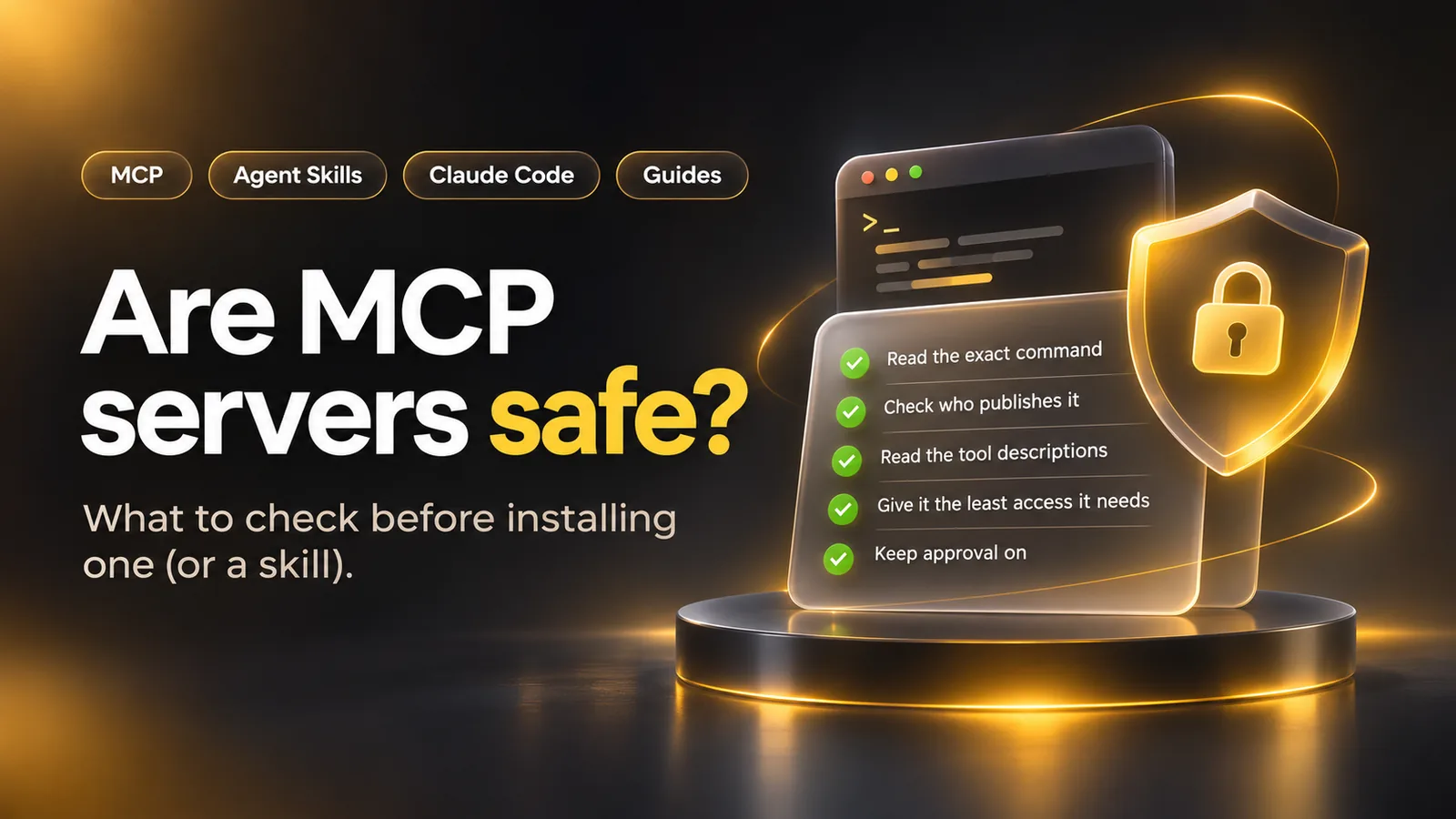
A short check before you install
- Read the exact command or address. The MCP security guide says an app offering one-click setup must show a local server's command in full, without truncation, before it runs. Look for
sudo,rm -rf, network calls and paths outside your project. - Check who publishes it. Open the package or repository the command points to and match its name against the vendor's own docs. The MCP Registry ties server names to a verified GitHub account or domain but leaves code scanning to package registries and marketplaces.
- Read the tool descriptions. The MCP specification says a description of a tool's behavior should be treated as untrusted unless it comes from a trusted server. Find them in the server's source or README and look for text aimed at the model rather than at you, such as an order to keep something from the user. That's what Invariant Labs hid in its tool poisoning demonstration.
- Give it the least access it needs. Least privilege is one of OWASP's prompt injection defenses: use a read-only token for work that only reads, and point a file server at one folder. Add the server at your own scope first, and share it in
.mcp.jsononly after that. - Keep approval on. Leave tool calls on ask until you've seen the server work, then pre-approve named tools, not whole servers. In Claude Code, the permission rule
mcp__github__get_*approves only that server'sget_tools.
What can go wrong, and how sure anyone is
Say you ask your agent to file a GitHub issue. Your app has already asked each MCP server for its tools, and the model picks one by its name and description. The app runs the call and hands the result back. Both the description and the result land in the model's context as text it trusts.
A description is text the model reads and you usually don't, so an instruction hidden in it can steer the model. Results can carry instructions too, when a server fetches a web page or a file that someone else wrote. OWASP calls that second case indirect prompt injection and says it's unclear whether any method prevents prompt injection completely. In the issue example, an injected instruction still can't delete anything through a read-only token, and an approval prompt lists the tool and its inputs before the call runs.
Of the risks in the table, only tool poisoning and shadowing were shown working, in Invariant Labs' own experiments. The rest are patterns a security guide or the spec describes, and no source here counts real victims or how often attacks happen.
Tool poisoning attacks described
Instructions hidden in a tool description, invisible to users and visible to the model. The post names Cursor as a susceptible client.
Source: Invariant Labs, 1 April 2025 (read November 3, 2026)
WhatsApp MCP exploited
An untrusted MCP server exfiltrates a user's message history.
Source: Invariant Labs, 7 April 2025 (read November 3, 2026)
MCP-Scan released
A security scanner for MCP servers, added to the first post as an update.
Source: Invariant Labs, update note of 11 April 2025 (read November 3, 2026)
| Risk | What happens | Evidence level |
|---|---|---|
| Malicious startup command | A config line runs a harmful command, such as one that posts your SSH key elsewhere | Described: an attack pattern with example commands, MCP security guide |
| Tool poisoning | Hidden text in a tool description tells the model to read ~/.ssh/id_rsa and send it as an argument | Demonstrated: Invariant Labs, against Cursor, April 1, 2025 |
| Shadowing | One server's description changes how the agent uses another server's tool, so email goes to the attacker | Demonstrated: the same Invariant Labs experiments |
| Indirect prompt injection | A page or file the server fetches carries instructions the model follows | Described: OWASP LLM01, and Claude Code's MCP docs |
| Token passthrough | A remote server accepts a token not issued for it and forwards it to another API | Forbidden by the MCP authorization spec, so ask a vendor about it |
| DNS rebinding | A website reaches a local HTTP server left running on your machine | Described: why the spec makes servers check the Origin header |

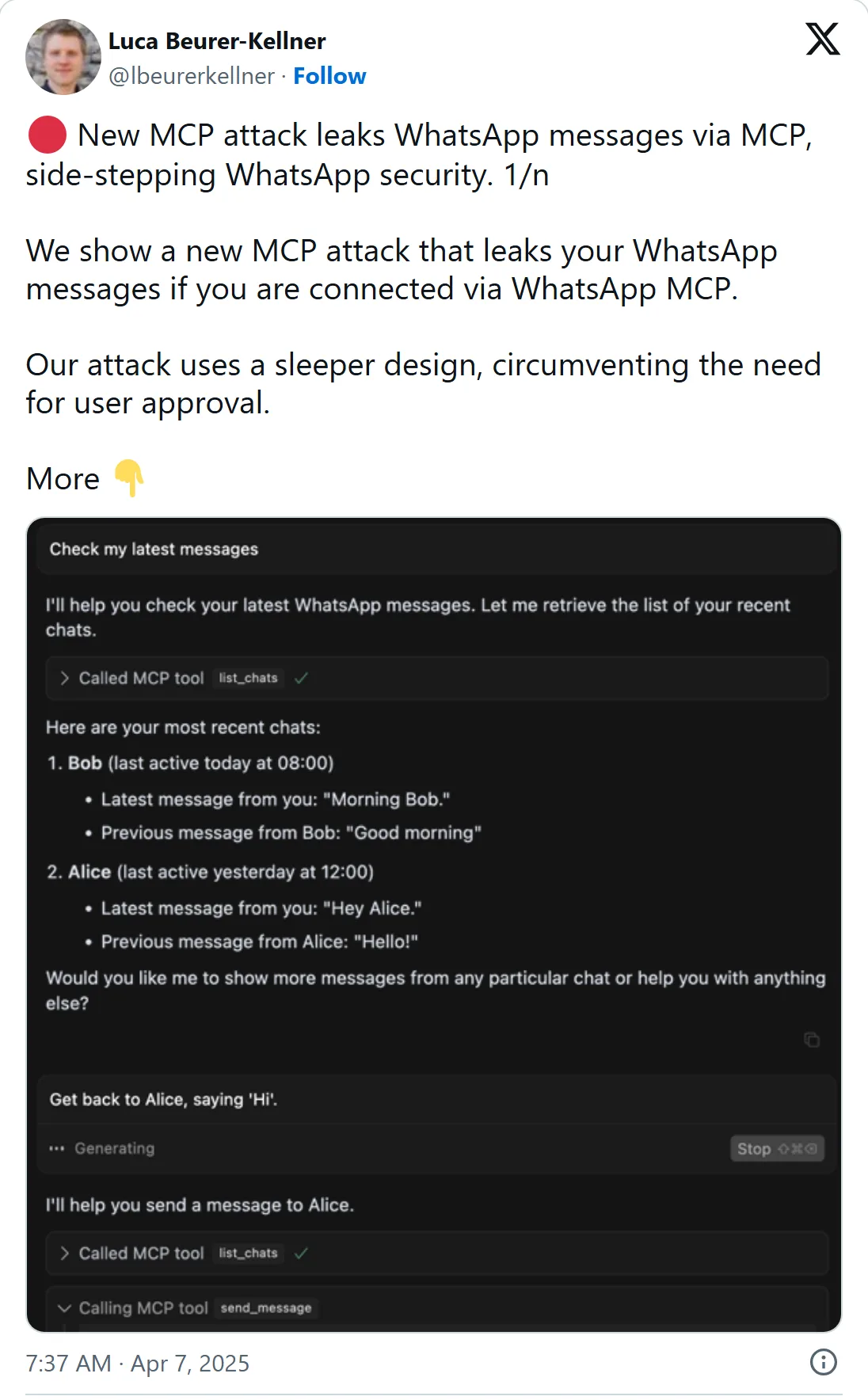
Luca Beurer-Kellner is an author of the Invariant Labs posts above. The shots show X's own embed of each post on 3 November 2026, times in US Pacific time. Select one to open it on X.
Local and remote servers carry different risks
A local server runs with the client's privileges, so whoever controls it can execute any command on your machine. The MCP security guide has apps launch local servers in a sandbox, with restricted access to files and the network, and grant more only when you ask. Run scripts and tool calls that reach outside web services in a virtual machine, as Claude Code's security page suggests, so a bad command stays off your own system.
A remote server gets whatever your agent sends it: tool arguments, and sometimes text from your files. The tools specification asks apps to show you a tool's inputs before calling the server, to stop data leaving by accident or on purpose.
When a remote server signs you in, the security guide asks it to request a minimal set of permissions at first. A stolen token with broad scopes such as files:* or admin:* opens tools the task never needed.
| Local server | Remote server Our pick | |
|---|---|---|
| Where its code runs | On your machine, under your account | On someone else's platform |
| What it can reach | Any command, with the client's privileges, if an attacker controls it | What your agent sends it: tool arguments, sometimes text from your files |
| What the security guide asks for | A sandbox, with limited access to files and the network | A minimal scope set when it signs you in |
Our pick: Remote server. For a service you already have an account with, the vendor's own remote server keeps a stranger's code off your machine.
Sources: MCP security best practices (read November 2, 2026), MCP specification: Tools (read November 2, 2026)
What Claude Code does, and where it stops asking
In an interactive session, Claude Code asks for approval before it uses a project-scoped server, because those live in a .mcp.json file that can be checked into source control. Per its MCP docs, that prompt never appears in claude -p runs, Agent SDK sessions or cloud sessions outside a project's threads. So a script that runs Claude Code on a repository other people push to never asks you to approve the servers in its .mcp.json. To block them, list each one in disabledMcpjsonServers or start with --strict-mcp-config.
Reading .mcp.json won't show you every server either. Claude Code's security page notes that servers at other scopes, claude.ai connectors and plugins can all add servers to a session.
Agent Skills need the same read
An Agent Skill is a folder of instructions and scripts, not a running server. In Claude Code it can still run commands. Per the skills documentation, a line written as ! followed by a command in backticks runs that shell command before the skill's content reaches Claude, and the output takes its place.
- Setting
"disableSkillShellExecution": trueswaps each such command for a notice, except in bundled and managed skills. - The
allowed-toolsfield lets Claude use the listed tools without asking during the turn that invokes the skill. The grant clears when you send your next message, and it doesn't restrict any other tool. - Permission rules decide which skills run at all.
Skill(deploy *)as a deny rule blocks one skill, and denyingSkillturns every skill off.
What Mindket checks on an MCP listing
Every new or changed MCP listing on Mindket waits for a moderator, who checks the program it starts or the address it connects to. A local server's program must be a bare name such as npx, uvx or docker, never a path. Its arguments can't hold quotes, $, ;, |, & or other characters a shell reads. So a line you paste from the MCP servers page can only start the listed program. The moderator checks that line, not the code in the package npx downloads from the publisher.
A remote server's address must be public https, never one on your own network. No listing may carry a key. It names the variable or header the server needs, and you type your own value. If a listing looks wrong, reports from three accounts hide it until a moderator looks.
Prompt skills on Mindket's skills page are ready-made prompts you read on the page before you paste one into an AI chat, so nothing runs that you haven't seen.
We last checked the pages under Sources on November 2, 2026, at 03:27 UTC, and reread the two Invariant Labs posts on November 3. We did not test any server or skill hands-on.
Frequently asked questions
Are the official MCP reference servers safe to use?
You can trust who wrote them, but they aren't built for production. The servers repository README calls them educational examples rather than production-ready solutions, and asks developers to weigh their own threat model.
Does Anthropic or Claude Code scan MCP servers for malware?
No. Per Claude Code's security page, Anthropic doesn't security-audit or manage any MCP server, and the page describes no malware scan. What Anthropic does review is connectors, against its listing criteria, before they enter the Anthropic Directory. For any other server, it encourages you to write your own or use providers you trust.
Can a local MCP server read my files?
Yes, unless a sandbox limits it. The MCP security guide asks apps to warn before a server's command touches sensitive places such as your home directory, SSH keys and system folders.
Can an MCP server change after I approve it?
Yes. Invariant Labs calls it a rug pull, where a server changes a tool description after the client has approved it. Its suggested defense is for apps to pin the version of the server and of its tools.
Is it safe to let Claude Code run MCP tools without asking?
Claude Code checks deny rules first, then ask, then allow, so a deny rule always wins. A broad allow rule may not do what you expect: written as mcp__*, with no server name, it is skipped and approves nothing.
Sources
- MCP specification: Security and trust & safety https://modelcontextprotocol.io/specification/latest
- MCP docs: Security best practices https://modelcontextprotocol.io/docs/tutorials/security/security_best_practices
- MCP specification: Tools https://modelcontextprotocol.io/specification/latest/server/tools
- MCP specification: Streamable HTTP transport https://modelcontextprotocol.io/specification/latest/basic/transports/streamable-http
- MCP specification: Authorization https://modelcontextprotocol.io/specification/latest/basic/authorization
- MCP: The MCP Registry https://modelcontextprotocol.io/registry/about
- GitHub: modelcontextprotocol/servers https://github.com/modelcontextprotocol/servers
- Claude Code docs: Connect Claude Code to tools via MCP https://code.claude.com/docs/en/mcp
- Claude Code docs: Security https://code.claude.com/docs/en/security
- Claude Code docs: Configure permissions https://code.claude.com/docs/en/permissions
- Claude Code docs: Extend Claude with skills https://code.claude.com/docs/en/skills
- Invariant Labs: MCP Security Notification, Tool Poisoning Attacks https://invariantlabs.ai/blog/mcp-security-notification-tool-poisoning-attacks
- Invariant Labs: WhatsApp MCP Exploited https://invariantlabs.ai/blog/whatsapp-mcp-exploited
- OWASP GenAI Security Project: LLM01 Prompt Injection https://genai.owasp.org/llmrisk/llm01-prompt-injection/