# Prompt templates: a fixed part, named variables and a home in version control
> A prompt template is a prompt with a fixed part, written once, and named slots for the values that change, such as {{QUESTION}} or a function argument. Wrap each value in XML tags so the model can tell data from instructions. Put the fixed part first so prompt caching can reuse it, and keep templates in your code under version control.
Mindket editors · Published 2026-11-06 · Updated 2026-11-06 · https://mindket.com/learn/prompt-engineering-advanced/prompt-templates
## In short
- Write the unchanging instructions once and give every changing value its own name.
- Fence anything a user typed, so their text can never pass as an instruction.
- Sort the lines from never-changes to changes-on-every-call.
- Review a prompt edit the way you review code, with a test run before it ships.
## Before you start
Pick a prompt you already send more than once, where only a few words change each time: a reply to a customer, a meeting summary, a review of a pull request. Any of them will do. By the end of this lesson it will be a template. That means fixed instructions written once, a named slot for each changing value, and a file in your repository.
The samples use Python 3, and the first one only builds a string. The fixed part of most templates ends up in a system prompt, which [the first course covers](https://mindket.com/learn/prompt-engineering/system-prompt). The chain in [the previous lesson](https://mindket.com/learn/prompt-engineering-advanced/prompt-chaining) already used templates with one slot each.
## Fill a template, then fence the variable
Anthropic's prompt engineering tutorial builds its templates from plain Python f-strings, in [chapter 4, Separating Data and Instructions](https://github.com/anthropics/prompt-eng-interactive-tutorial/blob/master/Anthropic%201P/04_Separating_Data_and_Instructions.ipynb). The fixed skeleton is written once, and each variable is substituted in before the prompt goes to Claude. Its first example has one slot, an animal's name, at the end of an instruction.
The second example shows what goes wrong. The template says "Yo Claude." and pastes an email right after it. Once the email is in, nothing marks where it begins. In the tutorial's own run, Claude took "Yo Claude" as part of the email, and its rewrite began with "Dear Claude". Wrapping the value in an XML tag fixed it. Nothing else changed.
````python
# Variable content
EMAIL = "Show up at 6am tomorrow because I'm the CEO and I say so."
# Prompt template with a placeholder for the variable content
PROMPT = f"Yo Claude. {EMAIL} <----- Make this email more polite but don't change anything else about it."
# The same template with the variable wrapped in XML tags
PROMPT = f"Yo Claude. {EMAIL} <----- Make this email more polite but don't change anything else about it."
````
1. Name each slot after what goes in it. The tutorial notes that `ANIMAL` could just as well be `CREATURE` or `A`, but a specific name keeps the template readable before anything is filled in.
2. Substitute values with an f-string or `format()`. A template can hold as many variables as you need.
3. Wrap every value in an XML tag named for it, such as `email` or `question`, so the model sees where the data starts and stops.
4. Print the full prompt before you send it, as every tutorial cell does. A missing value or a stray character shows up there first.
## Read an example template from Anthropic's prompt engineers
In a [February 2024 post](https://www.anthropic.com/news/prompt-engineering-for-business-performance), Anthropic describes how one of its prompt engineers worked with a Fortune 500 company's subject matter experts on a customer-facing chat assistant running on Claude Instant. The post credits that work with a 20 percent gain in Claude's accuracy. To show the techniques, it prints an example prompt for a tax analyst, and that is the template below. Its slots use double braces, and each one sits inside an XML tag.
Read it from the top and the order tells you how often each part changes. The role and the instructions never change. The tax code and the examples change when the topic does. The user's question changes on every call, so it sits near the end, followed only by the fixed instructions for the answer. The original also carried the old Human: and Assistant: turn markers, which the copy below leaves out.
````text
You are an expert AI tax analyst. You help users understand the details of the tax code.
Here is the relevant section of the tax code.
{{TAX_CODE}}
Here are some examples of questions and answers about this section of the tax code:
{{EXAMPLE QUESTION 1}}
{{EXAMPLE ANSWER 1}}
...
Now here is the user's question about the tax code that I'd like you to answer:
{{QUESTION}}
First, pull relevant quotes from the tax code in tags. Then write a concise, factual response to the user's question in tags. Your answer should be fully grounded in the relevant quotes from the tax code that you extracted.
````
## Put the fixed part first, for prompt caching
Prompt caching saves a model from processing the same opening text twice. It only helps when a new request starts with exactly the same tokens as an earlier one. Your template decides whether that happens.
OpenAI's [prompt engineering guide](https://developers.openai.com/api/docs/guides/prompt-engineering) says to keep content you reuse at the beginning of the prompt, and among the first parameters of the request body. Its [caching guide](https://developers.openai.com/api/docs/guides/prompt-caching) names the trap: timestamps, user-specific content and other dynamic content go at the end, not the beginning. The same prompting guide lists a developer message as identity, instructions, examples and context, with context near the end because it changes between requests.
A single line such as "Current time: 14:02 UTC" at the top of a template changes the prefix on every call, so no request can reuse the last one. Move it below the reference text and the fixed part stays cacheable. Claude's caching has its own rules about where the cached part ends, set out in [the prompt caching lesson](https://mindket.com/learn/claude-api/claude-prompt-caching).
The gain is in speed as well as cost. Anthropic opened caching as a public beta in August 2024, and [its announcement](https://www.anthropic.com/news/prompt-caching) listed what early customers saw in the time to the first token.
**Time to first token, without and with prompt caching** Early customers' results in Anthropic's caching announcement, during the 2024 public beta. Gold bars are the cached runs.
- Chat with a book, 100,000-token prompt: 11.5 s
- Chat with a book, cached: **2.4 s**
- Many-shot prompt, 10,000 tokens: 1.6 s
- Many-shot prompt, cached: **1.1 s**
- Ten-turn chat with a long system prompt: about 10 s
- Ten-turn chat, cached: **about 2.5 s**
Source: [Anthropic: Prompt caching with Claude (announcement)](https://www.anthropic.com/news/prompt-caching) (read 2026-11-06)
## Keep templates in code, under version control
OpenAI tried the other way first. In June 2025 it made prompts an object in its API, saved in the dashboard with versions and variables and called by ID. On 3 June 2026 it announced that reusable prompt objects are deprecated, and the `v1/prompts` API is scheduled to shut down on 30 November 2026, as its [deprecations page](https://developers.openai.com/api/docs/deprecations) showed on 6 November 2026.
Its [prompt engineering guide](https://developers.openai.com/api/docs/guides/prompt-engineering) now tells you to store production prompts in your application code. Prompts kept there get typed inputs, code review, tests and your normal deployment process. The [migration guide](https://developers.openai.com/api/docs/guides/prompting/migrate-from-prompt-object) shows the replacement: a function that takes the variables as arguments and returns the messages.
````python
from openai import OpenAI
client = OpenAI()
def build_support_prompt(customer_name, issue):
return [
{
"role": "system",
"content": "You are a helpful support assistant. Be concise, accurate, and friendly. Do not invent policy details.",
},
{
"role": "user",
"content": f"Customer name: {customer_name}. Issue: {issue}. Write a response to the customer.",
},
]
response = client.responses.create(
model="gpt-6-astra",
input=build_support_prompt(
customer_name="Acme",
issue="billing question",
),
)
````
- Move the prompt text into source files, so a change goes through the same review and release as product logic.
- Replace template variables with function arguments, which makes each value explicit. The sample drops two short values into a sentence. A long value a user wrote still deserves its own tags.
- Version the prompt with git commits and pull request review, so every wording change has an author and a reason.
- Add representative fixtures and evaluation checks before you change a production prompt, as [the evals in CI lesson](https://mindket.com/learn/ai-evals/evals-in-ci) sets up, and use a feature flag when you need a staged rollout.
**OpenAI's saved prompts, from launch to shutdown**
1. **June 16, 2025** Prompts become an API object. Developers can save, version and reuse prompts across the Playground, API, Evals and Stored Completions.
2. **June 3, 2026** Reusable prompt objects deprecated. OpenAI de-emphasizes creating prompts in the platform and points developers to prompts kept in code.
3. **November 30, 2026** The v1/prompts API is scheduled to shut down. A request that names a saved prompt ID needs that prompt moved into code before then.
Sources: [X: OpenAI Developers on prompts as an API primitive (16 June 2025)](https://x.com/OpenAIDevs/status/1934717086783426698) (read 2026-11-06), [OpenAI API docs: Deprecations, reusable prompts](https://developers.openai.com/api/docs/deprecations) (read 2026-11-06)
## OpenAI Developers on saved prompts, Alex Albert on caching
OpenAI Developers, the company's account for developers, [announced on 16 June 2025](https://x.com/OpenAIDevs/status/1934717086783426698) that prompts had become an API primitive, to use and reuse across the Playground, API, Evals and Stored Completions. Within a year the same company was telling developers to move that text back into their code. Before you put templates in any hosted prompt store, find out how you would get them out again.
Alex Albert of Anthropic [posted on 14 August 2024](https://x.com/alexalbert__/status/1823751966893465630) that prompt caching had rolled out in the Anthropic API, claiming large cuts to input cost and latency. Those savings only reach the part of a template that never moves. Here, order matters more than wording.
> Centrally manage, version, and optimize prompts.
>
> OpenAI Developers, OpenAI's account for developers, [X](https://x.com/OpenAIDevs/status/1934717086783426698) (read 2026-11-06)
[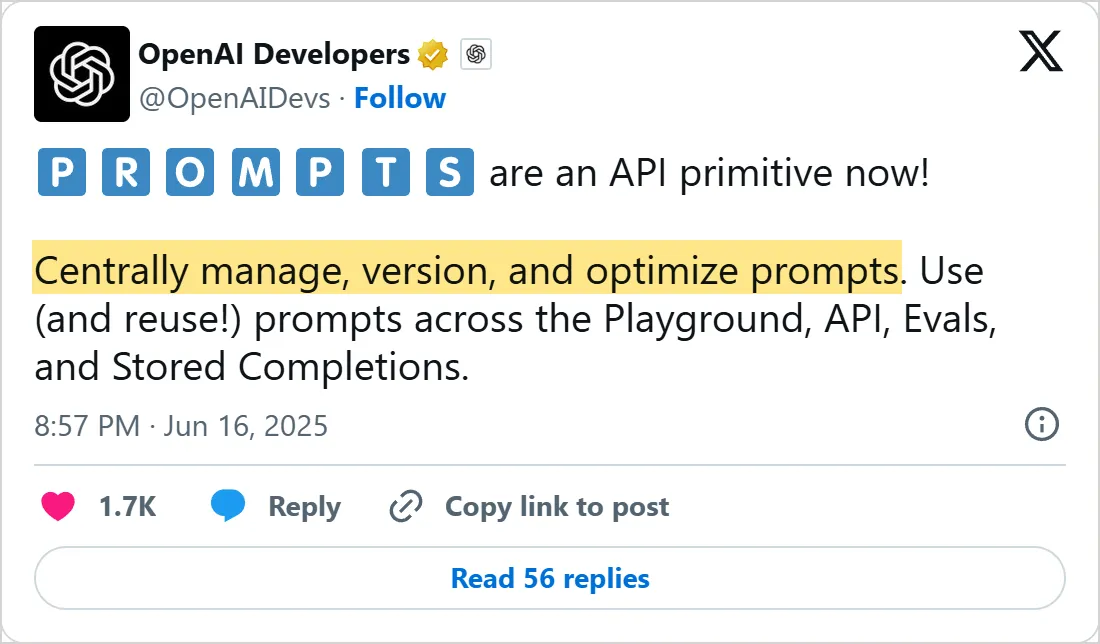](https://x.com/OpenAIDevs/status/1934717086783426698)
OpenAI Developers on X, 16 June 2025
[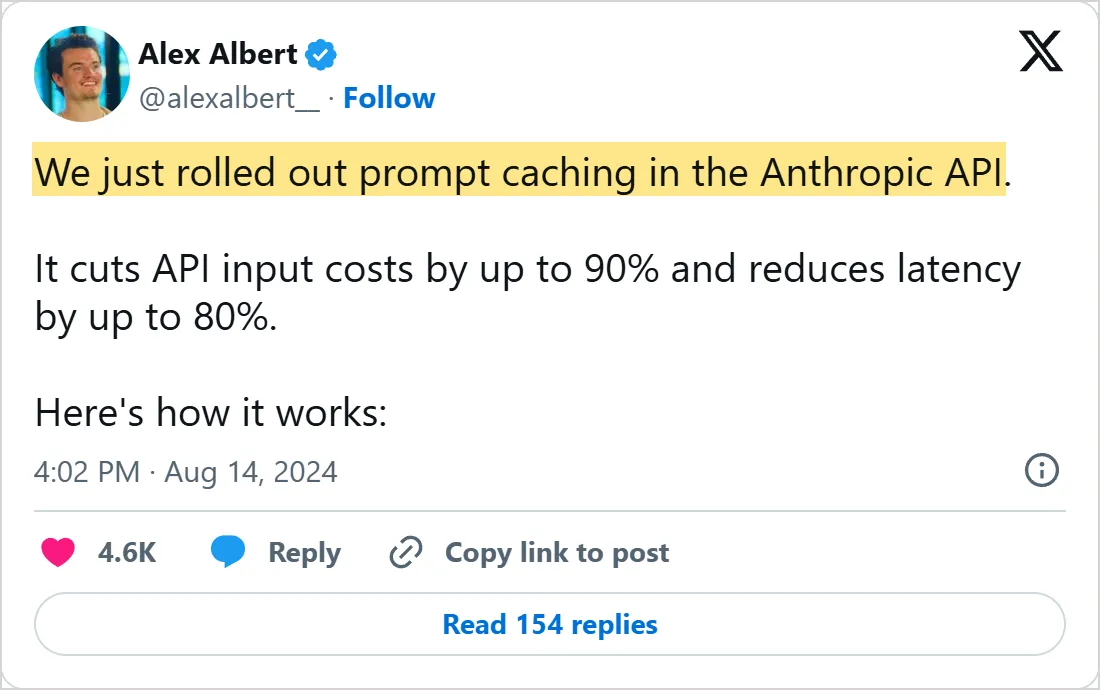](https://x.com/alexalbert__/status/1823751966893465630)
Alex Albert on X, 14 August 2024
> Screenshots of X's own embeds of the posts, taken on 6 November 2026, with the time in UTC. Select one to open the post on X.
## Common mistakes
- Pasting a value into the template with nothing around it, so the model reads part of it as an instruction.
- Opening the template with a timestamp, a user name or a request ID, which changes the cached prefix on every call.
- Naming slots `X` or `INPUT1`, so nobody can read the template before it is filled in.
- Editing a production prompt in a dashboard with no review, no history and no test run.
- Copying a template into a second file for a small variation, then fixing a bug in only one copy.
## Try it yourself
- Send the tutorial's email template with and without the tags around `EMAIL`, and compare the first word of each rewrite.
- Rewrite the tax template as a Python function with `tax_code`, `examples` and `question` arguments, in the style of the OpenAI builder.
- Sort the lines of one of your own prompts into three groups: never changes, changes per topic, changes per call. Does anything from the last group sit near the top?
- Put your template in a file under git, change one instruction, and write the commit message as if a reviewer will ask why.
## Next course: Reasoning models
This is the last lesson of the advanced prompt engineering course. A template fixes what goes into one prompt. The reasoning models course starts with [what reasoning models are](https://mindket.com/learn/reasoning-models/what-are-reasoning-models). It shows what changes when a model thinks before it answers: clear goals in place of step-by-step instructions, and an effort setting that trades time and tokens for more thorough reasoning.
## Check yourself
1. Why does the tutorial wrap the email in XML tags?
A. To make the prompt shorter
B. So the model can tell where the variable starts and ends
C. Because the API rejects plain text
D. To switch on prompt caching
Answer: B. Without a boundary, Claude read "Yo Claude" as part of the email it was asked to rewrite.
2. In a template you want cached, where does a value that changes on every call go?
A. At the beginning of the prompt
B. Inside the tool definitions
C. At the end, after the fixed instructions and reference text
D. In a separate request sent first
Answer: C. A cache reuses an identical opening, so anything that changes per call has to come after the fixed part.
3. What does OpenAI's prompting guide now say to do with production prompts?
A. Store them in application code under version control
B. Save them as prompt objects in the dashboard
C. Keep them only in the Playground
D. Rebuild them from scratch for every call
Answer: A. The guide says code-managed prompts get typed inputs, code review, tests and the normal deployment process, and saved prompt objects are being retired.
4. A template's first line is today's date and time. What happens to prompt caching?
A. Nothing changes
B. The cache lasts longer
C. The model skips the line
D. The prefix changes on every call, so no request reuses the last one
Answer: D. A timestamp at the top makes the opening different each time, and caching only matches an identical prefix.
## Frequently asked questions
### What is a prompt template?
It is a prompt you reuse by filling in named slots, such as a customer email or a question, while the instructions around them stay the same from call to call.
### What syntax should template variables use?
Any syntax your code can fill. Anthropic's tutorial uses Python f-strings, and its 2024 business post writes slots in double braces, such as {{QUESTION}}. A clear name for each slot and a tag around each value matter more than the syntax.
### Should prompts live in code or in a prompt management tool?
For production API calls, OpenAI's guide now says code, and OpenAI is retiring its own saved prompt objects. In code, a prompt gets the same history and review as the logic that calls it.
### Can a template with many variables still use prompt caching?
Yes, if the variables that change on every call sit together near the end. Caching reuses a prompt up to the first token that differs from an earlier request. One slot that changes on every call, placed near the top, leaves only the few lines above it cacheable.
### Is a prompt template the same as a system prompt?
No. A system prompt is where instructions sit in a request, while a template is how you build any part of a request from fixed text and variables. The fixed part of a template often becomes the system prompt.
## Sources
- [Anthropic's prompt engineering tutorial: Chapter 4, Separating Data and Instructions](https://github.com/anthropics/prompt-eng-interactive-tutorial/blob/master/Anthropic%201P/04_Separating_Data_and_Instructions.ipynb) (read 2026-11-06)
- [Anthropic: Prompt engineering for business performance (29 February 2024)](https://www.anthropic.com/news/prompt-engineering-for-business-performance) (read 2026-11-06)
- [Anthropic: Prompt caching with Claude (announcement)](https://www.anthropic.com/news/prompt-caching) (read 2026-11-06)
- [OpenAI API docs: Prompt engineering](https://developers.openai.com/api/docs/guides/prompt-engineering) (read 2026-11-06)
- [OpenAI API docs: Prompt caching](https://developers.openai.com/api/docs/guides/prompt-caching) (read 2026-11-06)
- [OpenAI API docs: Migrate from prompt objects](https://developers.openai.com/api/docs/guides/prompting/migrate-from-prompt-object) (read 2026-11-06)
- [OpenAI API docs: Deprecations, reusable prompts](https://developers.openai.com/api/docs/deprecations) (read 2026-11-06)
- [X: OpenAI Developers on prompts as an API primitive (16 June 2025)](https://x.com/OpenAIDevs/status/1934717086783426698) (read 2026-11-06)
- [X: Alex Albert on prompt caching rolling out in the Anthropic API (14 August 2024)](https://x.com/alexalbert__/status/1823751966893465630) (read 2026-11-06)
[Browse skills](https://mindket.com/skills)